Playout
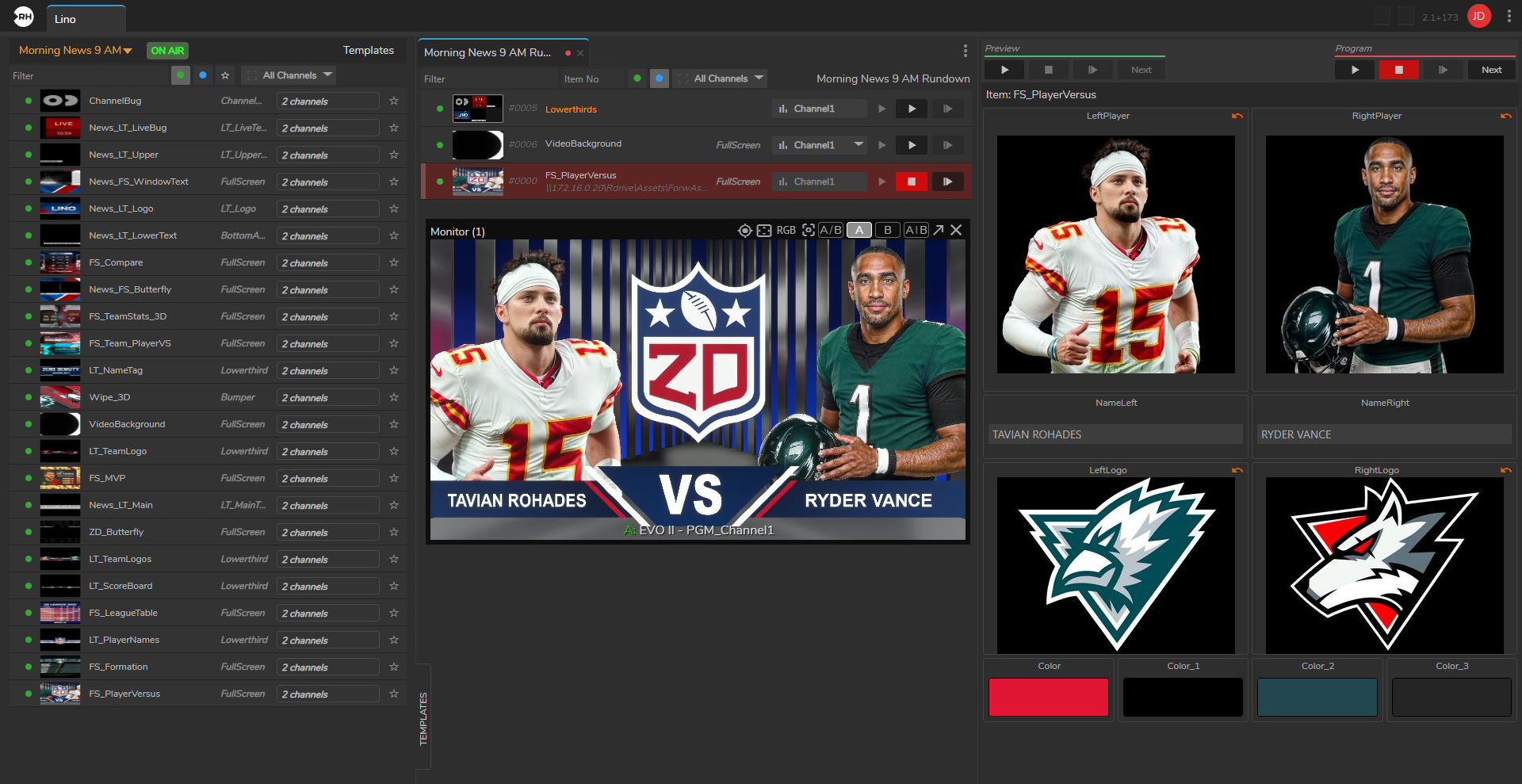
Lino Playout module provides a single, unified Playout for triggering, broadcasting, and managing your graphics.
Key Features of Lino Playout
- Multi-Channel Control – Manage multiple graphics channels from a single interface. Control on-air overlays on one channel and video wall graphics on another at the same time within the same rundown.
- Template-Based Workflow – Uses state-aware templates. You can update text, images, or data within a template and send it to air without modifying the original design.
- Familiar Broadcast Commands – Includes standard broadcast commands such as "Take In," "Take Next," "Continue," "Take Out," and "Clear."
- Rundown Management – Create and manage graphic playlists. View thumbnails, rearrange items using drag-and-drop, and update properties in real time.
- NRCS Integration – Integrates with newsroom systems such as ENPS, iNews, Octopus, and Dina. Graphics prepared in the newsroom system appear automatically in the Lino Playout rundown through ZD MOS Plugin.
- Transition Logic – Provides built-in transition logic, allowing graphics to move on and off screen without manual setup or complex configuration.