Reality Camera
Reality Camera manages the connection between the physical camera and the virtual scene. Handles lens data ingestion, DLSS support, and real-time transform synchronization to ensure your virtual and physical elements are perfectly aligned.
Reality Mask

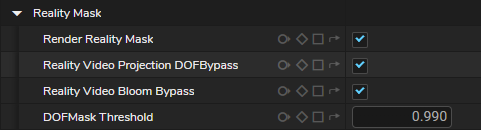
Reality Mask is a render pass (also known as Foreground Pixels Video Mask) that separates foreground and background pixels, allowing the engine to correctly handle transparency and occlusion when placing virtual objects in front of or behind talent or real-world elements.
Watch the following video to see the AR Foreground Mask in action:
Additionally, we have Zero Density Academy Course:
Level up your virtual production with bite-sized, focused tutorials on key features.
Reality Camera Tracking Input
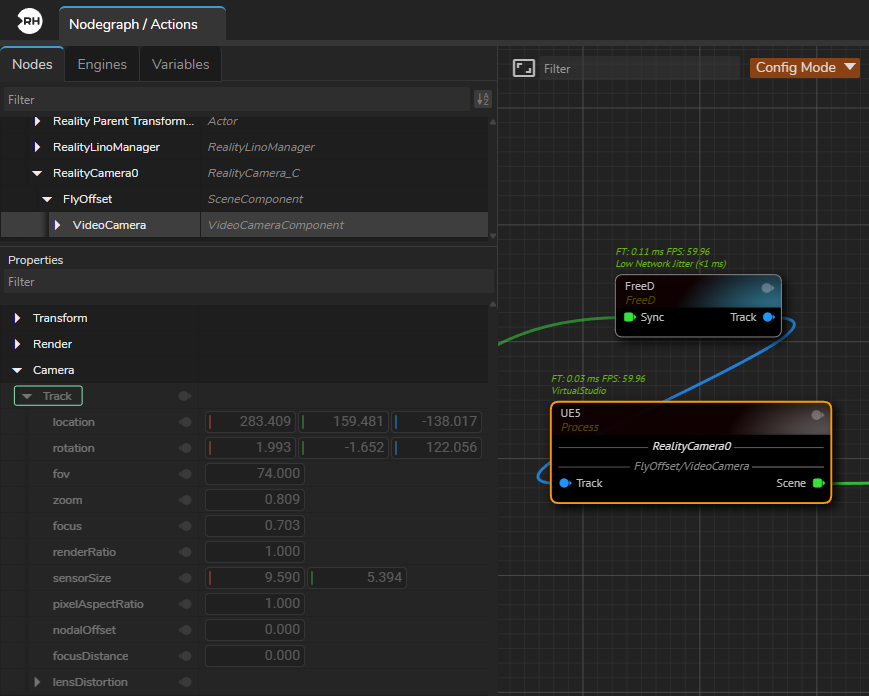
Tracking input in Reality Camera allows you to sync your physical camera movements with the virtual camera, enabling them to work simultaneously in real-time to ensure your virtual and physical camera are perfectly aligned.
DLSS Support
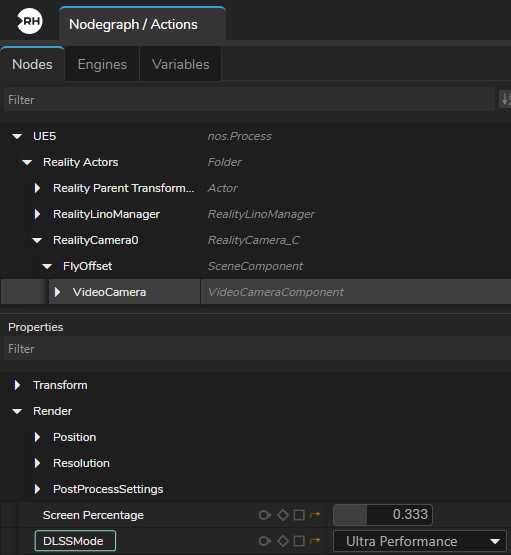
Reality Camera provides native integration of NVIDIA DLSS, enabling AI-based upscaling and ray reconstruction to produce higher-resolution outputs from lower-resolution renders while reducing GPU load and maintaining consistent real-time performance in ray-traced scenes.
Watch the following video to see NVIDIA DLSS with Reality Camera in action:
AR Region Mask
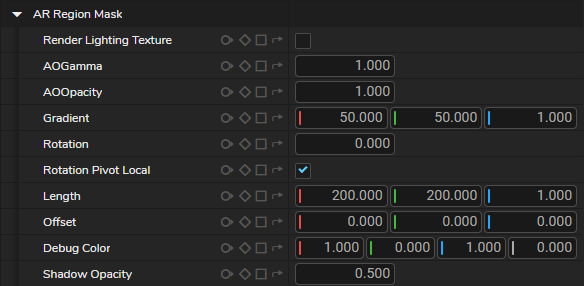
A camera-dependent masking feature in the Reality Camera. It uses tracking data to show AR elements only in specific areas, so virtual objects stay inside the chosen region and line up correctly with the physical set.
Bloom Texture
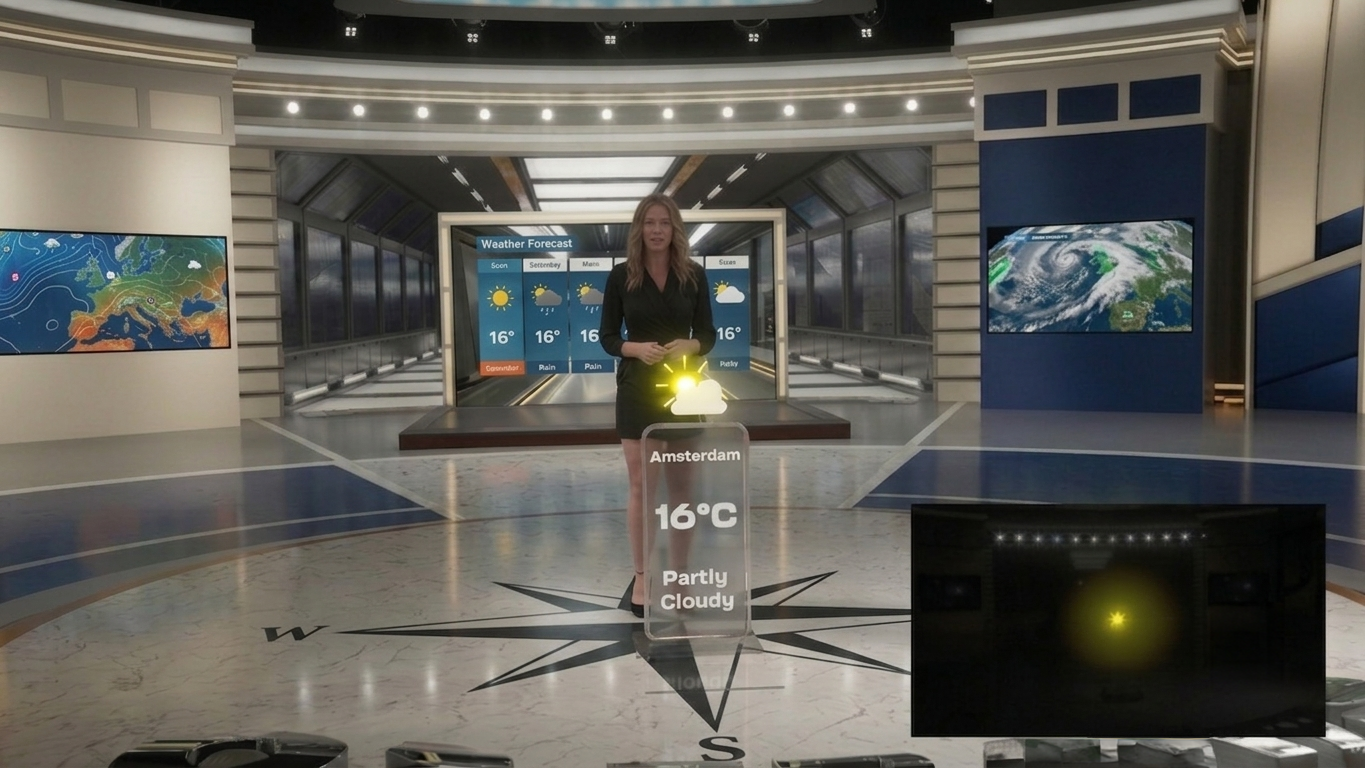

Bloom Texture in the Reality Camera outputs the bloom effect as a separate pin, allowing its intensity to be controlled independently and composited with other Virtual Studio and AR elements.
Hidden Actors and Show Only Actors
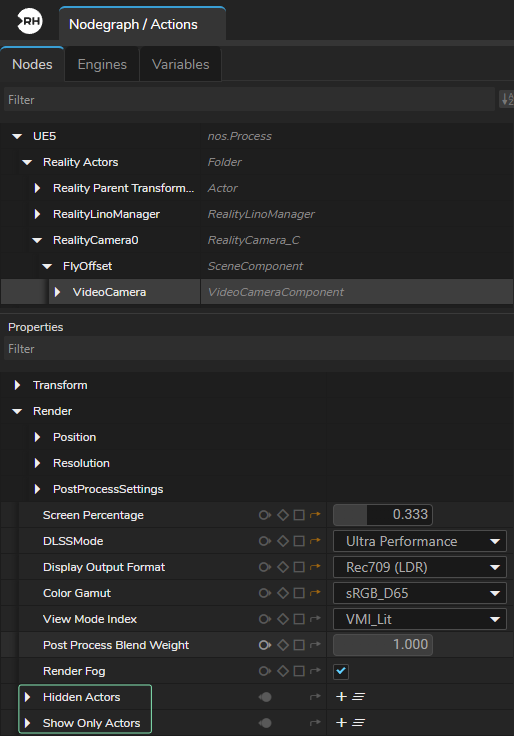
Hidden Actors and Show Only Actors are rendering controls in the Reality Camera that let you decide which objects are included in the final image, either by hiding selected items or by rendering only specific ones, making it easier to process only the required elements in AR workflows.