Interpolations
Interpolation is the calculation of values between two keyframes. To set an example, when you move a Camera from point A to point B (linear or non-linear animation) and select an interpolation type, the distance between two points will be calculated automatically; therefore, you don’t need to add a keyframe to every single frame.
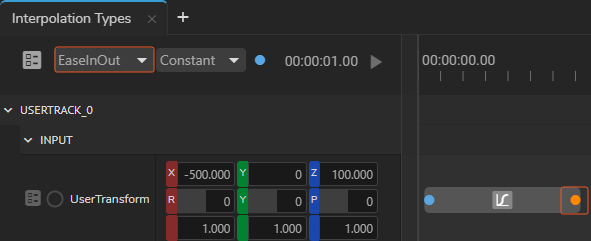
Selecting a Property Keyframe activates the Animation Interpolation dropdown menu, and then you can define an interpolation type, as shown above.
Action keyframes can have the following interpolation types:
- Jump
- Linear
- EaseIn
- EaseOut
Jump
As its name suggests, this interpolation allows you to jump between two values instantly, therefore; values between two keyframes are not calculated.
Linear
This interpolation computes the linear average between two keyframes. Animation with two keyframes and linear interpolation starts and ends with the same acceleration.
EaseIn & EaseOut
Ease-in-ease-out allows an animation to begin slowly, accelerate through the middle of its duration, and then decelerate again before finishing.