Lino Module User Interface
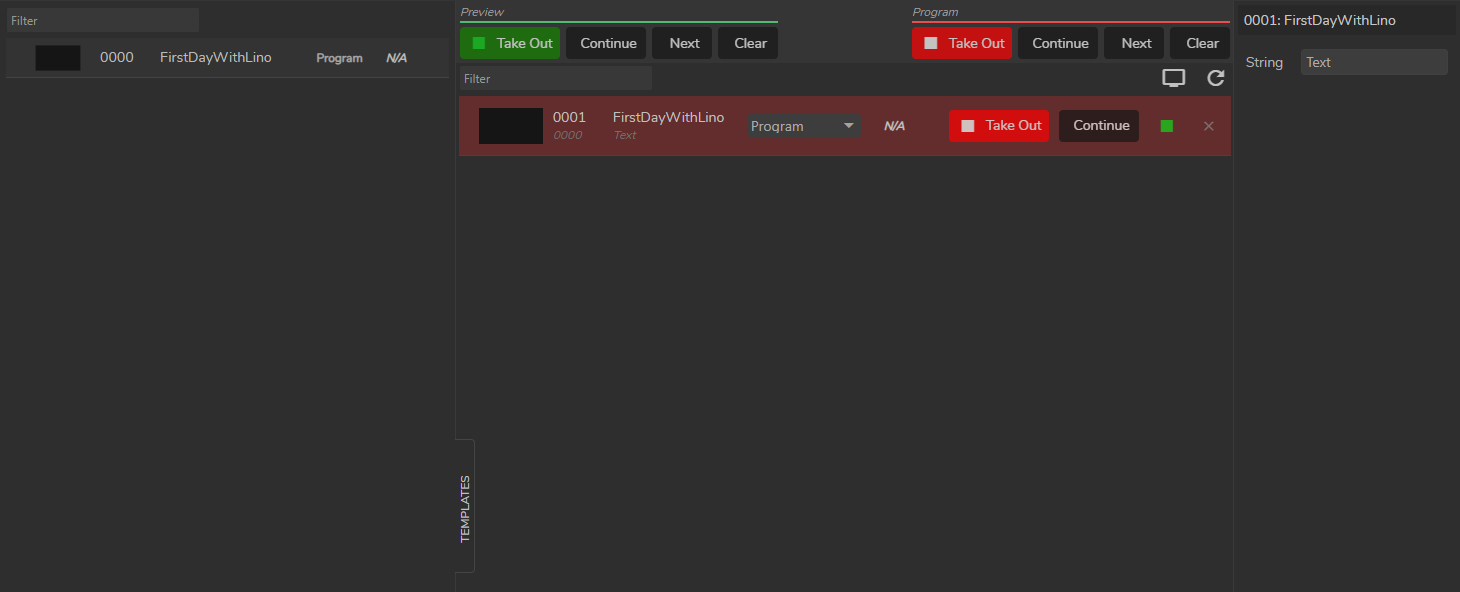
Lino module user interface consist of three main parts:
- Templates
- Rundowns
- Page Properties
Templates
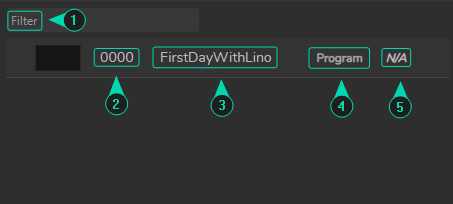
This is the area where you can select and filter Templates.
- Filter
- Template Order
- Template Name
- Channel Info
- Layer Info
Rundowns
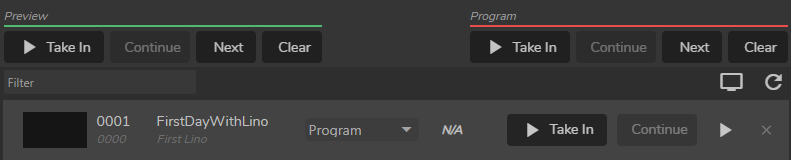
This is the area where your main rundown operations take place. The image above displays the default state of a rundown item.
Page Properties

In this area, you can modify a Page property to be shown as a Preview and sent to Program channels.

Page properties are reflection of the Id and Input of the Controller we defined in the Exposing Outliner Assets to RCP section.