Defining User Groups Policy
info
Groups can have multiple policies.
To assign policies to user groups:
- Click on the group name.
- Go to the Policies section inside the Details panel.
- Click on the + (Add) icon.
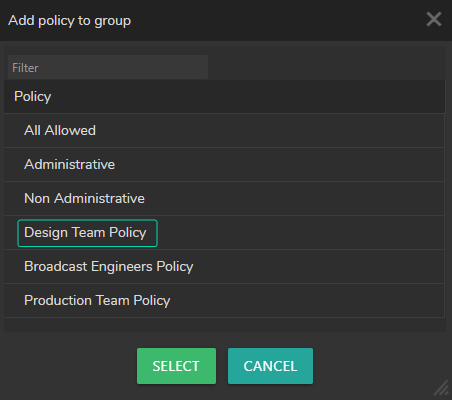
- Select a Policy by clicking on a Policy name or select multiple policies by holding
⌃ CRTL+ Left Mouse button, then click the Select button.