Operating Gang Mode
- Select Engine 01 from the Engine Status Toolbar.
- Drag and drop the UE5 process node to the canvas.
- Click Engine 02 and Engine 03 to verify that the UE5 node is available on all engines.
While you are in Gang Mode, clicking an engine name will change the nodegraph view. To exclude a specific engine from gang operations, hold down the CTRL key and click the engine name to exclude it. For example, if you have three identical nodes but want only two nodes to have a certain property change, you can exclude one engine from Gang Mode, make the changes, then Ctrl+click the engine name again to include it and continue your operation.
- Select the UE5 node from the canvas.
In Gang Mode, it does not matter which engine's nodegraph is selected for node creation or editing. For example, creating a Reality Keyer node in Engine 01's nodegraph and then switching to Engine 02's nodegraph and creating a Cyclorama node is an identical operation. Those nodes will be available in all engines included in Gang Mode.
- Switch to the Engine tab, navigate to the Properties panel, expand the Control property group, and click the Spawn Reality Camera function.
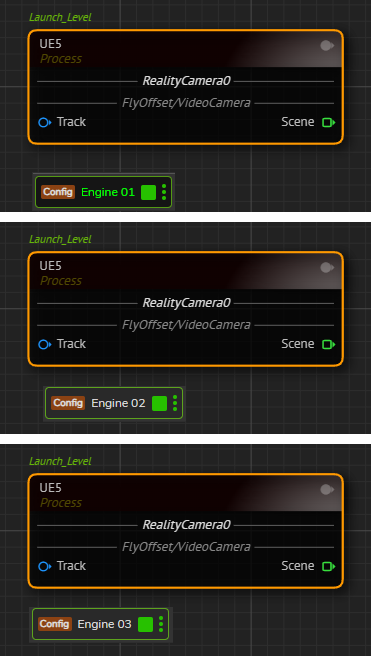
You'll see that all three engines have a Reality Camera spawned, as illustrated above.