Reality 5 Platform Architecture
What does Reality 5 Provide?
Reality 5 is Zero Density's platform for real-time Virtual Studio (VS), AR, XR, on-air graphics, and videowall graphics within a single pipeline, without requiring separate solutions for each use case. As a result, the system is easier to manage, requires less setup time, and lets you use the same workflows and assets across all types of productions.
The platform offers a complete workflow for broadcast production, handling everything from content creation and compositing to live playout operations.
With native support for camera tracking handling, data-driven graphics workflows, and newsroom integrations, Reality 5 is built for stable, 24/7 live broadcasting while keeping the creative process accessible to any Unreal Engine artist.
(C++ Game Engine with additional ZD Rendering Features)
(Real-time C++/Vulkan Compositing Engine)
(Web Based Control Application)
Unreal Engine ZD Version
Reality Plugin
Reality Camera
Reality Camera manages the connection between the physical camera and the virtual scene. Handles lens data ingestion, DLSS support, and real-time transform synchronization to ensure your virtual and physical elements are perfectly aligned.
Reality Mask
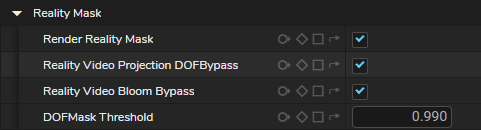
Reality Mask is a render pass (also known as Foreground Pixels Video Mask) that separates foreground and background pixels, allowing the engine to correctly handle transparency and occlusion when placing virtual objects in front of or behind talent or real-world elements.
Reality Camera Tracking Input
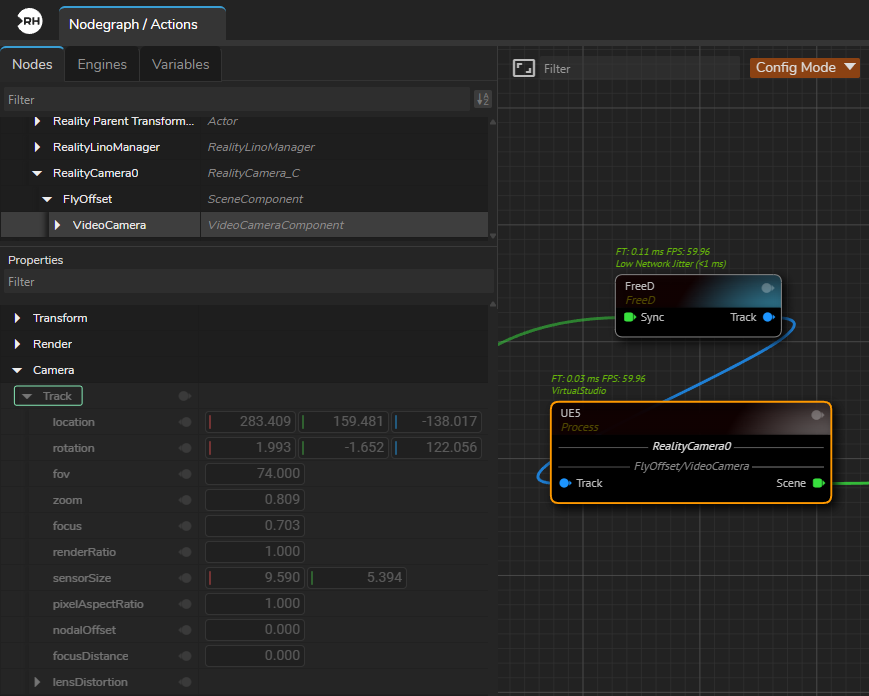
Tracking input in Reality Camera allows you to sync your physical camera movements with the virtual camera, enabling them to work simultaneously in real-time to ensure your virtual and physical camera are perfectly aligned.
DLSS Support
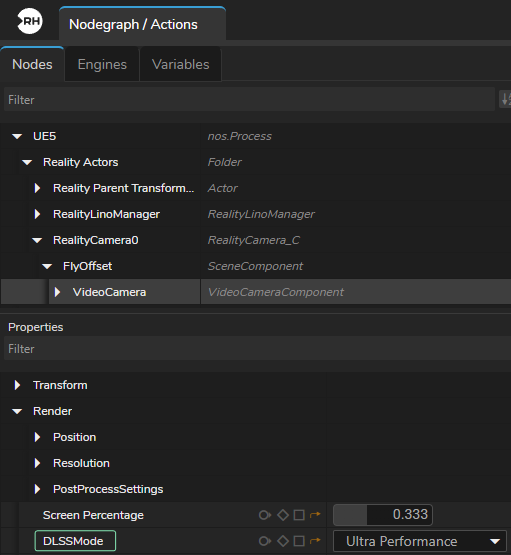
Reality Camera provides native integration of NVIDIA DLSS, enabling AI-based upscaling and ray reconstruction to produce higher-resolution outputs from lower-resolution renders while reducing GPU load and maintaining consistent real-time performance in ray-traced scenes.
AR Region Mask
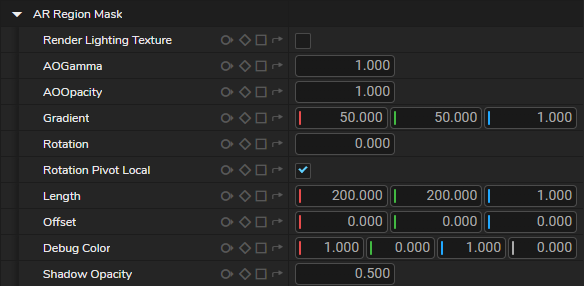
A camera-dependent masking feature in the Reality Camera. It uses tracking data to show AR elements only in specific areas, so virtual objects stay inside the chosen region and line up correctly with the physical set.
Bloom Texture

Bloom Texture in the Reality Camera outputs the bloom effect as a separate pin, allowing its intensity to be controlled independently and composited with other Virtual Studio and AR elements.
Hidden Actors and Show Only Actors
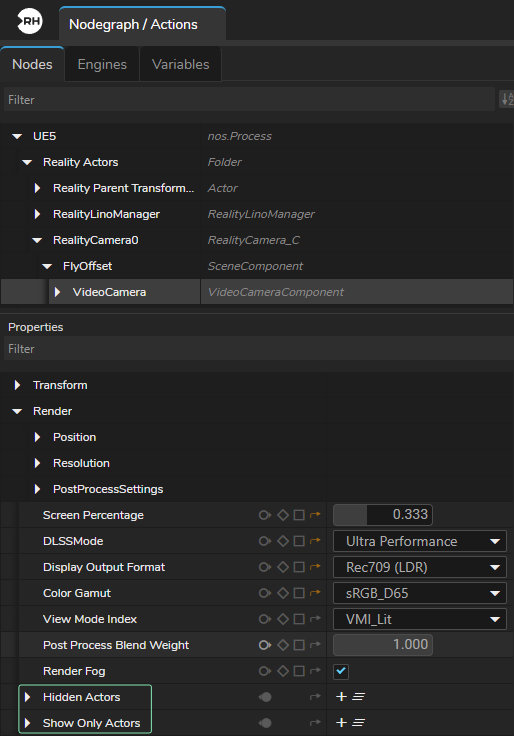
Hidden Actors and Show Only Actors are rendering controls in the Reality Camera that let you decide which objects are included in the final image, either by hiding selected items or by rendering only specific ones, making it easier to process only the required elements in AR workflows.
Lino Manager
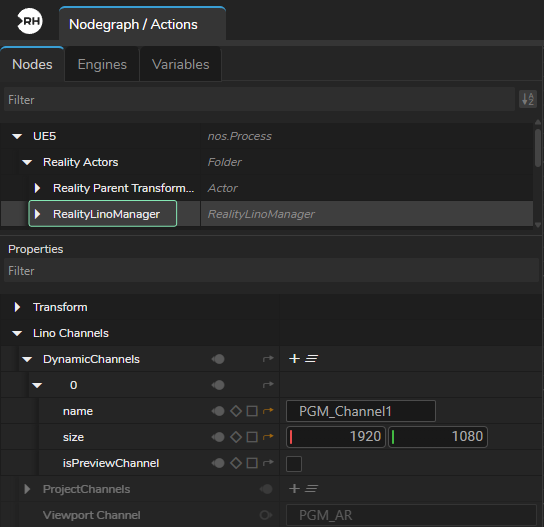
Reality Lino Manager is a system component where you create dynamic channels. It collects and organizes channel data across multiple Reality engines and mapping them to the correct engine so templates can be accurately assigned and controlled from a single Lino Playout interface.
Content Creation
Virtual Studio Environment
The workflow for designing virtual studio environments is flexible. With Reality 5, you don't need to create ZD-specific assets or tools.
You can utilize any Unreal Engine asset within your environment, whether sourced from Fab (https://www.fab.com/) or other third-party libraries.
Environments can be built using conventional 3D applications such as Cinema 4D, 3ds Max, or Blender. Control over the virtual studio is managed directly through Reality Hub, which utilizes remote control presets.
Template Based 2D/3D Graphics
Reality's Lino Workflow is a template-based 2D/3D graphics workflow allows you to manage on-air graphics, video walls, and virtual studio elements (like AR) from a single system rather than using separate tools for 2D and 3D content.
Designers build a graphic once and save it as a template. This allows operators to change text, images, or data quickly without needing to touch the original design file, ensuring consistent look across the entire graphic pipeline.
Key aspects of this workflow include template-based content creation, real-time rendering of both 2D and 3D elements, and multi-channel control.
Example Projects & Assets
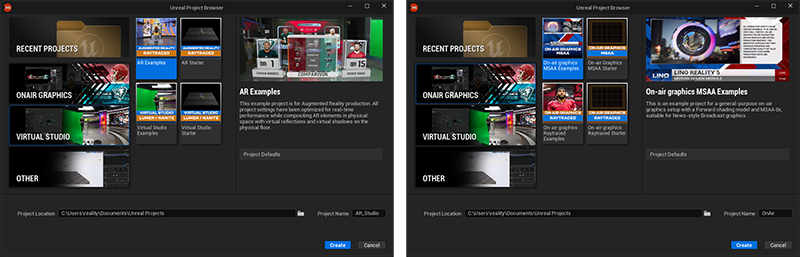
Reality Editor includes a library of preconfigured, free-to-use projects for AR, Virtual Studio, and On-Air Graphics (MSAA). These projects provide a technical foundation for live production, allowing you to reuse assets and apply tested configurations.
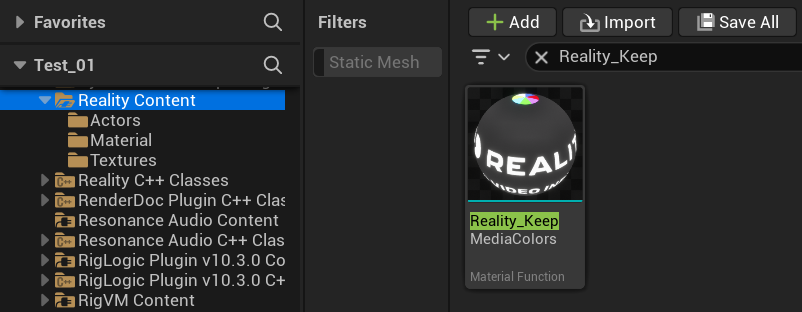
Reality Editor also includes helper tools such as Keep Media Colors, a custom material function that preserves the original color and clarity of live feeds or images. This ensures that media assets remain unaffected by the 3D environment’s lighting or post-processing.
Nodos
Nodos provides a node-based compositor and cross-platform communication for Reality 5.
Node Based Compositing & Logic
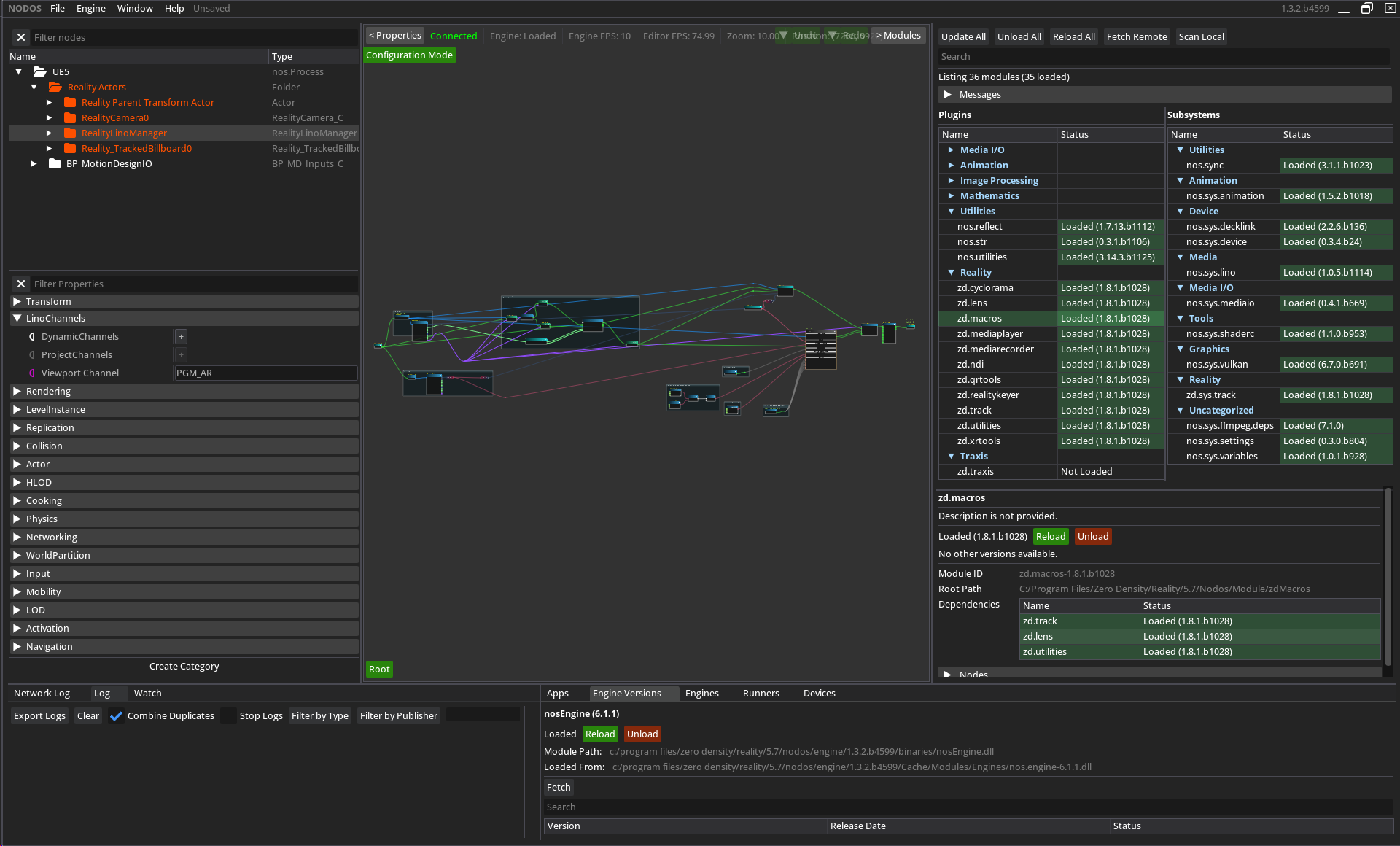
Nodos is a node-based compositor used for both real-time Video I/O and logic processing. Unlike traditional layer-based systems, where elements are stacked, Nodos represents each data source and operation as a separate node, including Engines. Each node performs a specific function and can be connected to others, similar to linking physical devices with input and output connections.
When used with Unreal Engine 5, Nodos handles media processing tasks separately from the game engine. Video I/O, media playback, keying, and compositing are processed by Nodos, while Unreal Engine focuses only on rendering 2D and 3D graphics. Since Nodos runs as a separate process, it reduces the workload on Unreal Engine and allows the rendering engine to operate at maximum performance.
Reality Keyer Toolset
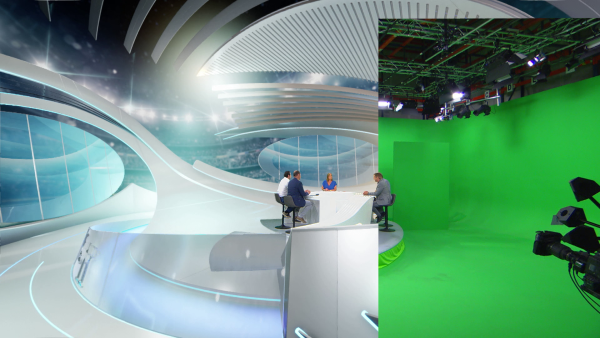
Reality Keyer is an advanced, image-based keying toolset designed for virtual studio workflows. Unlike traditional chroma keying, which removes a specific color (such as green), Reality Keyer compares the live video feed with a reference image called a clean plate. This approach allows accurate keying of fine details such as hair, contact shadows, and transparent objects without losing detail.
The Reality Keyer Toolset includes the following components:
- Reality Keyer Node – The main node that contains keying parameters.
- Cyclorama Node – Generates clean plates for each frame in 3D space and provides garbage masking option.
- Sharpening Tools – By using AMD FidelityFX™ CAS method, Contrast Adaptive Sharpen node enhance image clarity by applying adaptive sharpening without introducing artifacts, with almost no performance cost.
Video I/O
The Nodos Media I/O subsystem provides the core framework for professional Video I/O workflows, supporting hardware such as AJA Corvid 44 12G, Corvid 44, Corvid 88 and DeckLink 8K Pro cards, with planned support for AJA KONA IP25. Nodos manages real-time conversion and synchronization of video signals between external hardware and Engine inside its Nodegraph.
The Nodos Media I/O system works with most global video standards by supporting both 8-bit and 10-bit color depths.
It handles all common frame rates used across cinema, streaming, and international television while maintaining compatibility with both standard and Ultra HD color ranges. Additionally, the system supports HDR technology to manage a wider ranges.
Nodos Plugin for Media I/O workflows is available on https://github.com/nodos-dev/mediaio
Tracking Protocols & Lens Distortions
Tracking Protocols
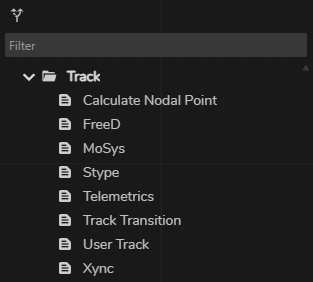
Nodos supports a wide range of industry-standard lens protocols, such as FreeD, Xync, MoSys, Stype, and Telemetrics. Lens profile files created with Traxis Hub can also be directly imported and utilized through the Lens Calibration node.
Lens Distortions
Distort and Undistort tools provided by Nodos apply and remove lens distortion in real time, aligning virtual elements with live camera footage.
Clip Playback
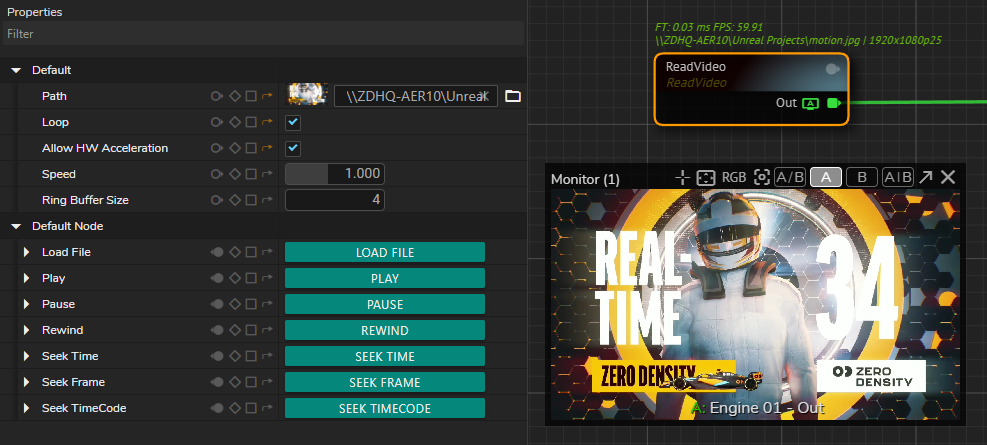
Clip playback in Nodos is handled by the Read Video node, which works as a clip player inside the nodegraph. It has options for using hardware acceleration so the GPU handles video decoding instead of the CPU. This helps keep playback smoother.
The system supports professional video codecs and handles drop-frame timecode for formats such as 29.97 and 59.94 fps. This ensures that audio and video remain synchronized during long playback.
XR / LED Volume Toolset
For Extended Reality (XR) and LED Volume scenarios, Nodos uses the CurveXR node and automated color profiling tools to manage the digital stage and color accuracy. The CurveXR node builds a digital version of the physical LED stage. It handles different shapes, including convex, concave, or custom curves. You can adjust these shapes using simple settings directly in the nodegraph, which removes the need for manual 3D modeling or UV mapping.
Rendering Efficiency
Nodos uses an inner/outer frustum rendering method. Both are processed by one engine, which avoids the need for a complex network of multiple rendering engines.
Color Profiling
The toolset includes automated color profiling to for Curved LED and XR scenarios to ensure that the output from the Engine matches the physical spectral characteristics of the LED panels and the physical camera in your studio. By integrating these tools directly into the nodegraph, Nodos automates the complex stages of color profiling.
Portal Window
Portal Window is a specialized feature that turns a physical video wall (or LED screen) into a "portal" to a virtual 3D environment. Instead of simply displaying a 2D background, the Portal Window follows the perspective of the camera with tracking. As the camera moves, the virtual scene displayed on the LED wall shifts accordingly. This creates the effect of the physical wall being a transparent opening into a much larger 3D environment.
Set Extension
Set Extension is the technique of digitally expanding the physical studio set beyond its real, limited boundaries and making a small physical space look much larger, deeper, or more immersive on camera. The Portal Window allows the talent to appear as if they are standing in a massive virtual stadium or landscape, even if the physical LED wall is small.
Portal Window + Set Extension
This combination allows for dynamic interactions, such as virtual objects (like a Formula 1 car) "driving" from the virtual set extension onto the LED wall and appearing to pass behind the talent.
Here you can find example about Portal Window + Set Extension use case: https://youtu.be/7KETcWsv9mw
Reality Hub
Reality Hub is a web-based control application for your entire production from a single browser tab.
Modules
Nodos Frontend
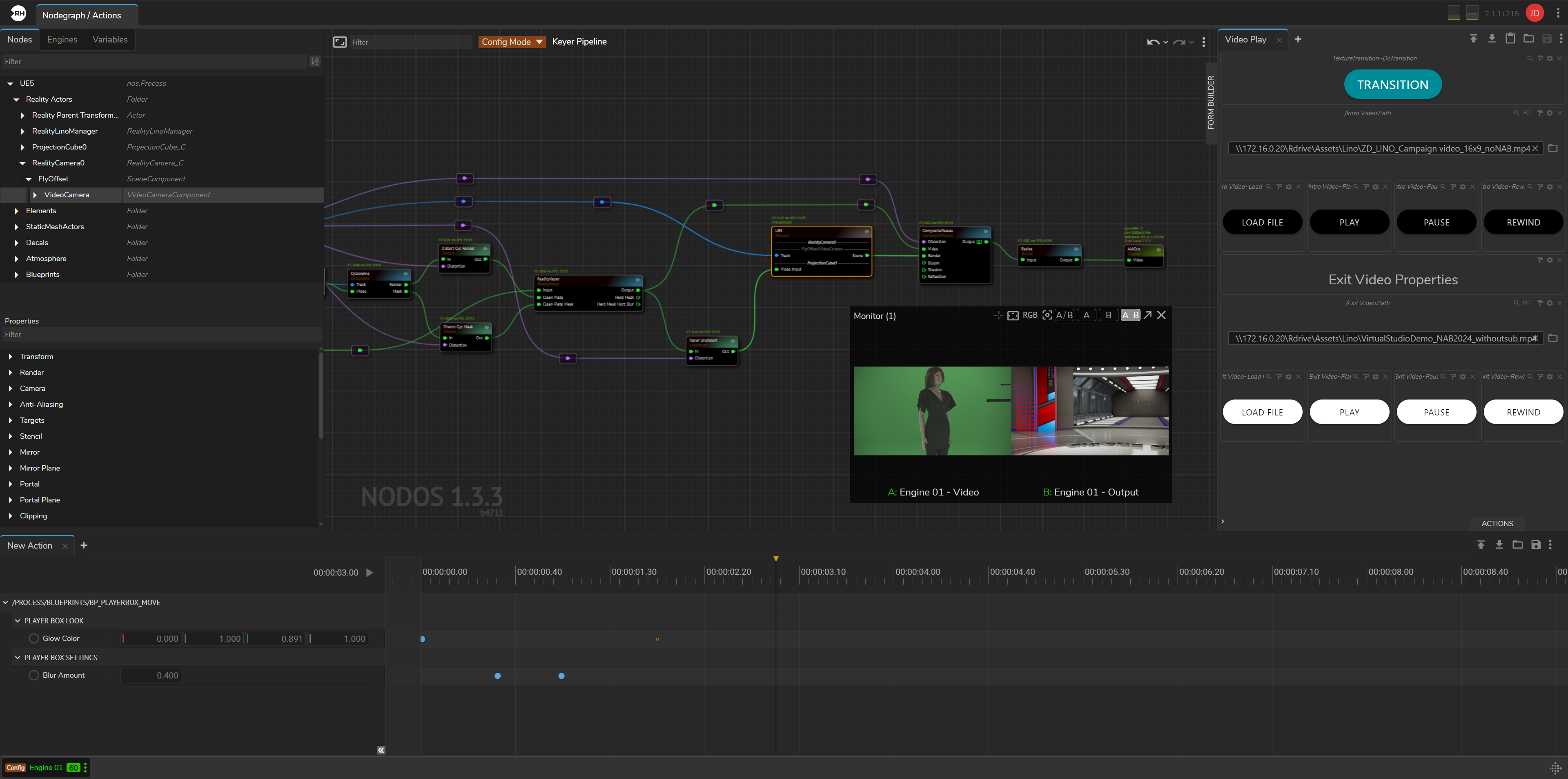
The frontend of the Nodos compositing engine is provided through the Nodegraph/Actions unified module in Reality Hub. This module consists of three main submodules:
- Nodegraph – The main workspace where you build and manage compositing pipelines.
- Actions – A timeline-based automation tool used to control changes over time. You can keyframe node properties or trigger functions at specific times, allowing complex transitions to be executed with a single action.
- Form Builder – A drag-and-drop interface for creating custom templates (control panels) without coding. These templates allow you to manage workflows and use external data to drive graphics in real time.
Advanced Preview Monitor (APM)
Advanced Preview Monitor is a browser-based tool used to monitor your output pins in real time without requiring specialized hardware, software, or codecs. You can preview engine outputs independently, compare two feeds side-by-side or in split-screen, and open separate preview windows directly within your browser.
Multi-Channel Show Control
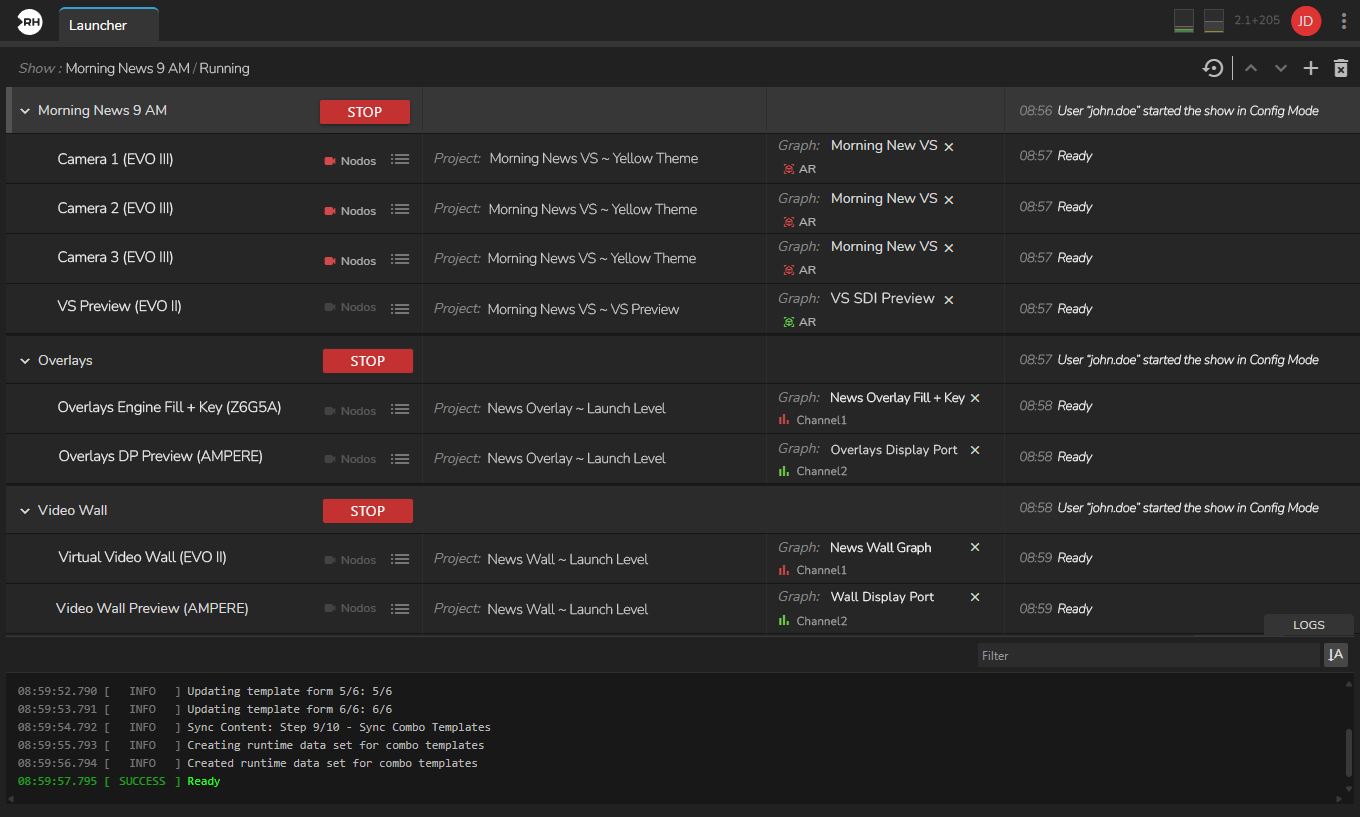
You configure and launch shows in the Reality Hub Launcher module. A show can run on a single engine or across multiple engines. Each engine operates on its own software-defined channel and functions independently with its own data.
This setup allows you to run multiple graphics scenarios simultaneously, including virtual studios, AR elements, template based 2D/3D graphics. The Reality Lino Manager directs each graphics to the correct pipeline, eliminating the need to reconfigure cables or settings for every use cases.
Playout
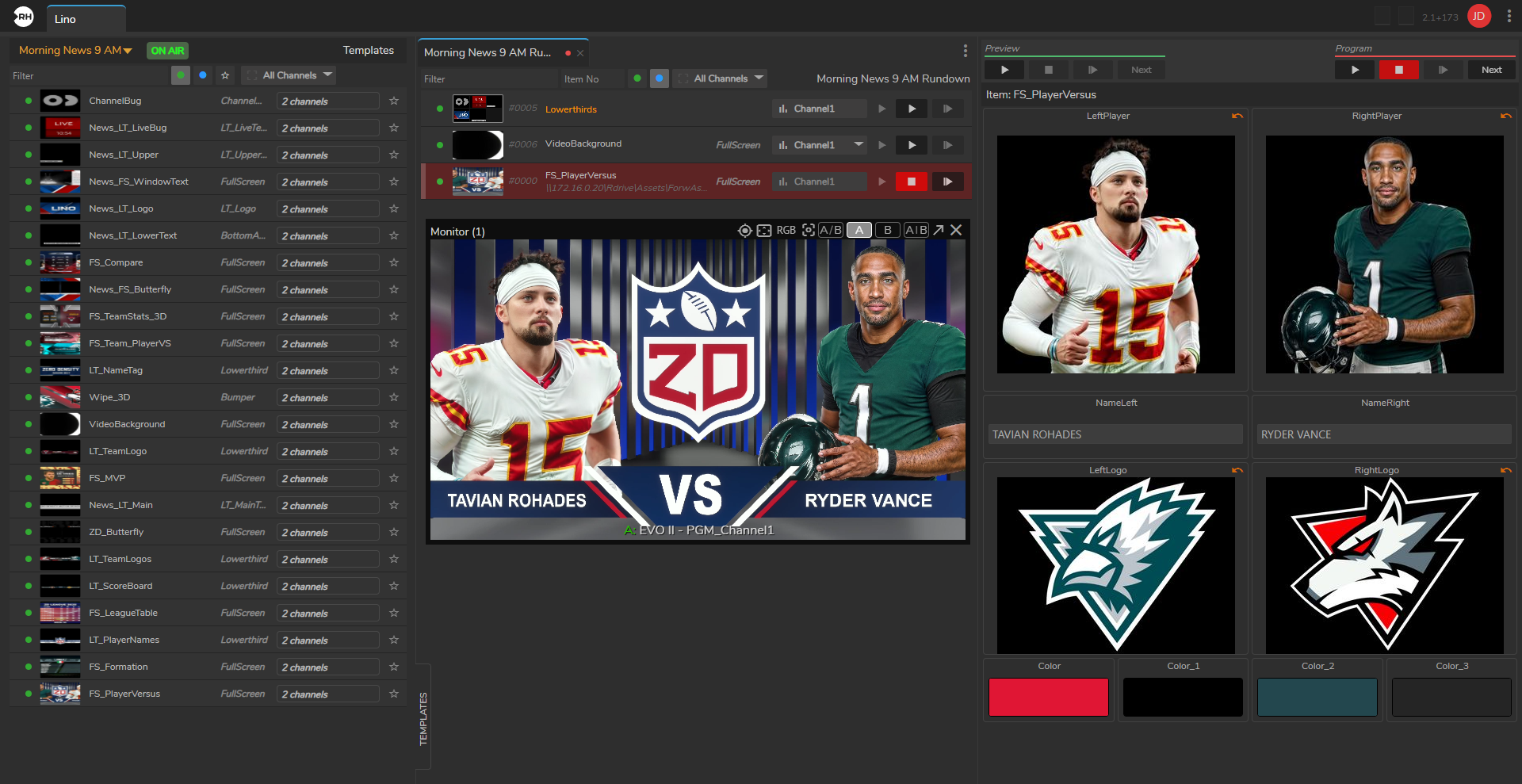
Lino Playout module provides a single, unified Playout for triggering, broadcasting, and managing your graphics.
Key Features of Lino Playout
- Multi-Channel Control – Manage multiple graphics channels from a single interface. Control on-air overlays on one channel and video wall graphics on another at the same time within the same rundown.
- Template-Based Workflow – Uses state-aware templates. You can update text, images, or data within a template and send it to air without modifying the original design.
- Familiar Broadcast Commands – Includes standard broadcast commands such as "Take In," "Take Next," "Continue," "Take Out," and "Clear."
- Rundown Management – Create and manage graphic playlists. View thumbnails, rearrange items using drag-and-drop, and update properties in real time.
- NRCS Integration – Integrates with newsroom systems such as ENPS, iNews, Octopus, and Dina. Graphics prepared in the newsroom system appear automatically in the Lino Playout rundown through ZD MOS Plugin.
- Transition Logic – Provides built-in transition logic, allowing graphics to move on and off screen without manual setup or complex configuration.
Advanced User Management
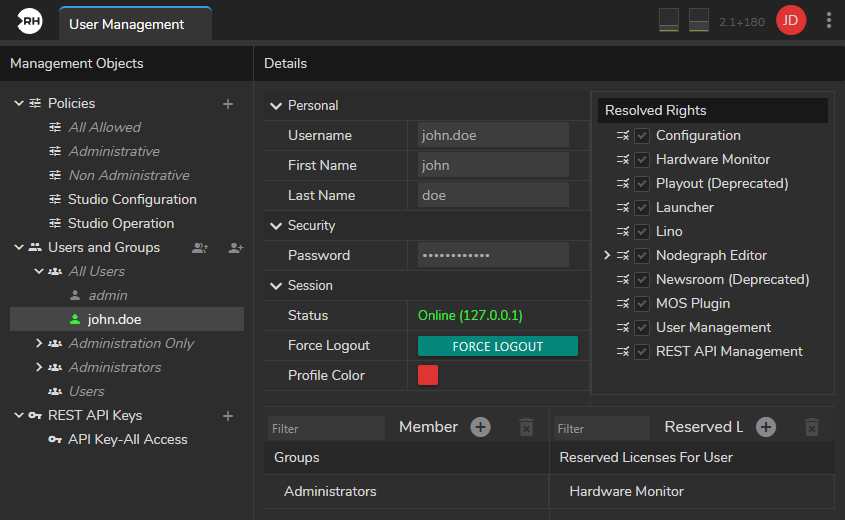
The Advanced User Management module provides role-based access control, ensuring that users have appropriate access to modules and features. Permissions can be assigned to user groups or individual users. The module also supports license reservation, allowing specific license slots to be allocated to selected users.
Hardware Monitor
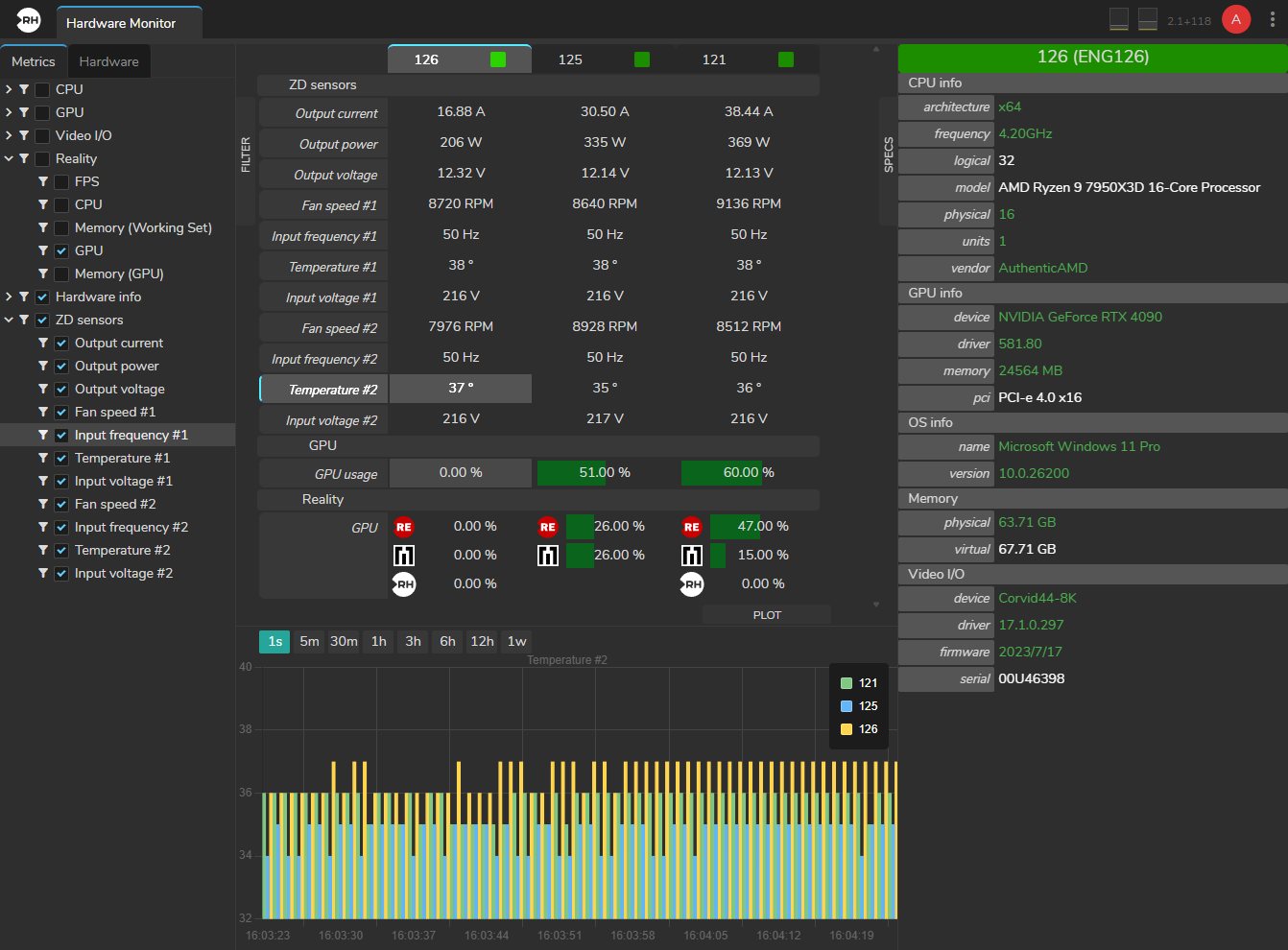
The Hardware Monitor is a real-time tool that shows the health of your engine hardware on a single dashboard. It provides a clear view of performance metrics for your processors and memory. For EVO Engine Hardware, it also monitors power quality and heat levels.
Integrations
Newsroom
ZD MOS HTML Plugin
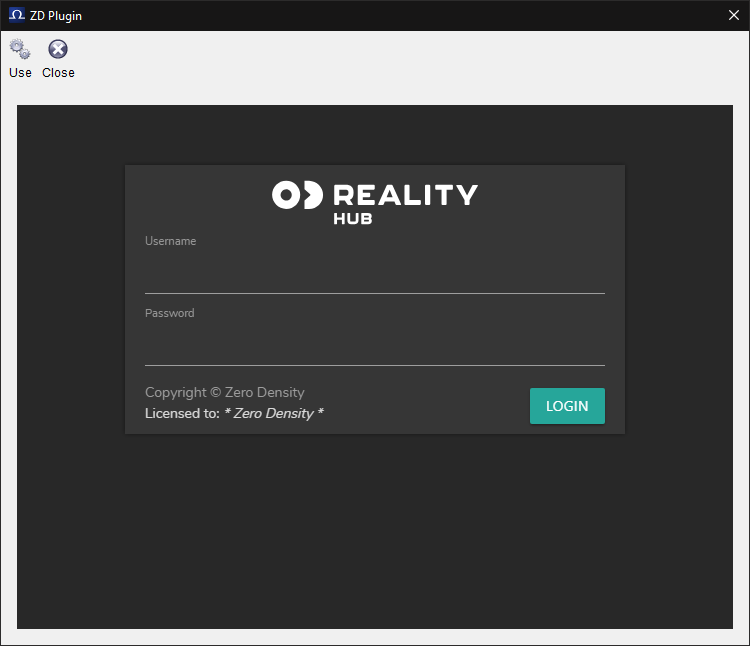
The ZD MOS HTML Plugin is a web-based integration tool that uses the MOS (Media Object Server) protocol to exchange data between newsroom systems and Reality Hub.
Journalist Preview
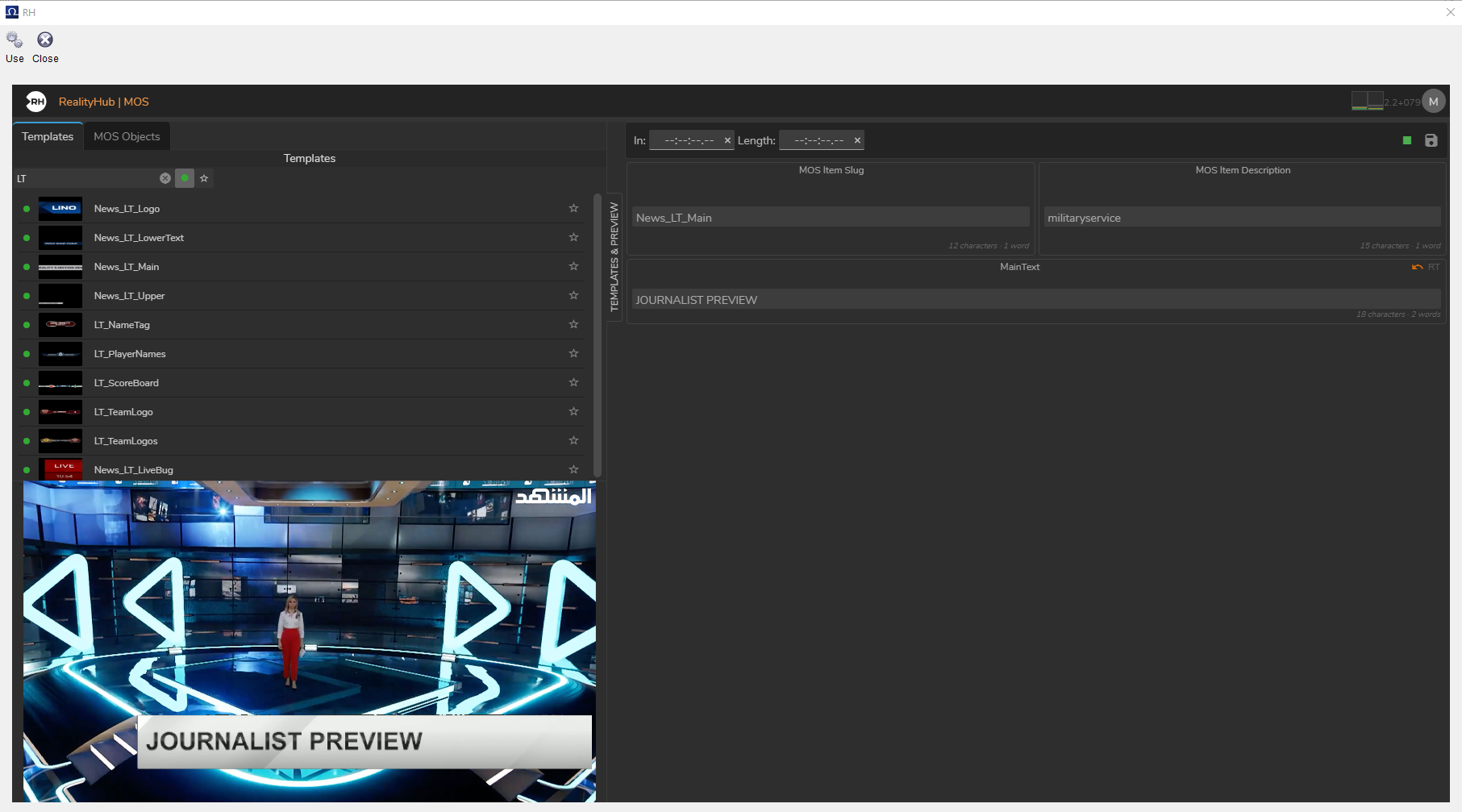
Journalist Preview allows you to see how a graphic will appear on-air in real time, including animations and effects, before adding it to the rundown. Changes such as text or image updates are rendered instantly.
The system uses low-latency WebRTC streaming and is accessible through a standard web browser, without requiring additional software, drivers, or codecs.
Automation
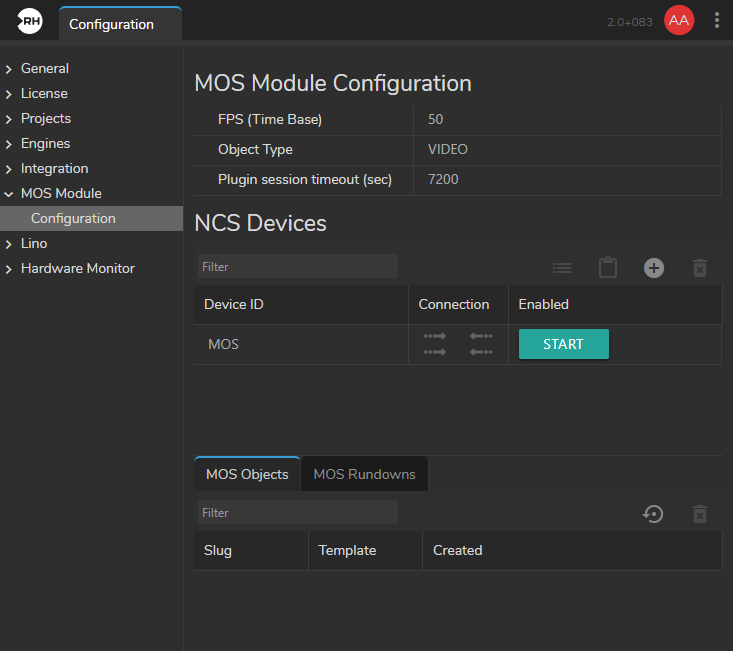
Reality Hub integrations allows real-time graphics and virtual production to connect newsroom computer systems (NRCS) and automation platforms.
It uses MOS (Media Object Server), which syncs rundowns from systems like iNEWS, ENPS, Dina, and Octopus and CII (Common Interface Initiative) which enables automation systems to send commands to Lino playout.
Custom Integrations
Reality Hub custom module lets you integrate your own specific tools, data sources, or control panels that are not part of the standard software.
You can use custom modules to extend Reality Hub beyond its out of the box features. Common use cases include connecting to external databases, automating complex sequences, integrating internal company tools and in house developed custom systems to add additional controls and send commands to Reality Hub.
Reality Hub custom module is available on GitHub: https://github.com/zerodensity/realityhub-module-example
AI-Ready Development
The development environment is built to work with AI coding tools like Claude or Cursor. Because the SDK and API are easy for AI to interpret, your team can generate new tools or update the interface quickly, even without deep platform expertise.