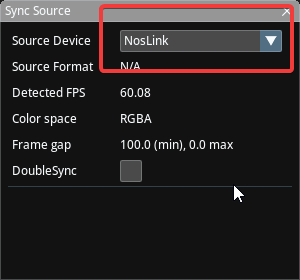
NosLink Video I/O
NosLink Video I/O is an experimental feature. Please note that Traxis Hub officially supports only DeckLink cards for video input/output and genlock synchronization. Use of other devices is for testing, learning, or lens profiling purposes only and is not supported in production.
NosLink lets Traxis Hub receive video through Nodos using devices such as NDI, AJA, or WebCam. With the current version of NosPack, Traxis Hub v2.2 can use video from:
- NDI
- AJA
- WebCam
- DeckLink (Nodos version)
Installation and Launch
Traxis Hub and Nodos must run on the same computer.
Contact your Zero Density representative to get the Nodos for Traxis Hub package.
- Download the Nodos for Traxis Hub file from the link you received from the Zero Density.
- Extract it to a local folder.
- Open the folder and double-click
RunNodos.bat. - Read and accept the End User License Agreement (EULA).
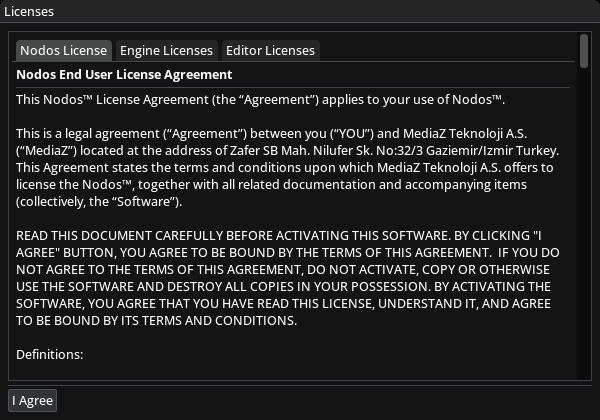
Example Setup: NDI Input
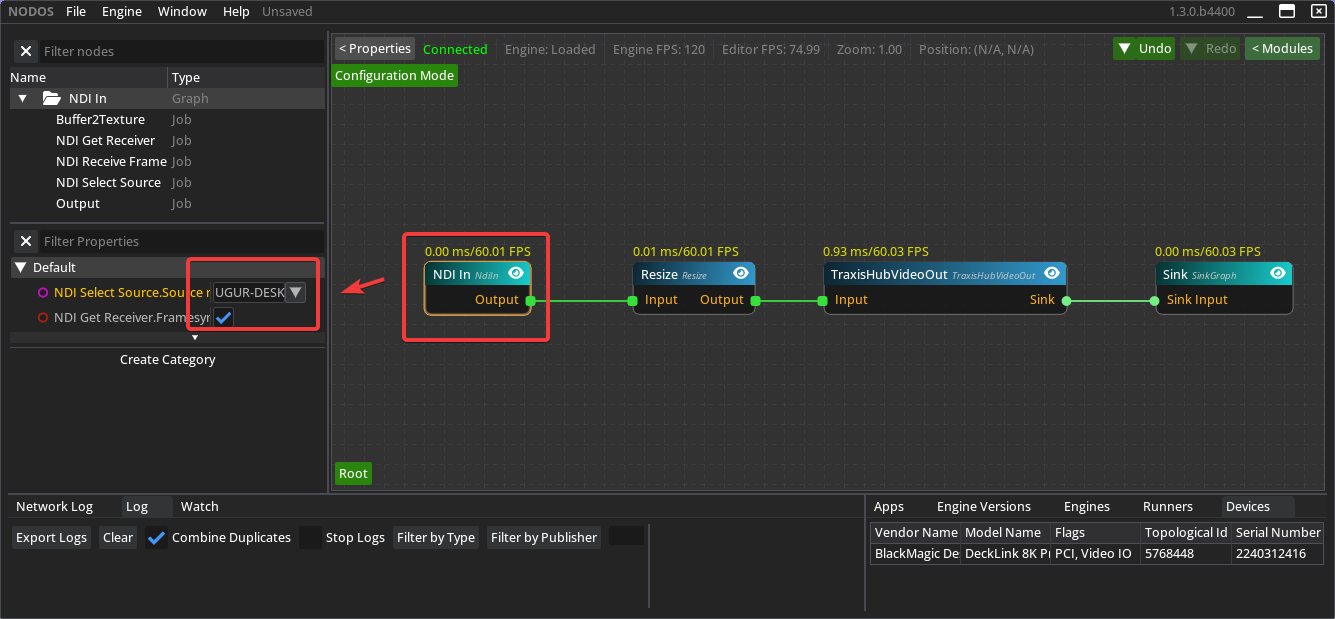
The batch file automatically loads the Traxis Hub_VideoIn.nosa graph into Nodos Runtime. This sample graph connects Traxis Hub to an NDI video stream.
- Click the NDI In node in Nodos.
- In the Properties panel, select the NDI stream you want to use.
Using Other Video Sources (AJA, WebCam, DeckLink)
Nodos also supports other video input types such as AJA, WebCam, and the Nodos version of DeckLink. These nodes are included in the package.
Example: Using AJA
- In the Nodos graph, right-click an empty area.
- Type
ajaand chooseAJA Infrom the list.
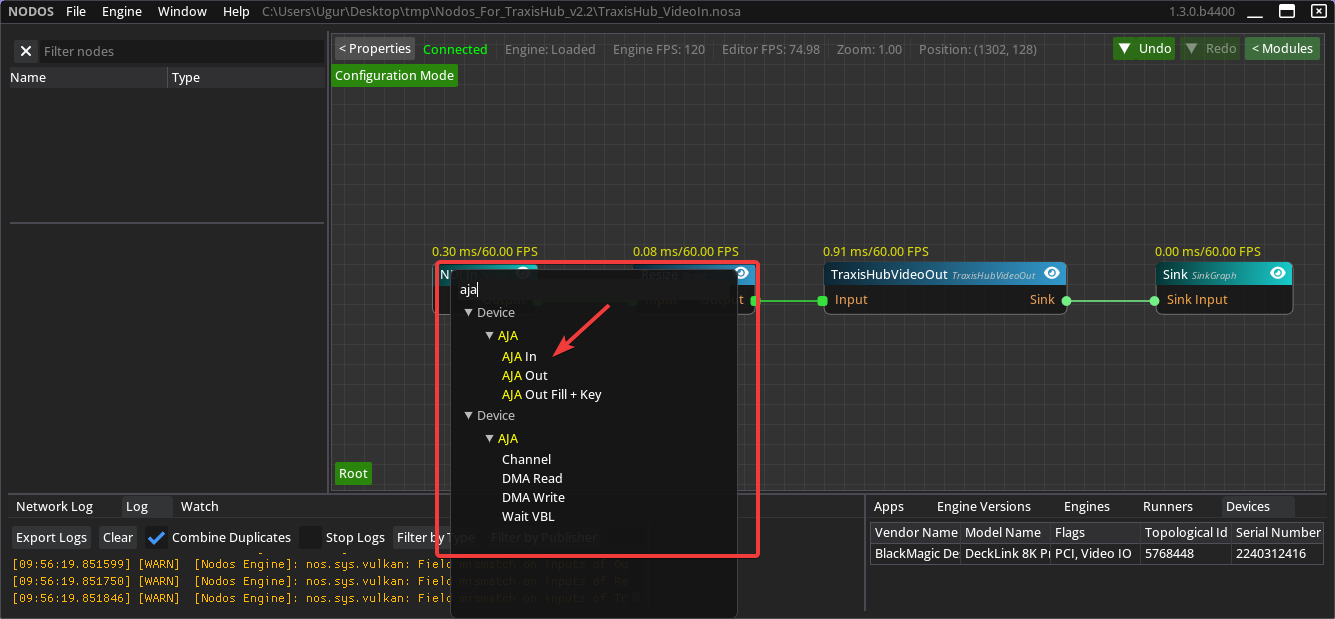
- Drag a line from the
Videopin of theAJA Innode to theInputpin of theResizenode.
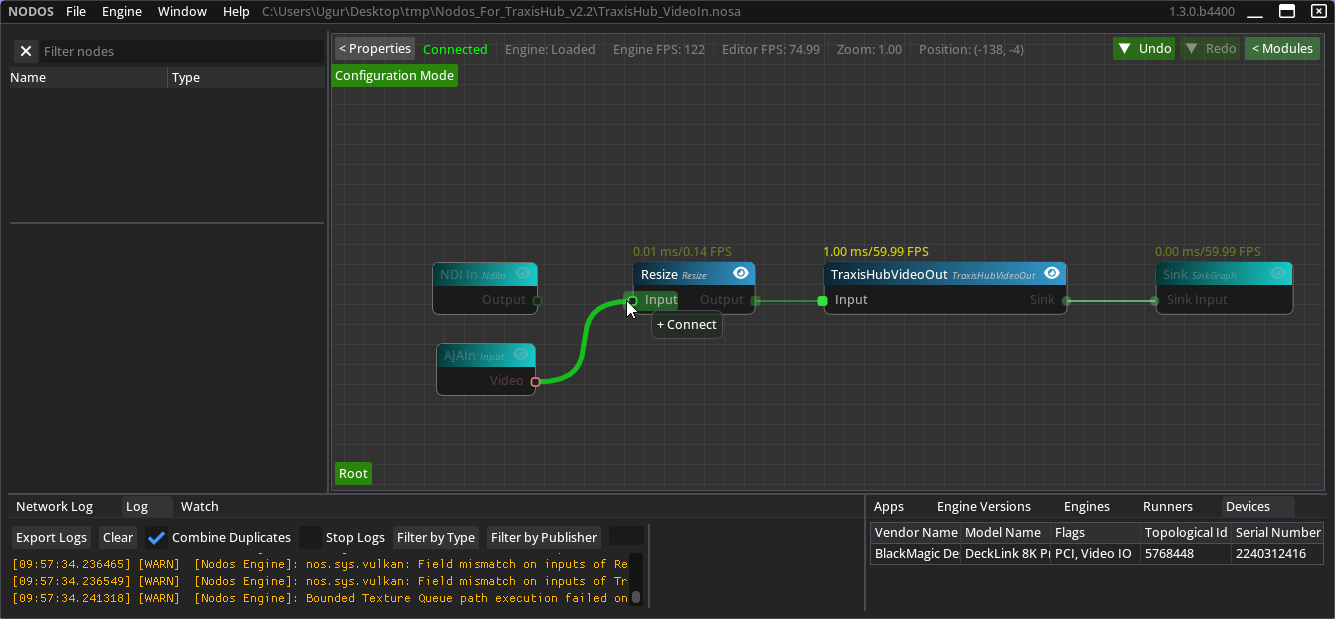
- Delete the existing
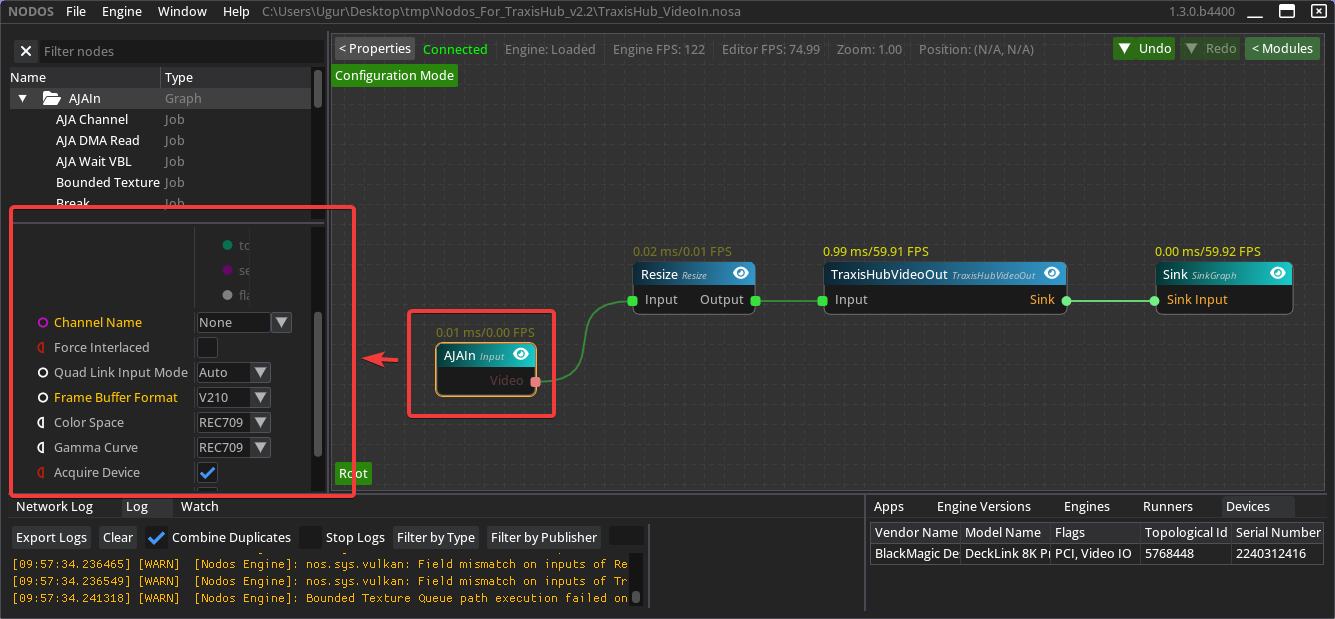
NDI Innode (select it and press Delete). - Select the
AJA Innode and adjust its settings as needed.
Configuration in Traxis Hub
In Traxis Hub:
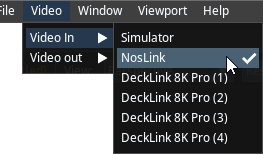
- Set Video In to NosLink.
- Set Sync Source to NosLink.