What's New
Highlights
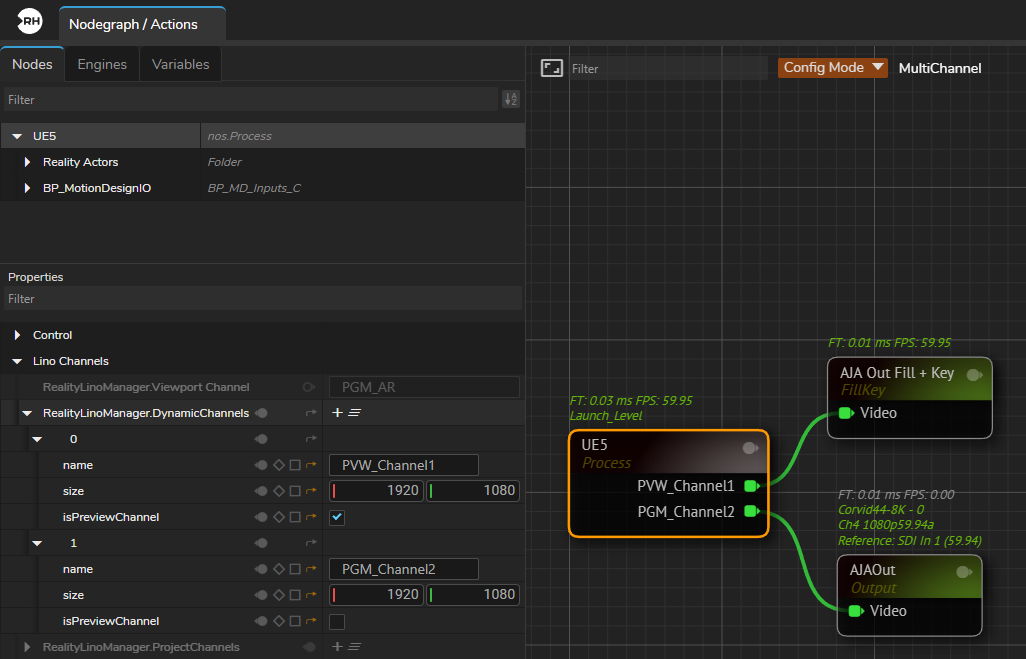
- With the release of Reality 5.7, multi-channel broadcast graphics workflows now support fully independent channels, without software-imposed limitations. Channels can be deployed on a single engine or distributed across multiple engines.
- The Launcher and Lino Playout modules are updated for multi-channel architecture to work directly with Engine(s) rendering multiple channels.
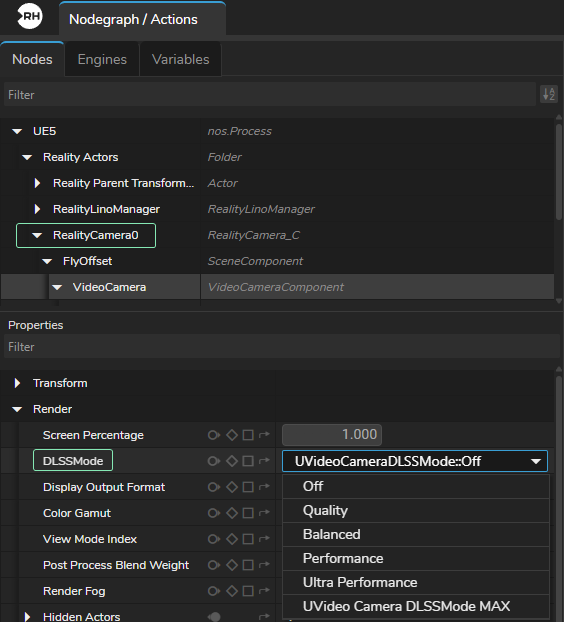
- Reality Camera now supports DLSS rendering. Enormous performance improvement!
- REST API is now accessible without requiring a specific REST API license.
- The new YADIF node supports reconstruction of progressive images from interlaced video input, reduces common interlacing artifacts.
- The Hardware Monitor user interface has been improved with new visualizations, detailed hardware specifications, and driver and firmware validation checks.
Users under an active SLA will receive one Hardware Monitor license at no cost for the duration of their SLA.
- Windows 11 is now officially recommended Windows version for Reality 5.7.
Engine 5.7
Reality 5.7 includes all features, improvements, and bug fixes from Unreal Engine 5.7. For Unreal Engine release notes, please visit the following link:
https://dev.epicgames.com/documentation/en-us/unreal-engine/unreal-engine-5-7-release-notes
- Reality Camera now supports DLSS rendering.
Reality Editor Projects
This distribution includes all projects and associated assets demonstrated during IBC 2025, along with newly added content.
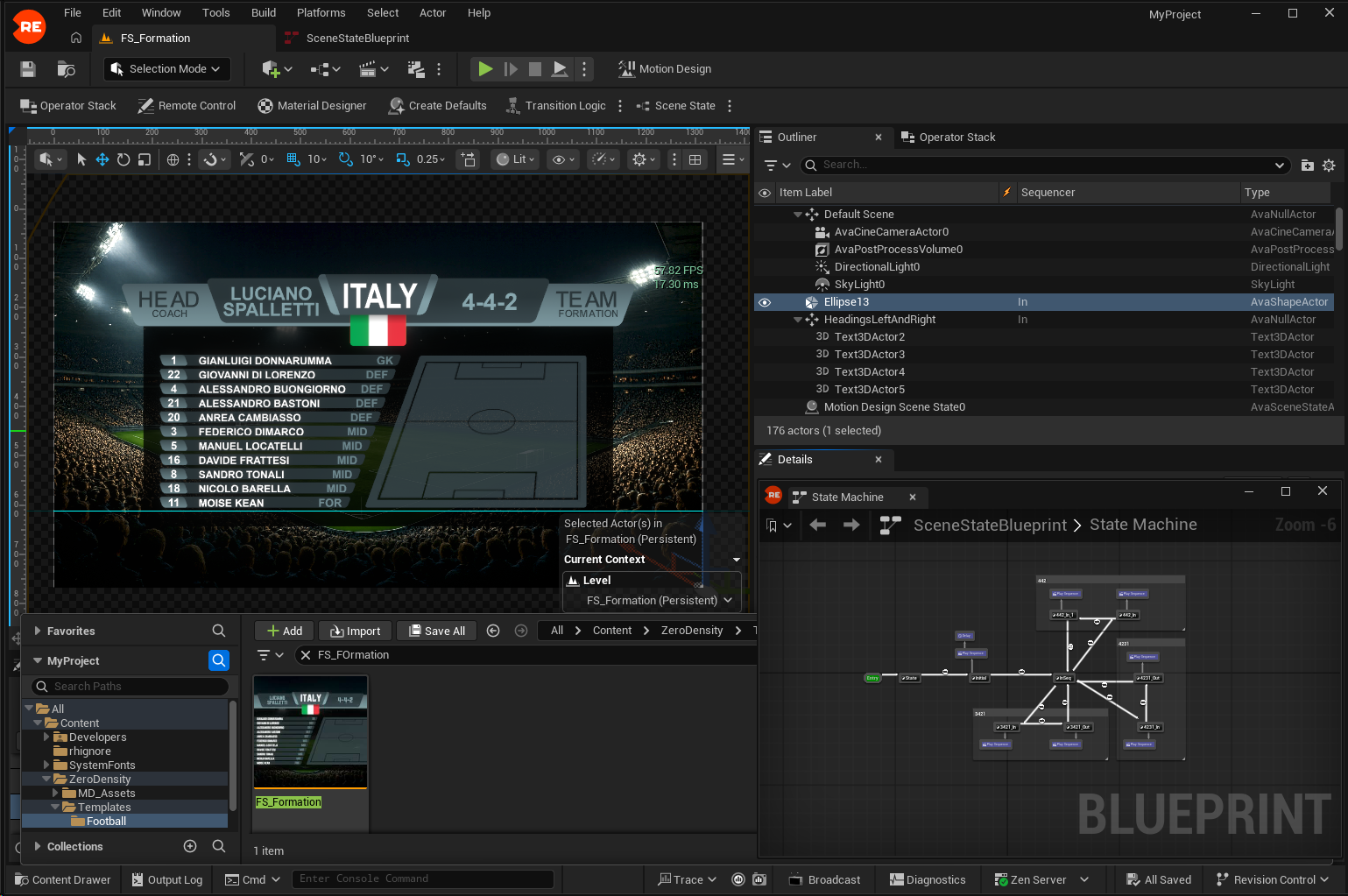
- New
FS_Formationlevel has been added to On Air MSAA example's Football templates.
- New
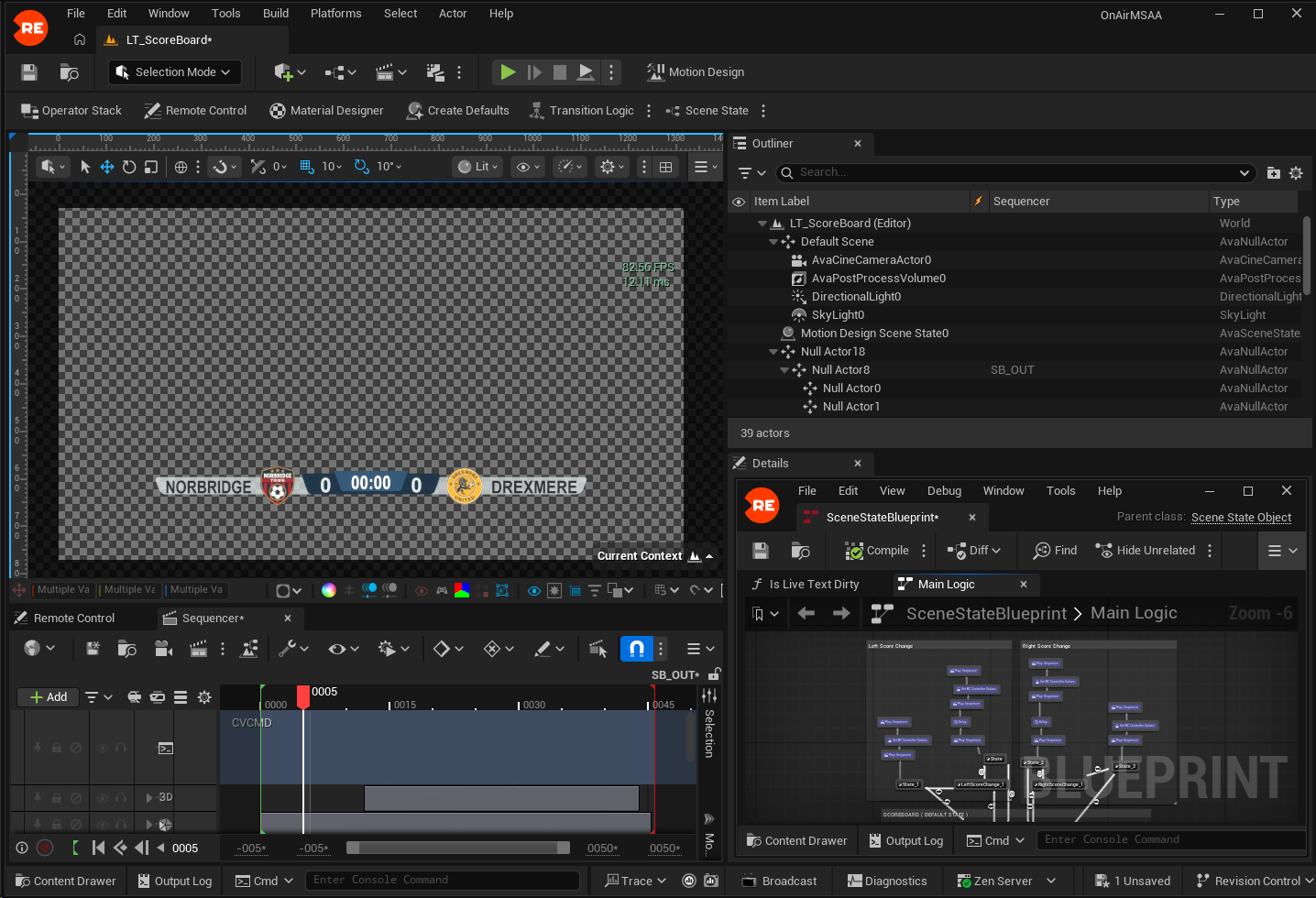
LT_ScoreBoardlevel has been added to On Air MSAA example's Football templates.
- New
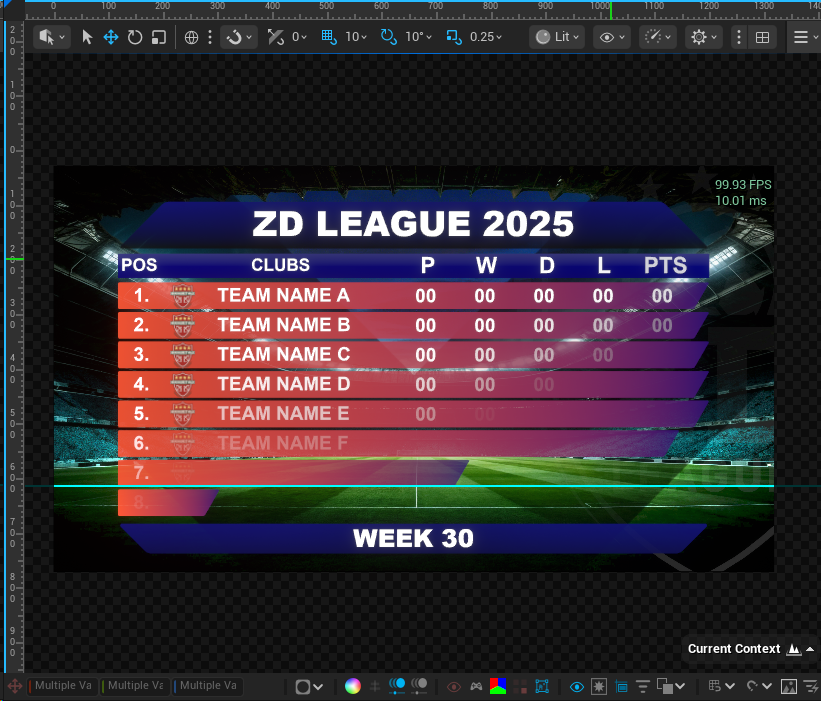
FS_LeagueTablelevel has been added to On Air MSAA example's Football templates.
- New
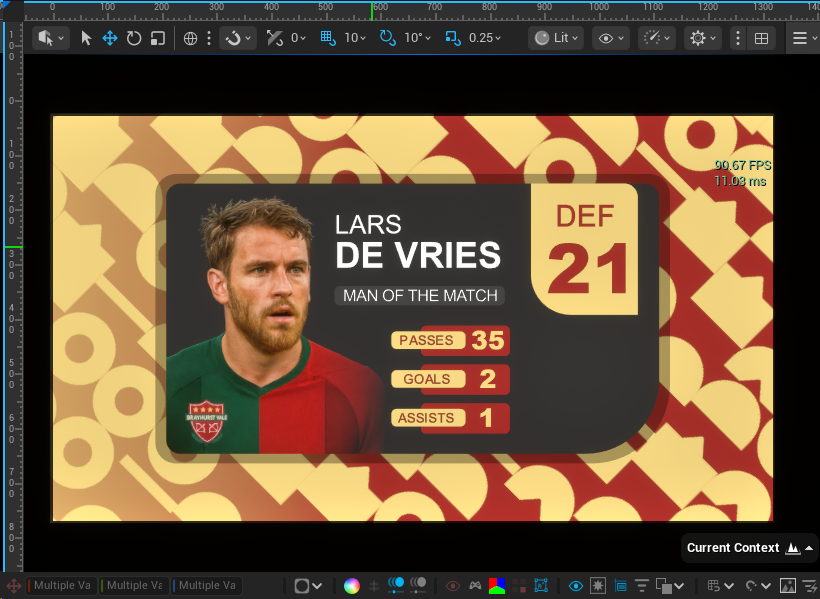
FS_MVPlevel has been added to On Air MSAA example's Football templates.
- New
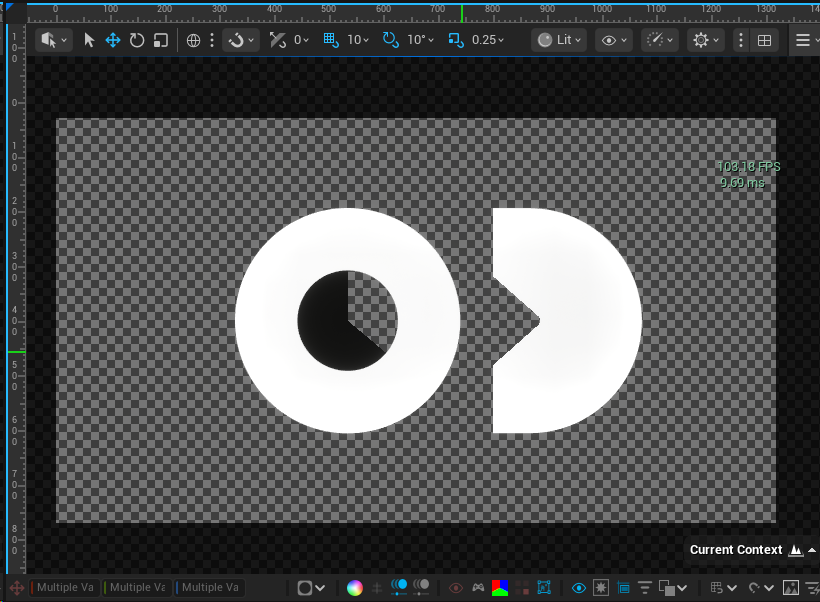
VideoBackgroundlevel has been added to On Air MSAA example's Football templates.
- New
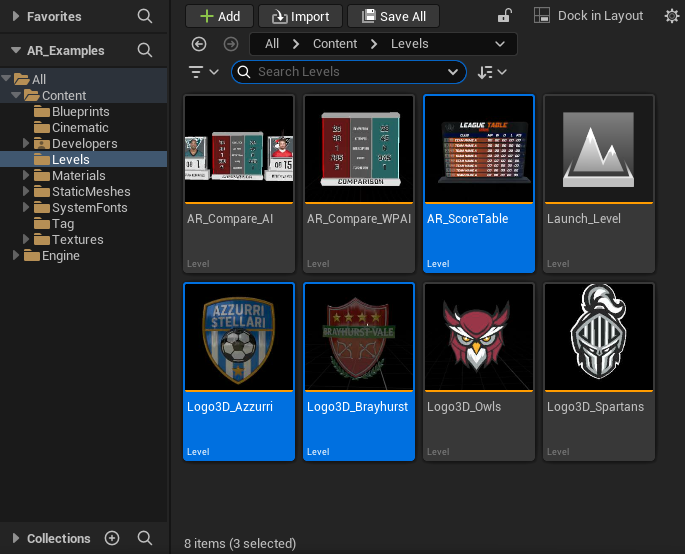
Logo3D_Azzurri,Logo3D_Brayhurst, andAR_ScoreTablelevels have been added to AR Examples and Virtual Studio Examples projects.
- New
FS_WeatherExampletemplate Form has been added to the resources of On Air RT Examples.

- Improvement All Reality Editor projects now use Arial Unicode MS, providing broader default multilingual character support across Latin, Cyrillic, Greek, Arabic, Hebrew, Asian, and regional scripts.
- Fix AR preview positions in VS Examples project are incorrect.
Nodegraph
- New User-defined & multi-channels architecture is available. Please read: Multi Channel and Reality Lino Manager sections.
Licensing
MDRender and MDRender.UHD licenses are introduced for motion design channels.
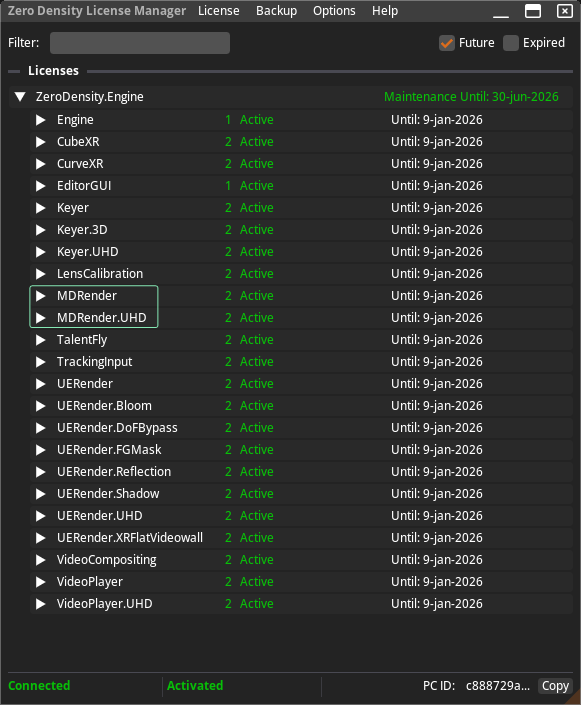
Motion Design Preview Channels do not require a license for resolutions below 1024x576.
Reality Distro
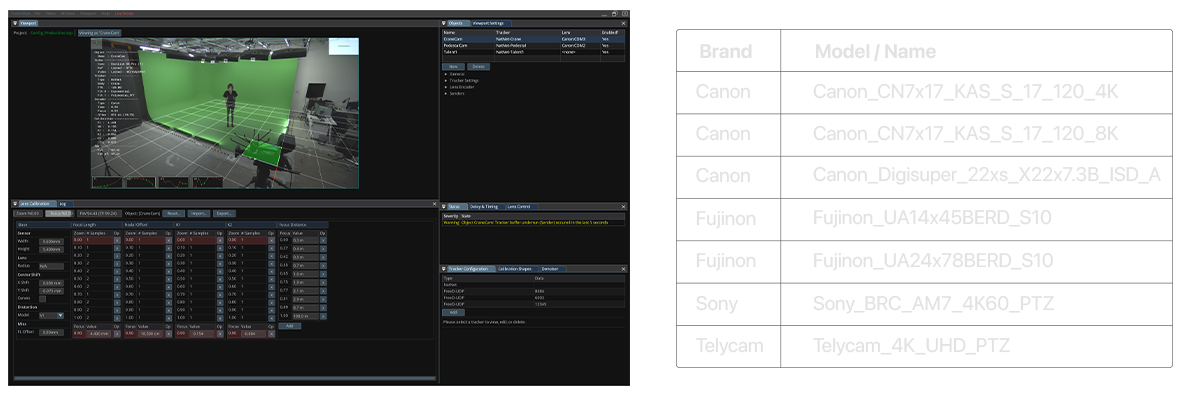
- New Following lens calibration files available in Reality Distro. These files are generated using Traxis Hub's lens calibration tools:
Nodos 1.3.2
Nodegraph
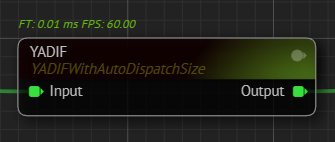
New YADIF node is available and supports reconstruction of progressive images from interlaced video input. It is intended for broadcast and camera workflows. The node interpolates missing scanlines and reduces common interlacing artifacts.
The YADIF node is recommended when virtual video wall input uses interlaced video. Interlaced input can cause visual artifacts especially when combined Temporal AA, and the YADIF node helps reduce these issues and improves image quality.
- New Cyclorama node now supports vertex color masking to mask specific areas of the imported FBX file. This is a handy feature for targeted controls in masking without requiring UV unwrapping the 3D mesh.

- New Cyclorama node now performs validation checks after attempting to read FBX files from disk.

- Improvement ReadVideo node now has HW (Hardware Acceleration) disabled by default.
- Improvement ReadVideo node now ignores unknown data streams, preventing potential playback issues.
- Improvement ReadVideo now handles HDR color spaces more effectively.
- Fix Copying and pasting a Cyclorama node into another node graph no longer overwrites the original node’s clean plate.
- Fix NDI output now starts correctly when the name is assigned after the component is connected to Graph.
Camera Tracking
- New Telemetrics node now supports the V3 protocol, with continued support for V2.
- Improvement EffectiveFoV and AlternateScaling properties have been removed from FreeD and Xync nodes.
- Fix Xync node port no longer hangs after crash or reload.
- Fix TraxisHubTrack CenterShiftRatio has been corrected to match Reality's coordinate system.
- Fix TraxisHubTrack now parses focus values correctly.
Lens Calibration
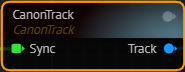
- New Experimental CanonTrack node is available. It receives tracking data from a UDP port and parses CanonTrack protocol.
- Improvement Experimental FreeDWithLensV2 now doubles the CenterShift value by default to match the Reality rendering model.
- Improvement Experimental LensCalibration2 and FreeDWithLensV2 SensorSize pins have been made more consistent across nodes.
- Fix Experimental LensCalibration2 now calculates field of view correctly.
Reality Hub 2.1
Playout
- Improvement The rundown item's online indicator now exposes per-engine status for the selected channel.
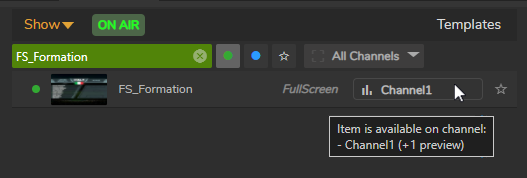
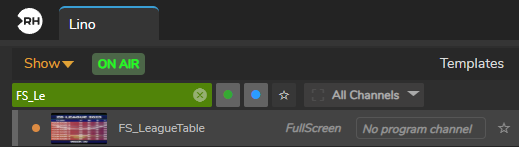
- Improvement Preview-only templates now report their online state just like program items. Template and rundown lists show an orange "preview online" indicator when an item is only loaded on preview engines.
- Improvement The channel selection dropdown in rundown items has been optimized to better handle channels with long names.
- Improvement Rundown Item Filter has been improved to filter by channel, keyword, and online/offline status directly within individual rundowns for targeted content control.
- Improvement Grouped rundown items display all underlying layer names.
- Fix Lino Playout Forms with Action Groups do not get data updates.
- Fix Changing the channel for a grouped item in Lino Rundown only affects one item.
- Fix Combo template items lose their 'played' status when form data is updated.
- Fix Thumbnail is not displayed when Combo Template is added to Rundown.
- Fix It is not possible to move rundown items to the bottom of rundown list.
- Fix Refreshing the page causes the rundown list to switch to the first entry instead of maintaining the active selection.
- Fix Lino Playout displays channels from all Shows instead of the active Show.
Launcher
- New The Launcher Launcher module now supports multiple graphics channels per engine.
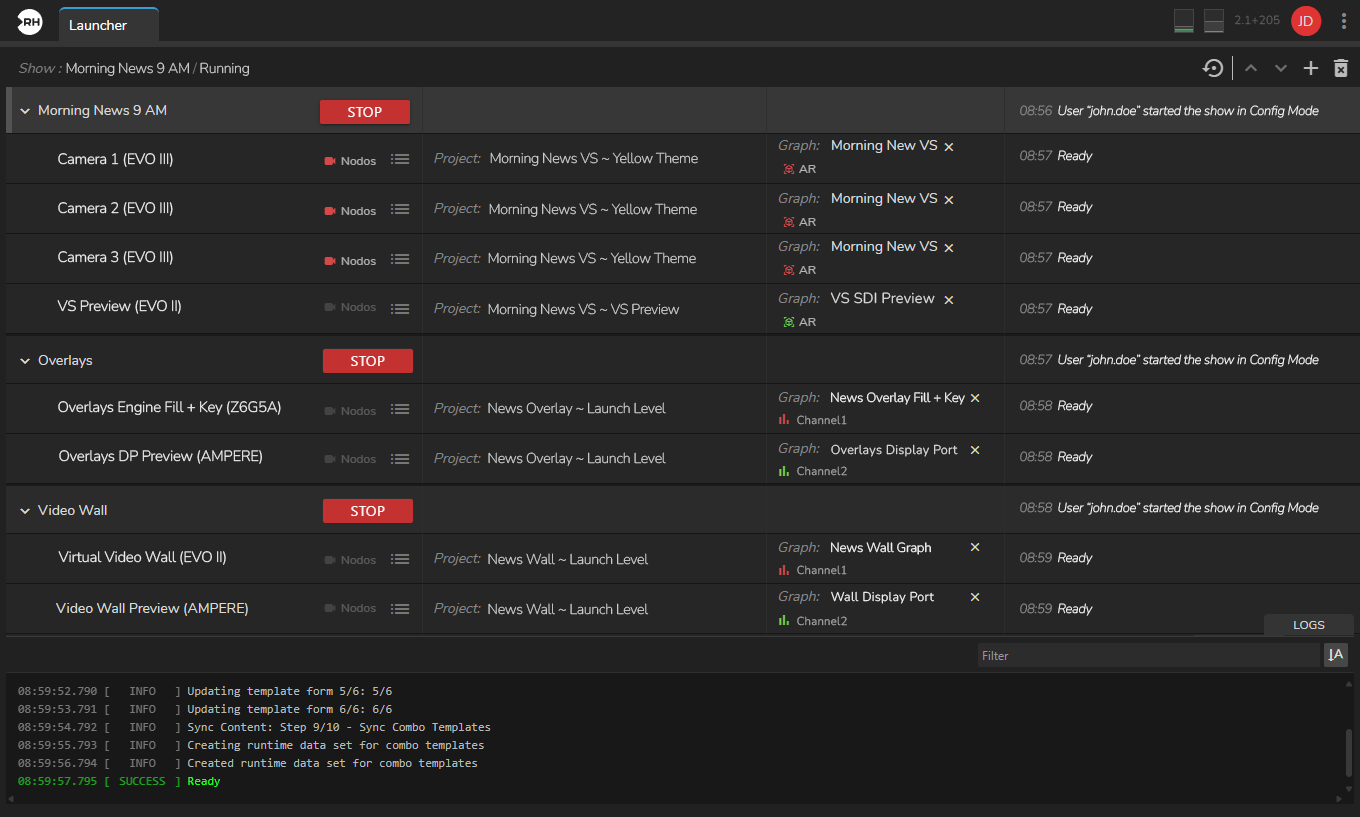
- New Aliases are now superseding Engine Groups. For more details, read Logical Channels Using Aliases.

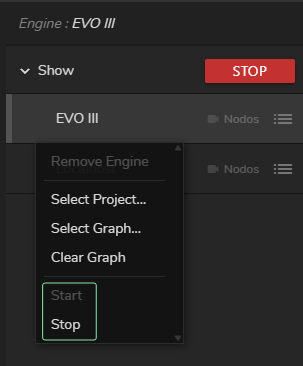
- New It is now possible to start and stop an engine individually.
- New A new Engine Ownership system is introduced. Engines are now owned by the Reality Hub that starts and manages them. Engines that are not owned by the current Hub cannot be edited or controlled from the UI. For more details, read From Reality 5.6 to 5.7.
This feature affects only production environments where more than one Reality Hub server is used and engines are mapped to multiple Reality Hub servers at the same time.
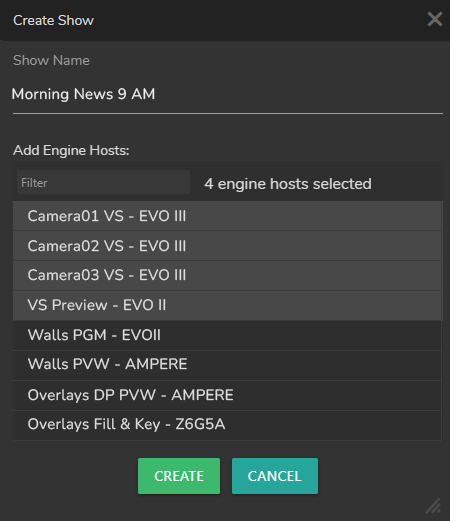
- Improvement Engine hosts are now automatically sorted with enabled hosts displayed first, followed by disabled hosts.
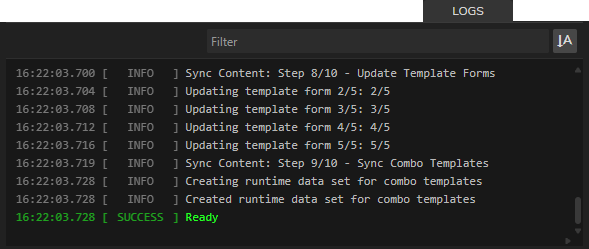
- Improvement Engine log timestamps are now displayed in the Launcher interface.
-
Improvement Vanilla Unreal Engine support has been removed. As a result, Engine type selection dropdown has been removed from the Project Selection overlay in Launcher module and Unreal Engine enable column has been removed from the Hosts Configuration.
-
Improvement The host port setting has been renamed to "Nodos Port" to better reflect its purpose, and validation has been added to prevent conflicts with reserved Motion Design ports. The system now prevents configuring ports 30010, 30020, and 30030 (which are reserved for Motion Design services) and displays a warning notification if a reserved port is attempted.

Hardware Monitor
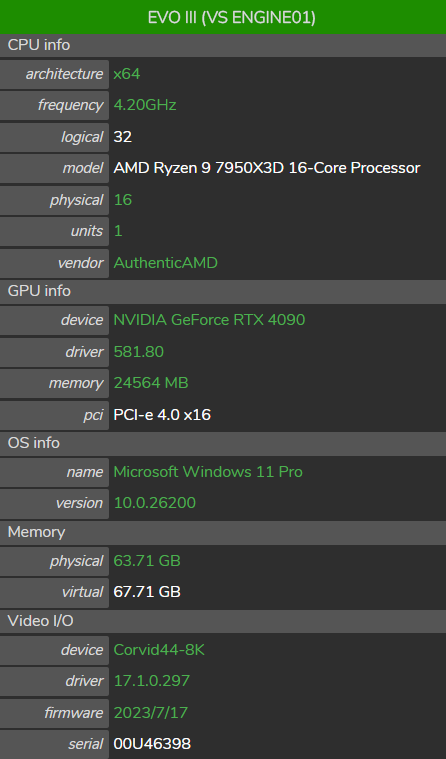
- New The Hardware Monitor user interface has been significantly enhanced with improved visualizations and recommended value checking. Hardware specifications (CPU, GPU, OS, Memory, Video I/O) are automatically validated against recommended values with color-coded status indicators (green for recommended, orange for acceptable, red for warnings).
Users under an active SLA will receive a Hardware Monitor license at no cost for the duration of their SLA.
- Fix Hardware Monitor module displays engines using their hostname instead of their display name.
Nodegraph
- Fix Refreshing the web browser while an action keyframe is selected no longer reverts the pin's value in the nodegraph.
- Fix Nodegraph module displays the name of the previously loaded graph during the loading phase, instead of the name of the graph being loaded.
- Fix Updating multiple node properties simultaneously could incorrectly use the wrong node path for certain updates.
- Fix Reloading the page when an action keyframe is selected no longer reverts the pin's value in the nodegraph.
- Fix After engine launch, the Graph is occasionally not rendered in the Nodegraph interface, even though Graph data is loaded.
- Fix The node details panel keeps the properties of the last selected node after stopping a Show.
Form Builder
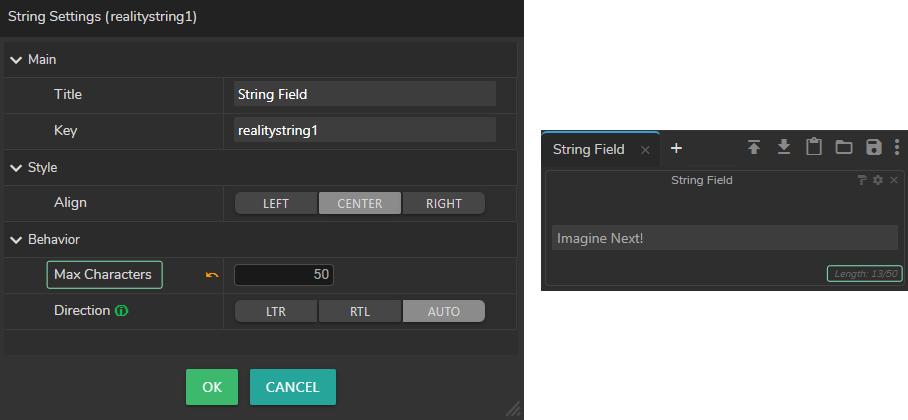
- New String fields on Forms now support text direction. This feature allows you to use the right to left (RTL) alphabet (such as Arabic) and left to right (LTR) alphabet (such as English) harmoniously in the same graph.
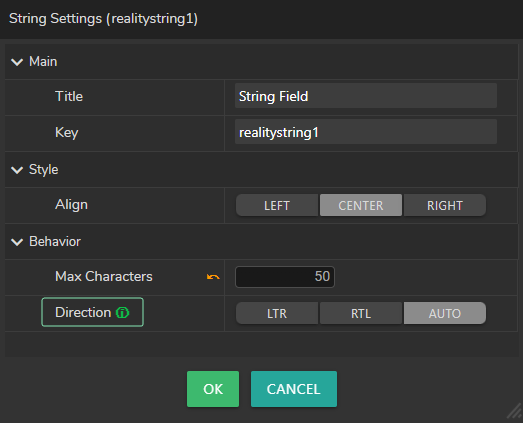
- New String fields on Forms now support setting a maximum character length. When typing, a counter displays how many characters have been entered and how many remain available.
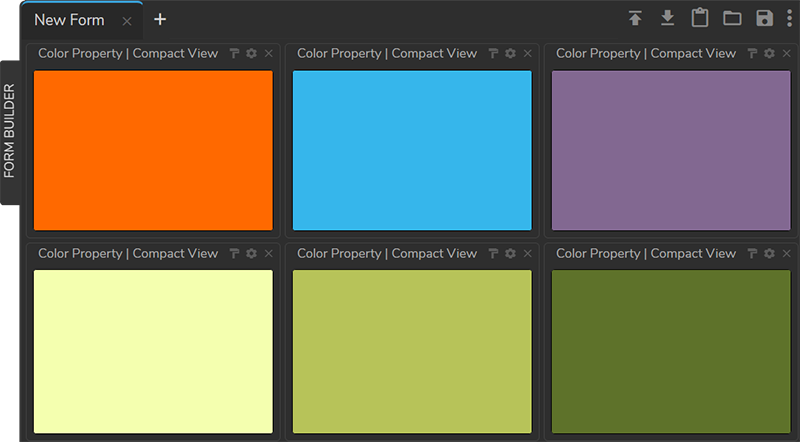
- Improvement Color fields on Forms now support a compact view mode. When enabled, the compact view hides numeric input fields and maximizes the color preview swatch.
- Improvement Form Builder now automatically loads the imported template.
- Fix Enum (dropdown) fields in Form Builder do not show their first option after the initial load.
- Fix Properties belonging to collapsed graphs are not getting value updates in Lino Rundown.
- Fix External Excel (XLSX) data fails to load when file is on a shared network path.
User Interface
- New Engine Status Toolbar now displays Idle and N/A statuses in addition to the Live and Config mode indicators. Connected but not started engines show Idle. Engines that are not connected are displayed as N/A.

- Improvement A warning indicator has been added to the Engine Toolbar to show when shader compilation is in progress or when an engine has an error status.

- Improvement Disconnected status indicator (light grey) for Reality Loader has been added to Engine Status Toolbar.

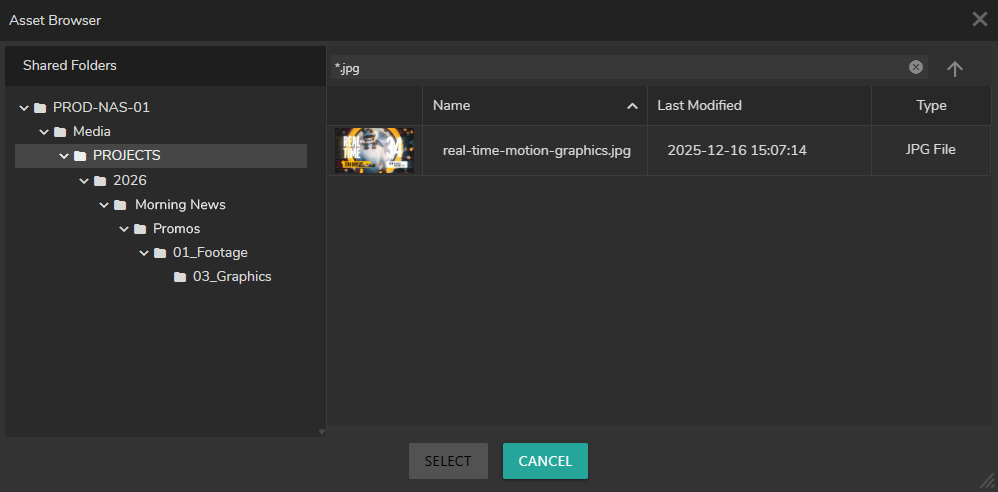
- New Asset Browser now supports file name, extension, and wildcard filtering functionality. The filter supports wildcard patterns using * to match any sequence of characters (e.g., abc.png).
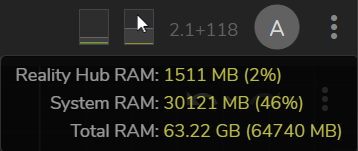
- New Reality Hub header now displays the host server’s CPU and RAM usage, along with the total CPU and memory usage of Reality Hub processes, with real-time updates.
Configuration
- Fix Configuration > License & Features menu does not reflect real-time changes in usage and reservations until the web browser is refreshed.
User Management
- Fix The Add User to Group button remains enabled even when no users are available to add in User Management module.
- Fix The user interface does not update to license status changes (active, reserved, or released) until the web browser is refreshed.
REST API
- New REST API token-based authentication has been implemented with a standalone API Key system. API Keys can be created independently without linking to users, and resources can be directly assigned to API Keys without requiring groups or policies. For more details, please visit the Token-based Authentication section.
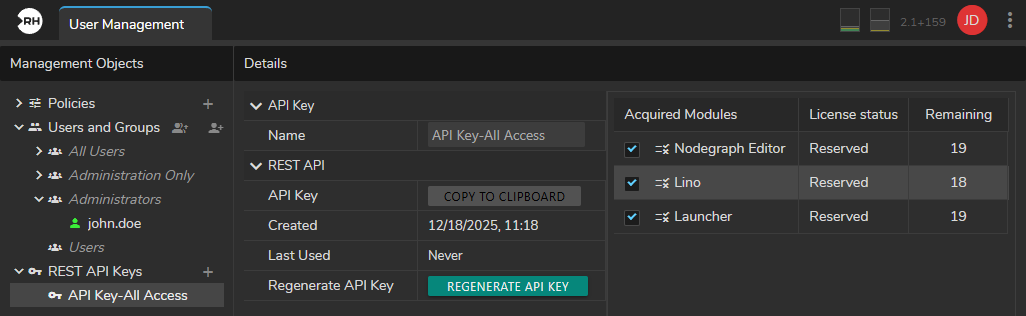
- New REST API is now accessible without requiring a specific REST API license.
- Improvement The REST API now includes additional API endpoints.
- Fix Launcher module endpoints are not handling start/stop operations for Shows.
Integrations
- Fix MOS rundown does not load correctly to Lino playout.
- Fix Editing a MOS item's property and clicking the Reset button reverts the value incorrectly to the Unreal Remote Control Preset's default value.
- Fix MOS configuration UI crashes when the key-value store table is empty.
- Fix Restarting a Show causes active MOS rundowns to reload as "Untitled".
- Fix The MOS gateway performs case sensitive checks on mosID and ncsID in incoming messages.
- Fix Integration module crashes after specific API endpoint calls.
Advanced Preview Monitor
- New Crosshair functionality added to Advanced Preview Monitor.
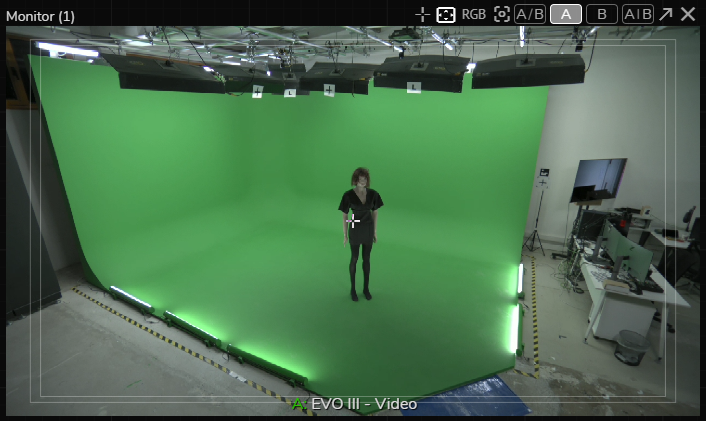
- Improvement Advanced Preview Monitor window titles are simplified to display Engine Display Name and Pin Display Name.
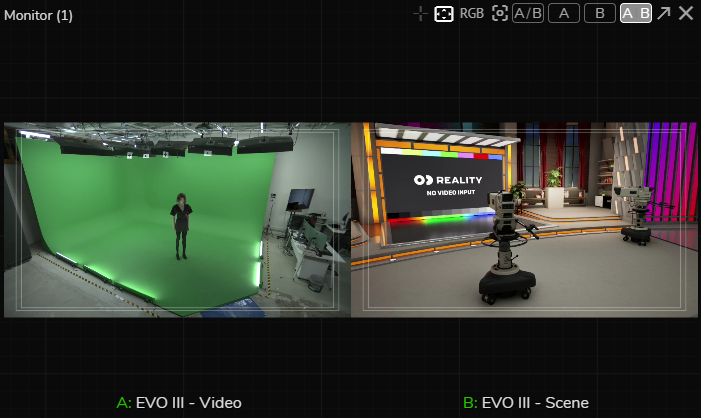
- Fix Advanced Preview Monitor may not assign monitored pins to channels properly when both channels are used/changed.
Operating System
Windows 11
Windows 11 is now officially recommended Windows version for Reality 5.7 with full testing and benchmarking performed on version 25H2 to ensure maximum performance and reliability. For more details, please read the System Requirements.
Reality 5.7 is compatible with Windows 10 OS, on the other hand it is highly recommended to upgrade to Windows 11.