Launcher
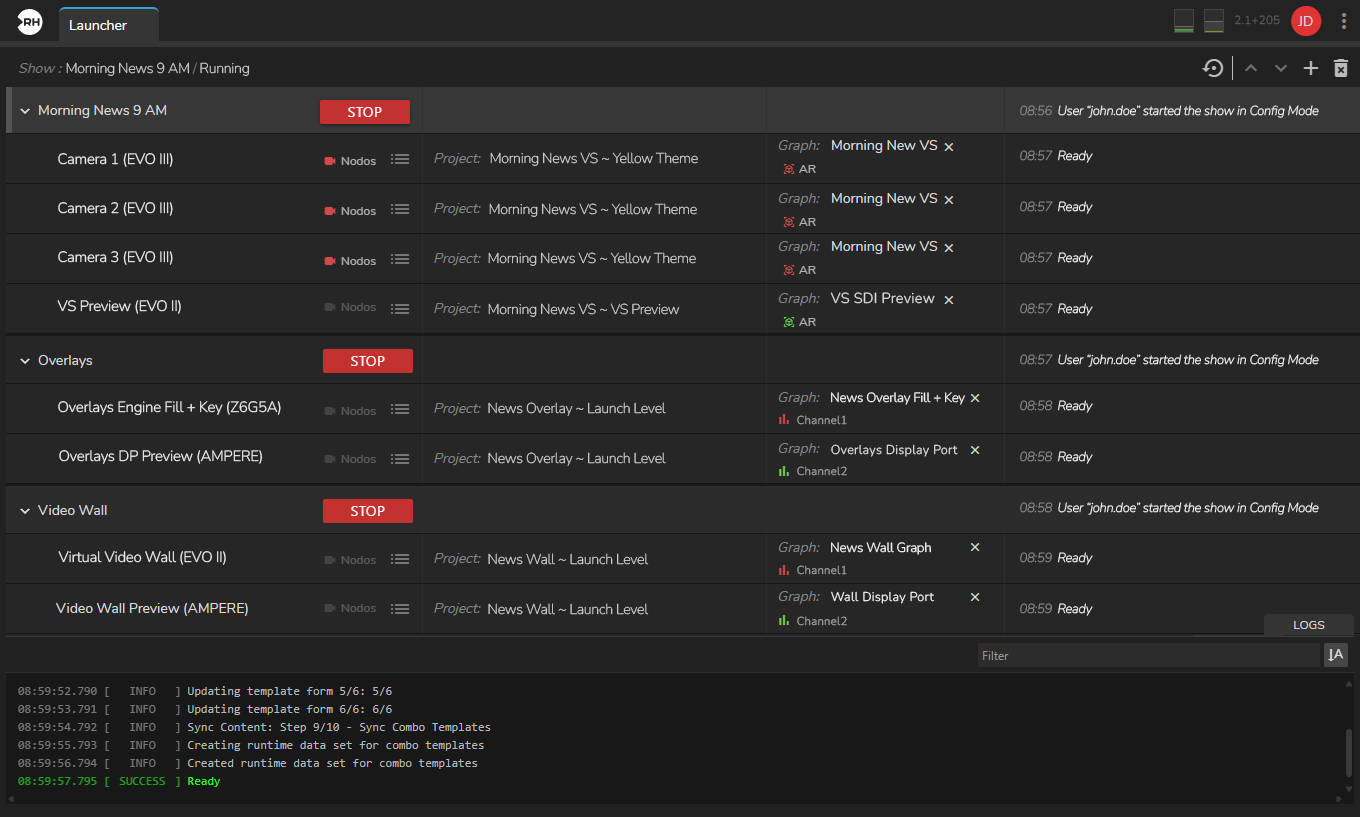
Launcher is the Reality Hub module used to configure and launch your production environment. All show setup—creating shows, assigning engines, selecting projects, maps, and graphs, and starting the show—is performed within the Launcher module.
Launcher Interface
Launcher interface consist of following elements:
Engine Status Colors
Engine Status Colors provide crucial information on the current operational state of an Engine or Engine Groups, visually conveying their availability.
Custom Launch Parameters
Launch Parameters
New Launch Configuration
This section shows how to create a launch configuration for a Tracked Virtual Studio scenario with three studio/broadcast cameras. This example uses four engines: three program engines (bound to cameras) and one preview engine for AR-type graphics. You can reuse this setup with the Virtual Studio example project included in Reality Projects.