Lino Playout
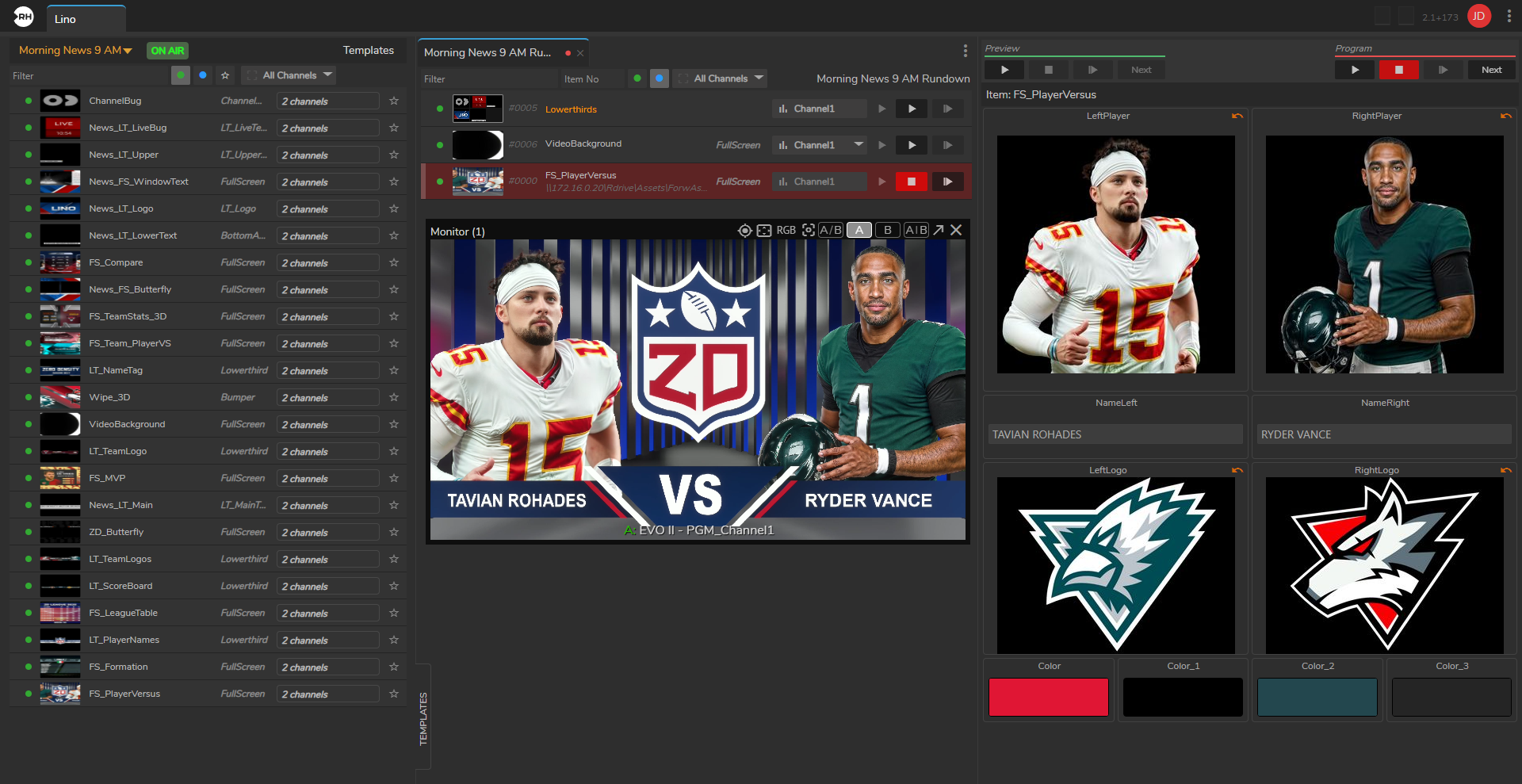
Lino Playout is a Reality Hub module that handles the live execution and management of graphics during a live broadcast.
Watch the following video to see Lino, the real-time motion graphics platform, in action:
Key Features of Lino Playout
- Multi-Channel Control: It can manage multiple graphics channels simultaneously. This means an operator can control on-air overlays on one channel and video wall graphics on another from the same screen.
- Template-Based Workflow: It uses "state-aware" templates. Operators can change text, images, or data within a template and send them to air without needing to touch the original design file.
- Familiar Broadcast Commands: It supports standard live production commands like "Take In," "Take Next," "Continue," "Take Out," and "Clear."
- Rundown Management: It allows users to create and manage "rundowns" (playlists of graphics). You can view thumbnails of the graphics, drag and drop to rearrange them, and customize their properties on the fly.
- NRCS Integration: It integrates with Newsroom Computer Systems (such as ENPS, iNews, Octopus, and Dina). This allows journalists to prep graphics within their newsroom software, which then appear automatically in the Lino Playout rundown for the operator.
- Transition Logic: It includes built-in transition logic, ensuring that graphics move in and out of the screen smoothly without manual rigging or complex "coding" for every move.
To see Lino Workflows with Reality Hub, you can visit Zero Density Academy course here:
Lino Workflow with Reality Hub
This course provides comprehensive training on the new Lino Workflows. Participants will gain an understanding of the updated Launcher Module, learn how to operate Lino Playout, manage graphics effectively, and create rundowns using Reality Hub.
Please follow:
Reality Multi Channel Concept
4 items
User Interface
6 items
Example Playout Operation
5 items