What's New
Highlights
- Nodos now supports SMPTE 2110 via the KONA IP25 card from AJA Video Systems with updated AJA 18.0.0.1063 drivers.
- Remote Control Templates (RC Templates) are now available in Lino Playout to control exposed Unreal properties/functions directly, including mesh and material fields.
-
Journalist Preview is now available in the MOS interface, enabling real-time template preview in a browser prior to program output. This feature requires no additional license and is covered under your current NRCS user license.
-
The experimental Ticker module is now available for building, organizing, and playing news items, ticker groups, and crawls.
-
A wide range of new REST API endpoints are now available. REST API key management is now part of Basic User Management, and REST API access can now be used in LE Mode without using module licenses.
-
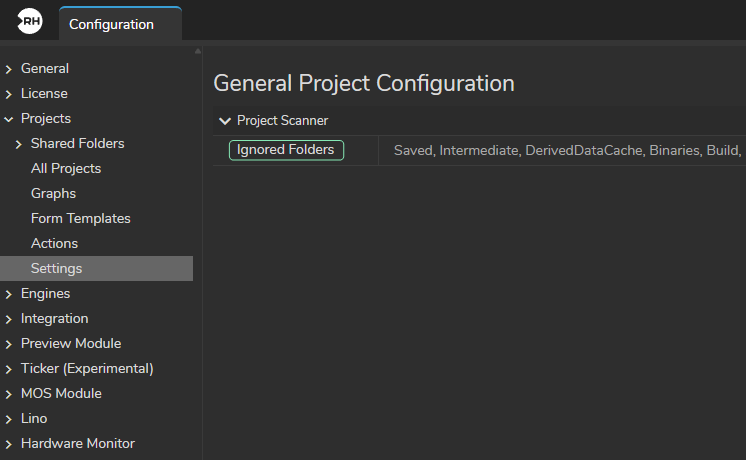
Shared folder scans are now faster, show clearer progress for each project, and support Ignored Folders.
-
Automatic Color Profiling is now available for XR and LED wall workflows.
Engine 5.8
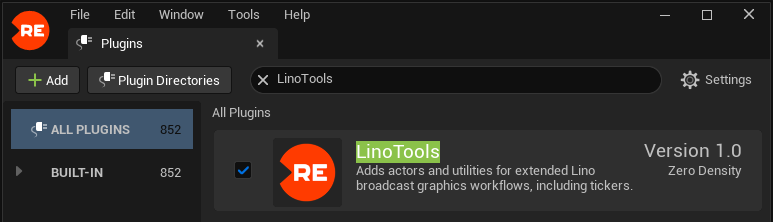
- New The LinoTools plugin is now available to extend Lino's broadcast graphics capabilities and support the Ticker module.
- Improvement The RealityDeprecated plugin has been removed.
Nodos Link Plugin
- New Output pins now enable automatic two-way binding, so changes made to Unreal properties in the engine are reflected in the Nodegraph without requiring global two-way binding to be enabled for every UE5 property.
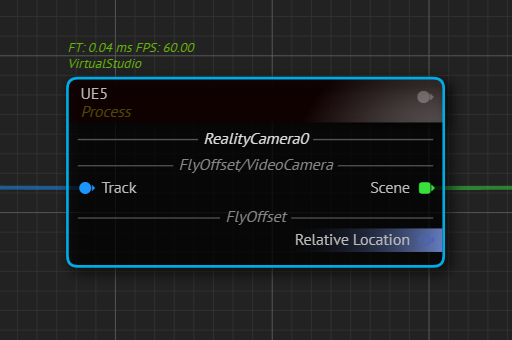
- Fix Nodos Link keeps a stale reference to the destroyed world, causing crashes when opening or switching levels in Unreal Engine.
Reality Editor Projects
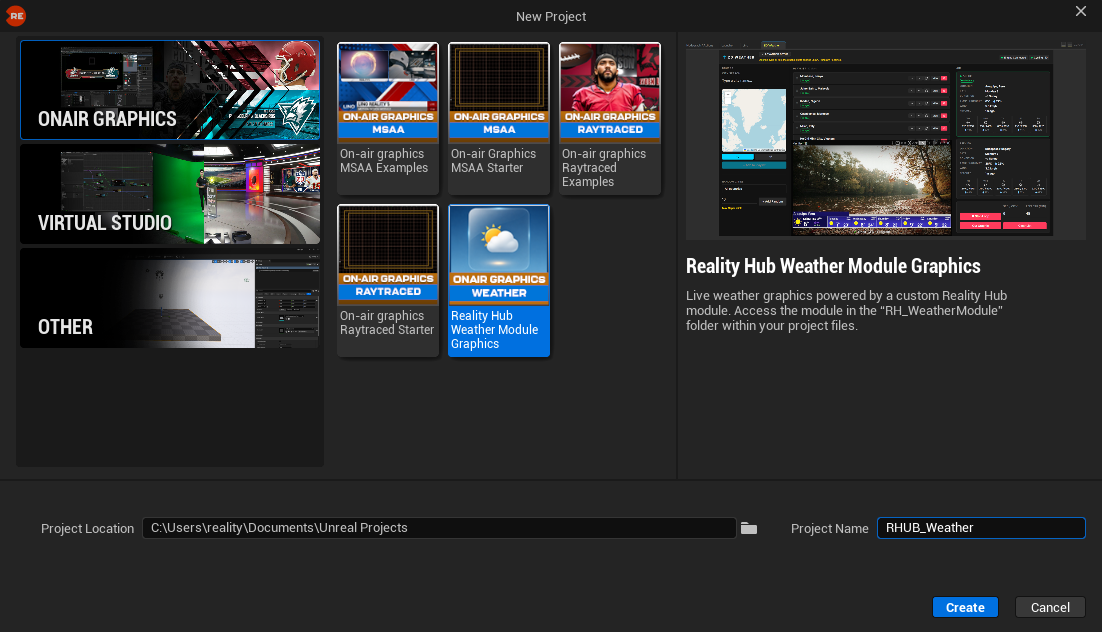
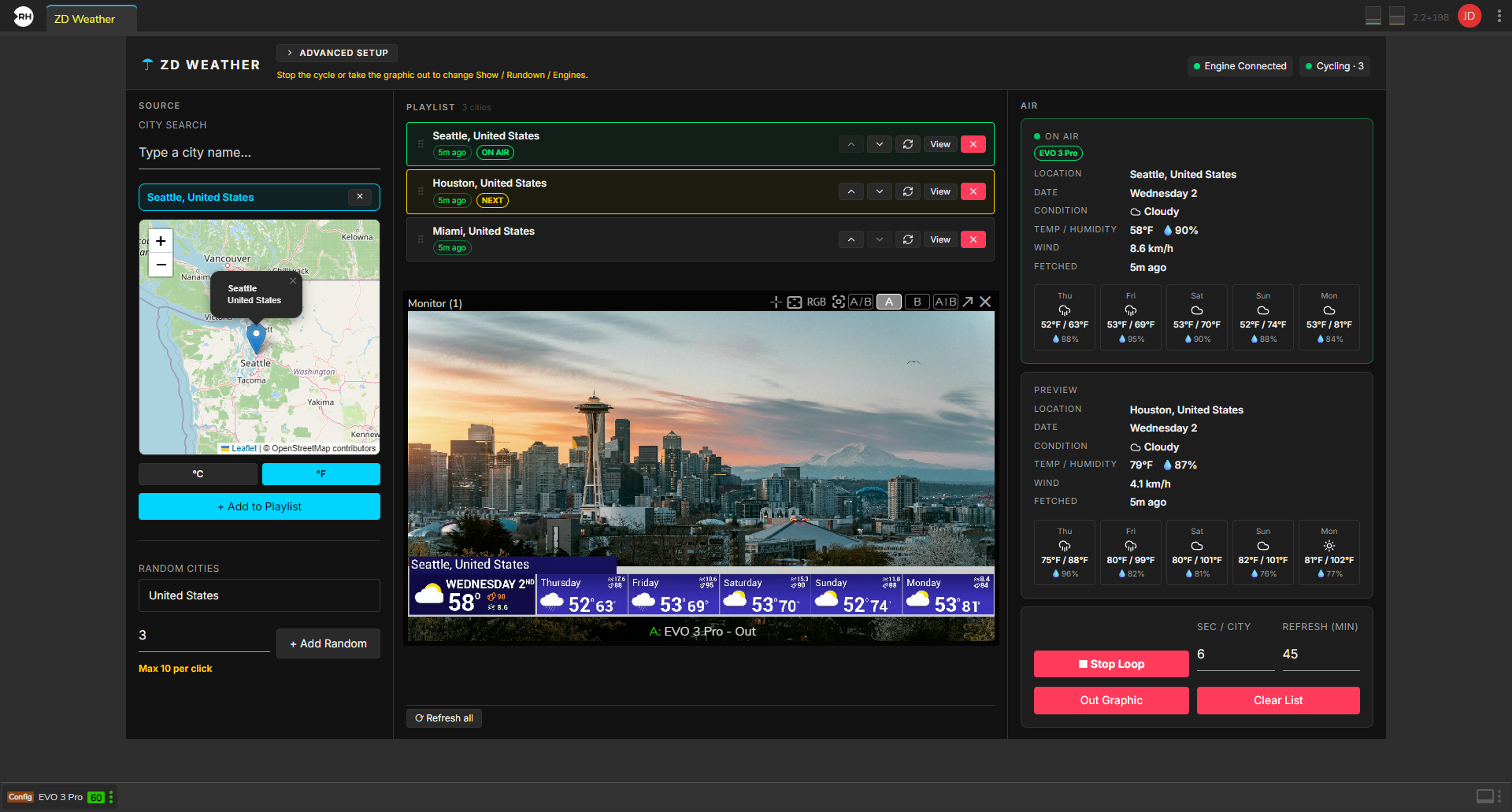
- New Reality Hub Weather Module Graphics are now available under the On-Air Graphics category for use with the ZD Weather module.
- Improvement The external data forms, resource files, and inline documentation (README.md) in the Resources folders are now updated across all projects to support the Reality Editor 5.8 and Reality Hub 2.2 REST API endpoints.
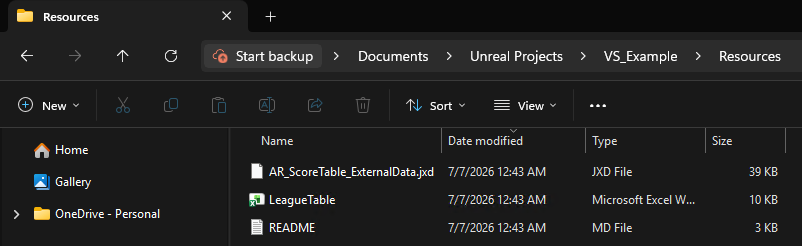
- New All example templates have been updated to support the new Remote Control fields.
Reality Distro
- New Lens profile files from various brands have been added to Reality Distro.
Nodos 1.3.5
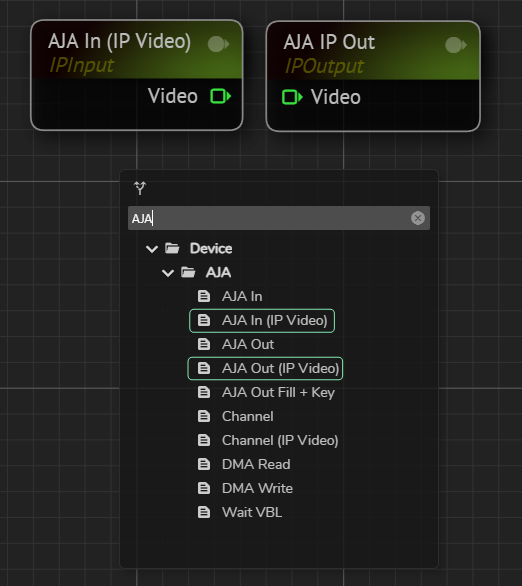
- Nodos now supports the KONA IP25 IP I/O card from AJA Video Systems. New AJAIn (IP Video), AJAOut (IP Video), and Channel (IP Video) nodes are available for IP I/O pipelines using this card.
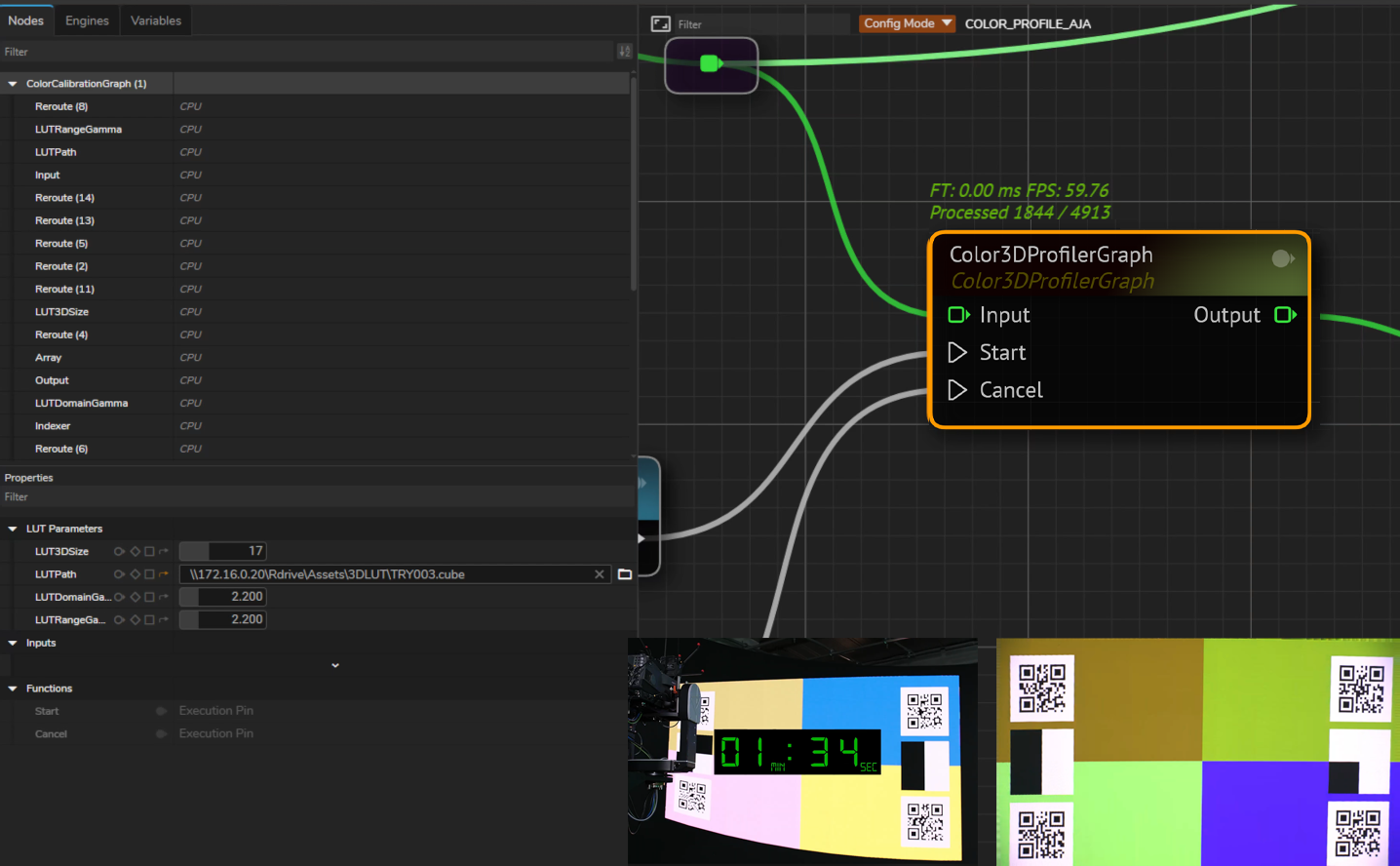
- The Color3DProfiler node and Color3DProfilerGraph subgraph are now available to automatically match physical LED wall colors with digital set extension graphics.
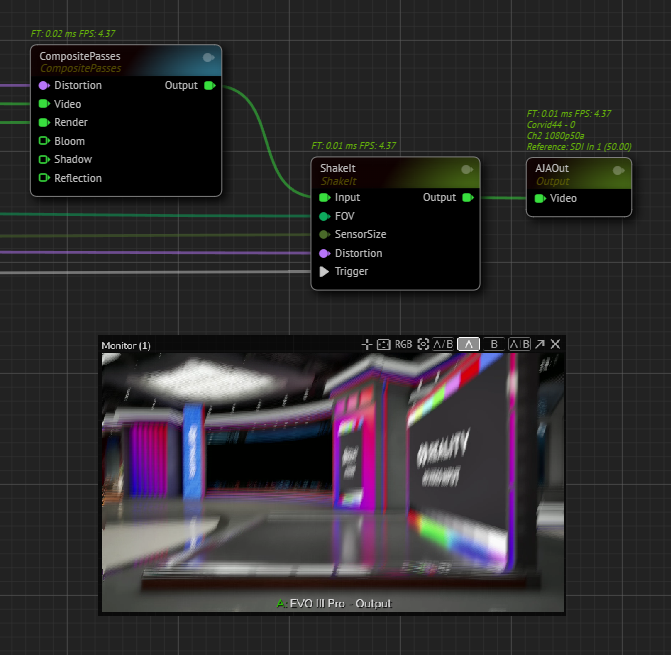
- The Camera Shake 3D node and ShakeIt subgraph are now available to create a lens-aware 3D camera shake effect.
Video I/O
- New AJAIn (IP Video), AJAOut (IP Video), and Channel (IP Video) nodes have been added to the node library to support the KONA IP25 IP I/O card.
- Fix Nodos may crash when several different channels are opened one after another through the Advanced Preview Monitor.
- Fix When Unreal Engine is blocked by a heavy workload and drops several frames, tracking sync may drift by one frame or field.
Nodegraph
- New The Color3DProfiler node and Color3DProfilerGraph subgraph are now available in the node library. Color3DProfiler matches physical LED wall colors captured by a camera with digital set extension graphics generated by the render engine.
- New The Camera Shake 3D node and ShakeIt subgraph have been added to the node library to create a lens-aware 3D camera shake effect.
- New Track nodes now display a warning message when TimeBased mode is enabled.
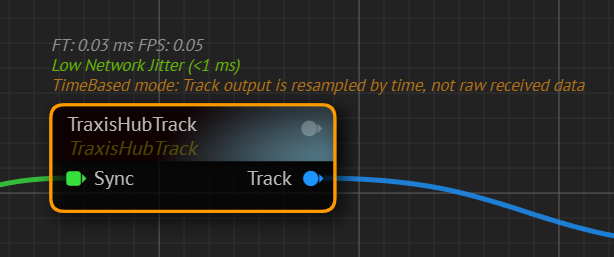
This mode is intended for scenarios where the track input is not GenLocked or is running at a non‑standard frame rate. Enabling it forces interpolation of incoming tracking samples against the CPU clock; note that this is a fallback behavior.
- Improvement TimeBased mode on Tracks now works with interlaced signals.
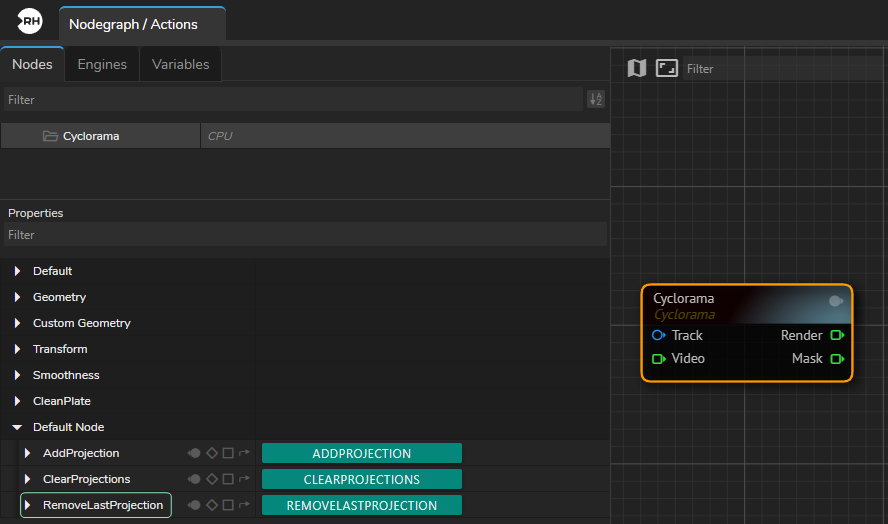
- Improvement It is now possible to delete the last captured Cyclorama clean plate without clearing all captured plates.
- Improvement AJAOut now supports VPID HDR metadata embedded in the SDI signal, enabling downstream devices to detect HDR video.
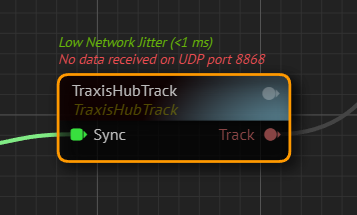
- Improvement UDP problems are now reported with clearer details on Track input nodes.
Reality Hub 2.2
-
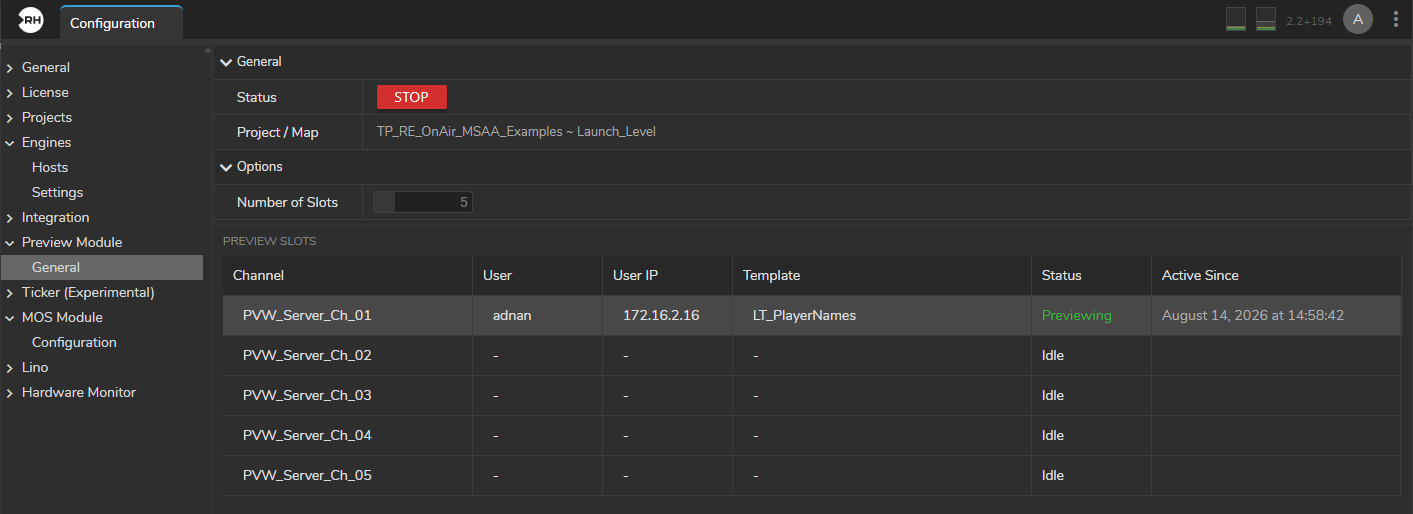
Journalist Preview is now available in the MOS interface to preview and edit templates in a browser before they go to program output, without affecting the on-air rundown.
-
The experimental Ticker module is now available to build, organize, and play news items, ticker groups, and crawls for on-air graphics.
-
Deprecated Playout and Newsroom modules have been removed from the Modules menu.
-
A new template type, Remote Control Templates (RC Templates), is now available. You can control exposed properties and parameters of Unreal Engine Vanilla Remote Control Templates directly in the Lino Playout module, including mesh and material fields.
-
Shared folder scans are now faster, show clearer progress for each project, and support Ignored Folders.
-
A wide range of new REST API endpoints are now available. REST API key management is now part of Basic User Management, and REST API access can now be used in LE Mode without consuming module licenses.
Lino Playout
- New The same Motion Design template can now be played on multiple channels on the same engine.
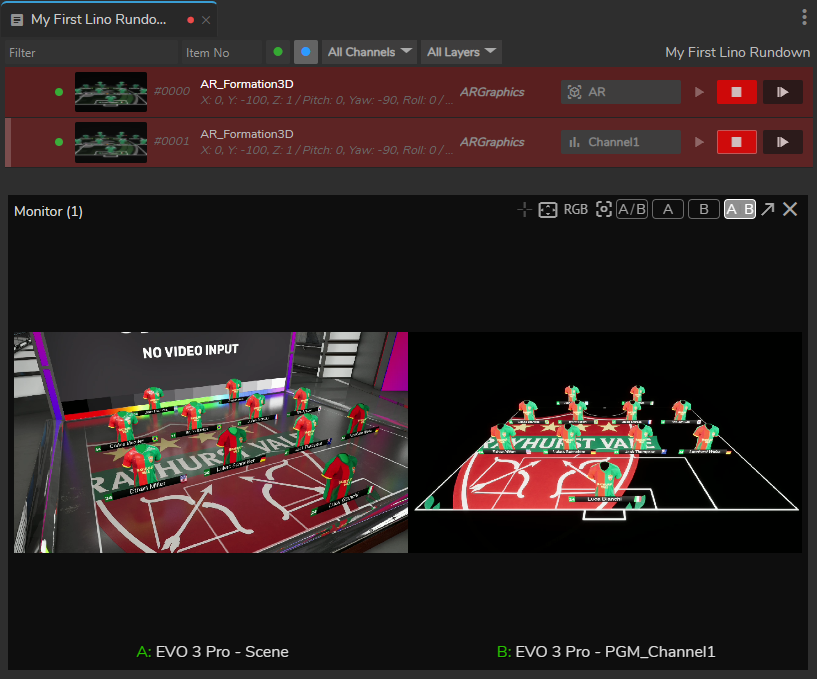
- New A new template type, Remote Control Templates (RC Templates), is now available. You can control exposed properties and parameters of Unreal Engine Vanilla Remote Control Templates directly in the Lino Playout module.
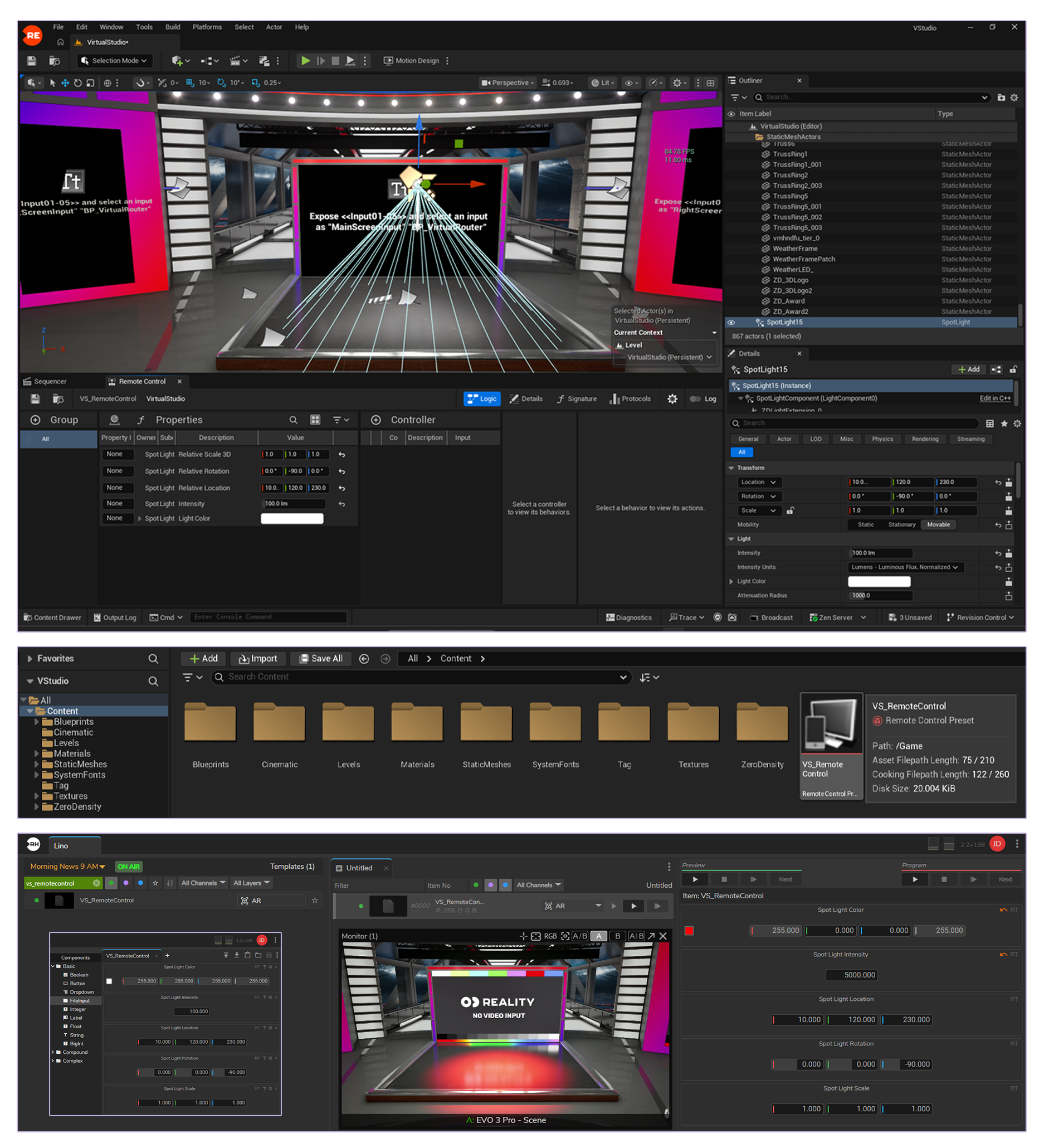
- New Lino Templates now support StringList (list-of-text fields) from Unreal as dropdown menus with predefined options.
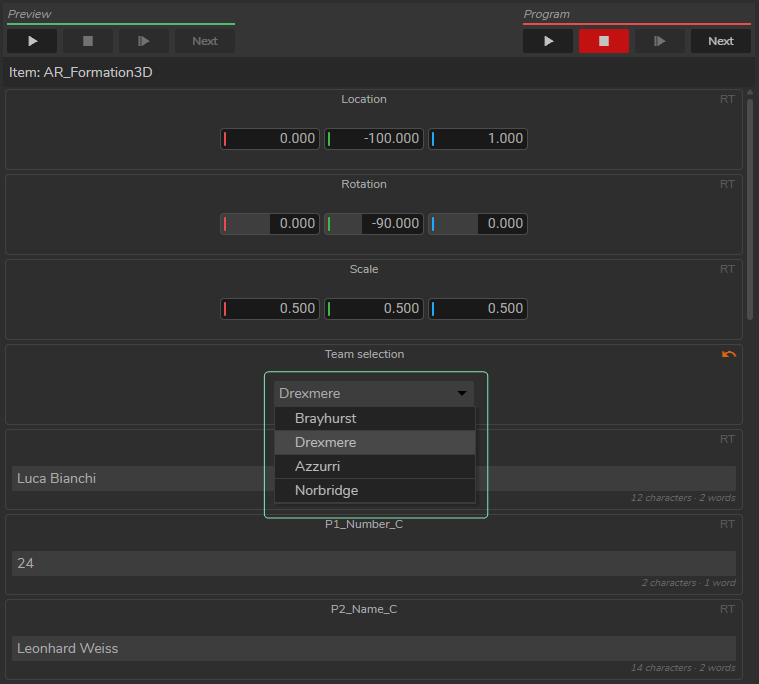
- New Lino Templates now support StatelessEvent action buttons from Unreal Motion Design templates. Clicking a button in the Lino rundown triggers the matching Motion Design Sequence in Unreal.
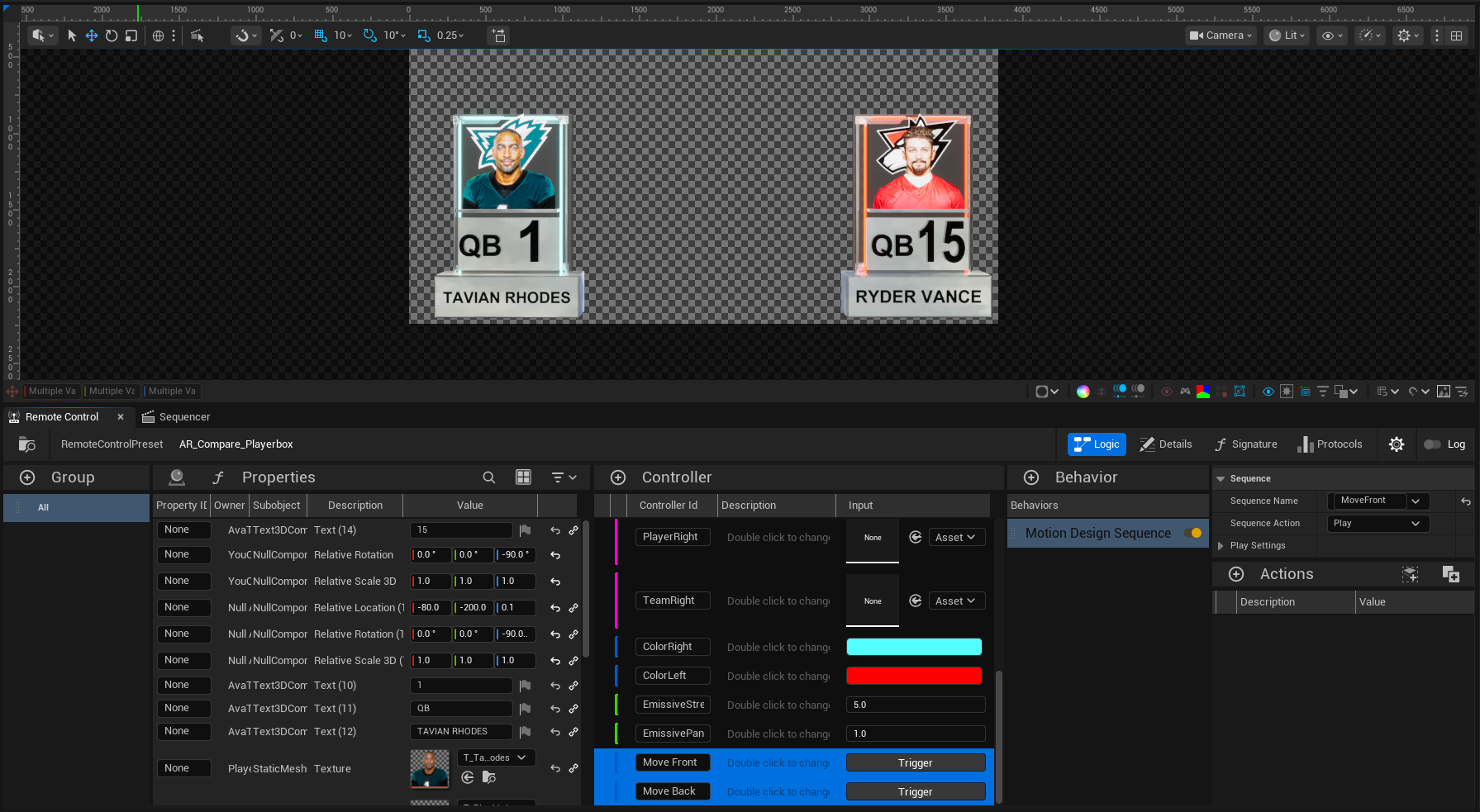
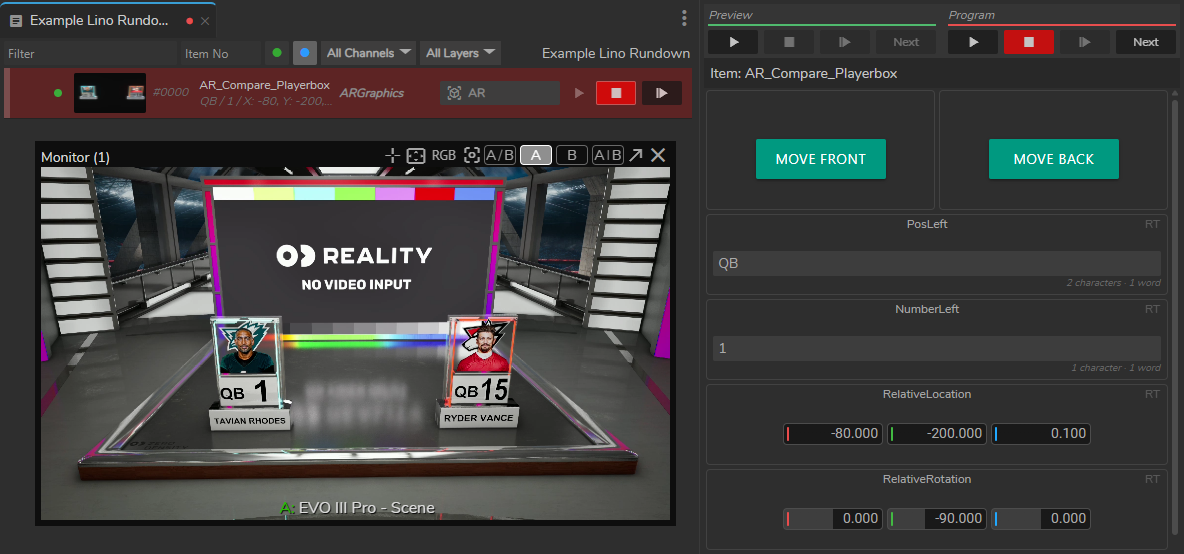
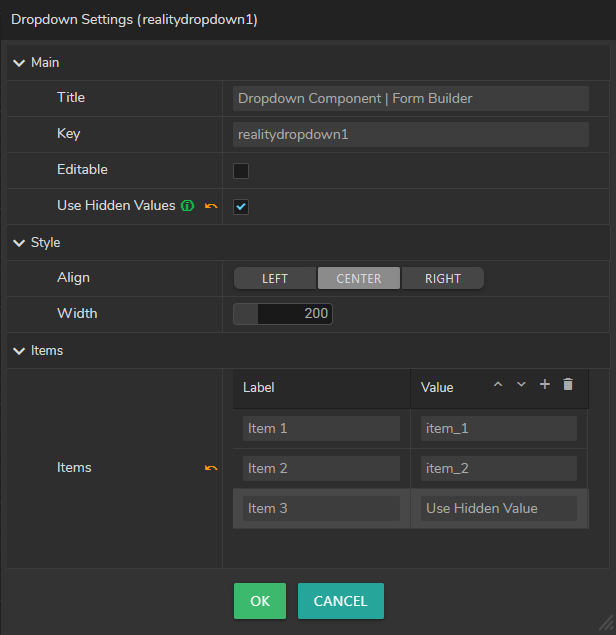
- New Lino Template dropdown fields now support separate display labels and hidden values. The label is shown in the Rundown, while Unreal receives the configured value for each selection.
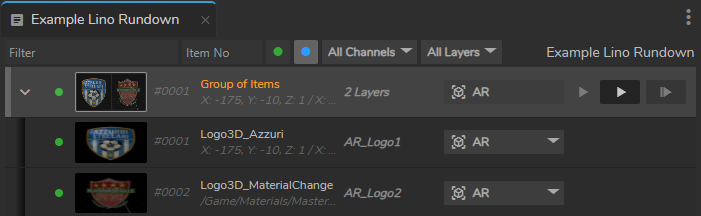
- New Grouped rundown items can now be expanded and collapsed so each item’s channel can be modified without ungrouping.
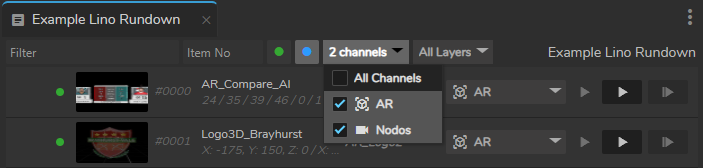
- New Playout now supports filtering templates and rundown items by multiple channels at once.
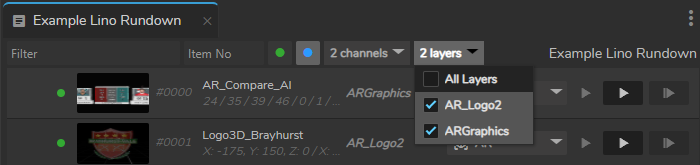
- New Template and Rundown areas now support filtering by layer name with a multi-select dropdown.
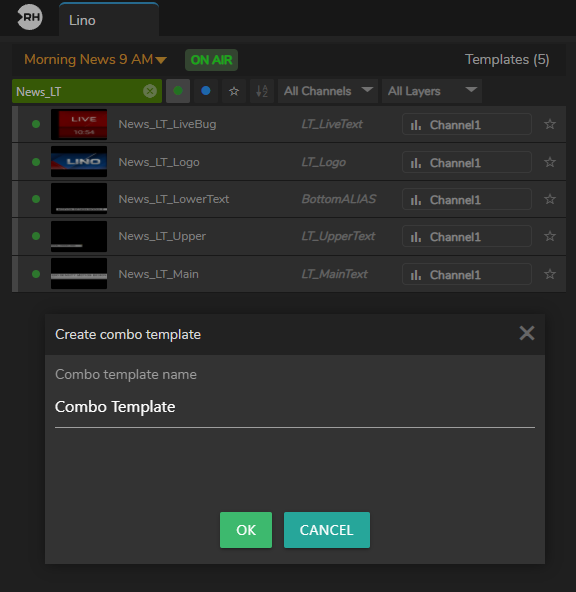
- New Combo templates now support a custom name when created and can be renamed afterward in the rundown.
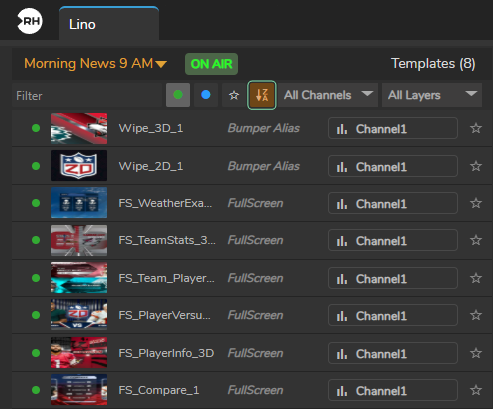
- New Templates list now supports sorting by name (A–Z, Z–A) or default order.
- New Rundown now supports the Details Info Display feature.

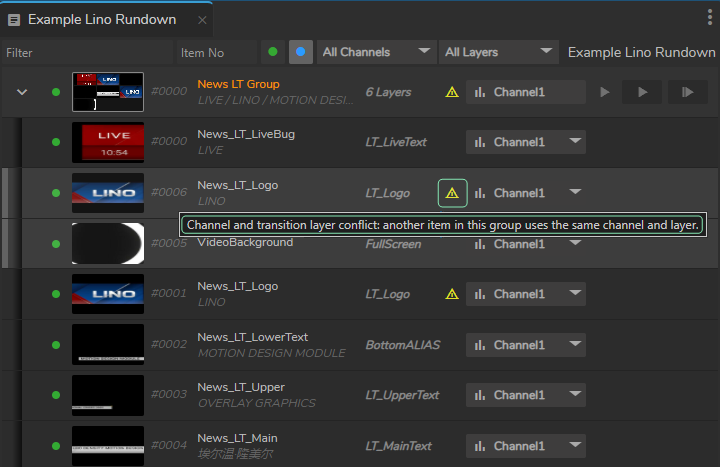
- New Item groups now display conflict warnings and disable Play when two items use the same channel and transition layer.
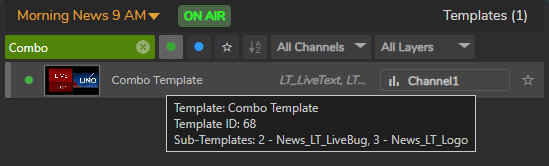
- New Combo templates now display info for each item group.
- New When a rundown item is offline, the channel dropdown arrow now turns green if the item has available channel options.
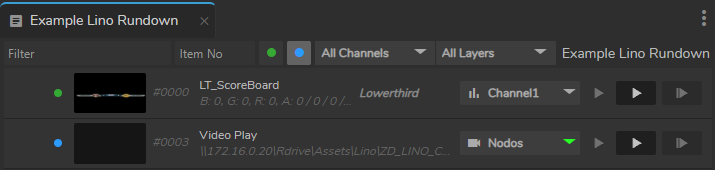
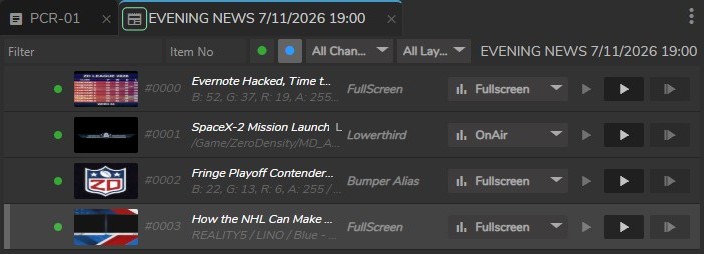
- Improvement Rundown tabs now display icons that distinguish MOS rundowns from regular rundowns.
- Fix Rundown items no longer remain marked on-air when Lino is switched to Offline mode.
- Fix When a project is launched for the first time, certain Lino templates appear offline when they are available in the project.
- Fix When creating multiple combo templates from the same items, the second combo template no longer appears offline.
- Fix The channel dropdown for multi-channel items fails to open correctly when scrolled to the bottom of a long Lino Playout rundown.
- Fix The rundown tab close button is not accessible when the rundown name stretches beyond the tab width.
Launcher
- New Project thumbnails are now displayed in the Launcher project picker.
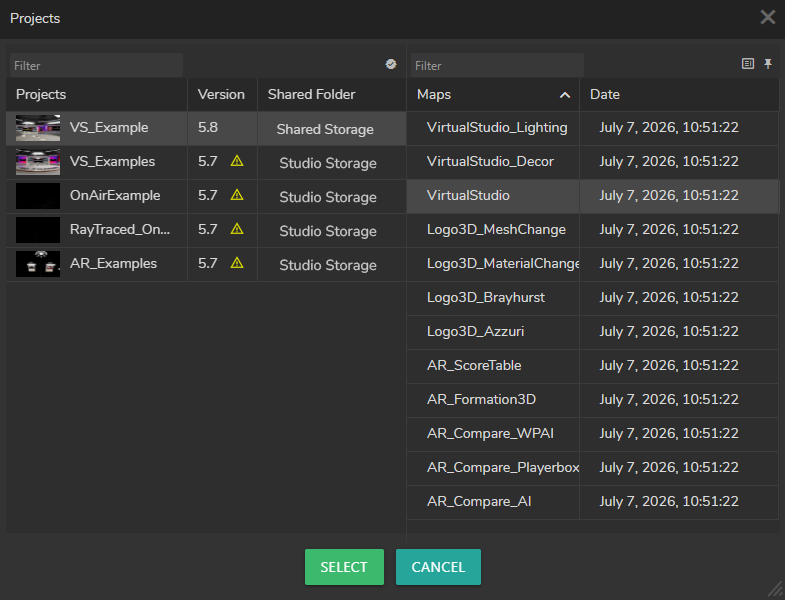
- New The Project Browser now supports pinning Launch Level to the top and remembering filter preferences.
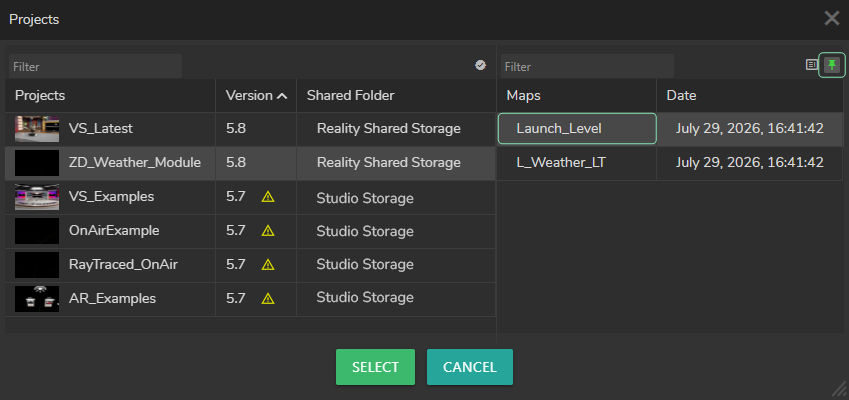
- New You can now search for maps across all projects at once using a new toggle, without opening each project individually.
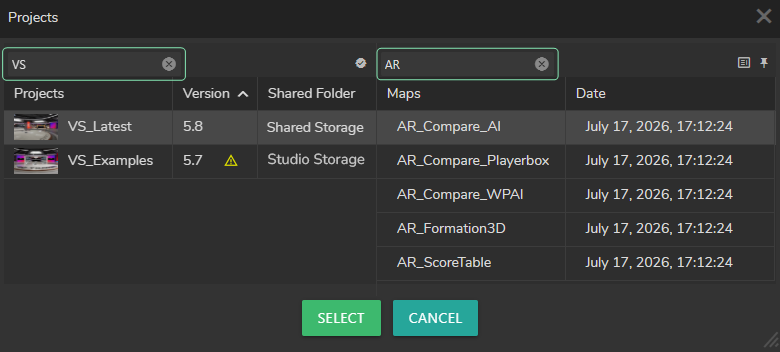
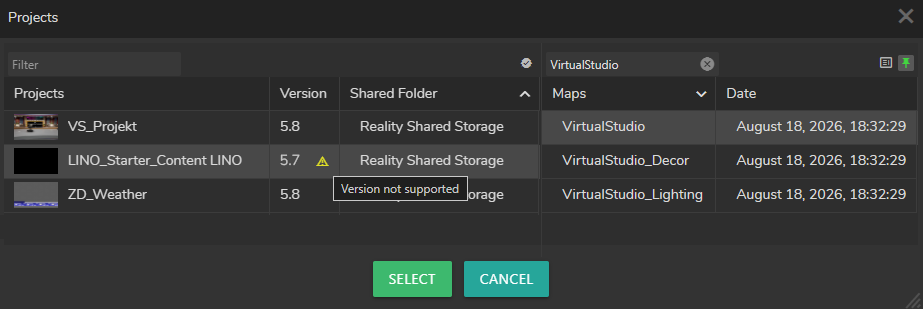
- New A version mismatch warning is now displayed when selecting an incompatible project in the Launcher.
- Improvement Launcher now enforces Game Viewport Client Class to
RealityViewport, eliminating unnecessary viewport rendering. - Fix After a long runtime, starting or stopping a Show may display false-positive “Failed to start show” or “Failed to stop show” warning messages even though the operation succeeds.
Hardware Monitor
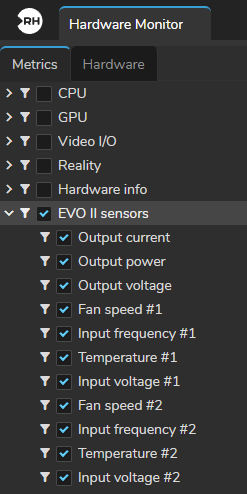
- New The EVO III Sensors category is now available.
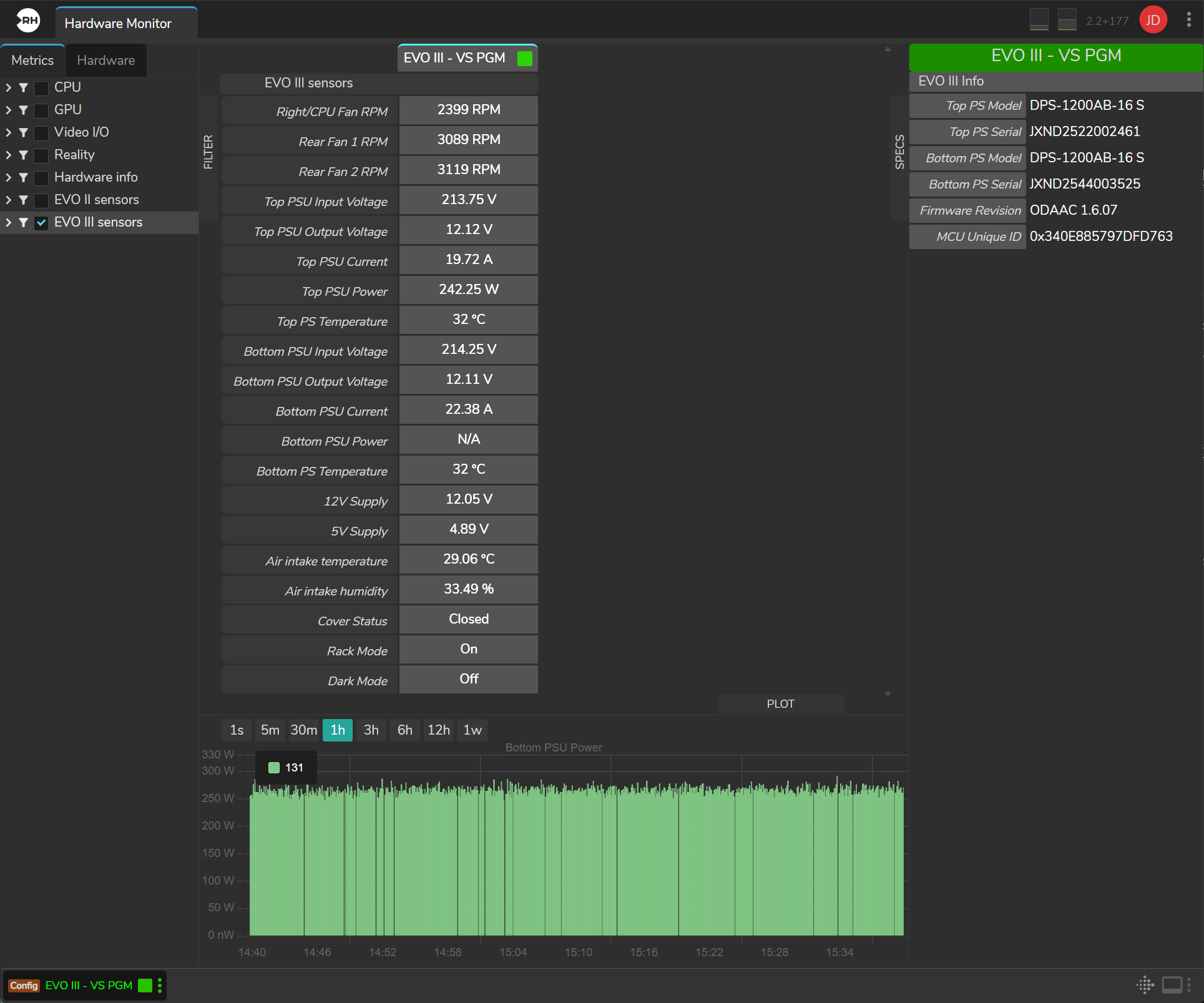
- Improvement Hardware Monitor metrics now show the correct units: temperatures display °C, GPU fan speed displays %, and temperature readings are consistent across GPU, Video I/O, and other sensors.
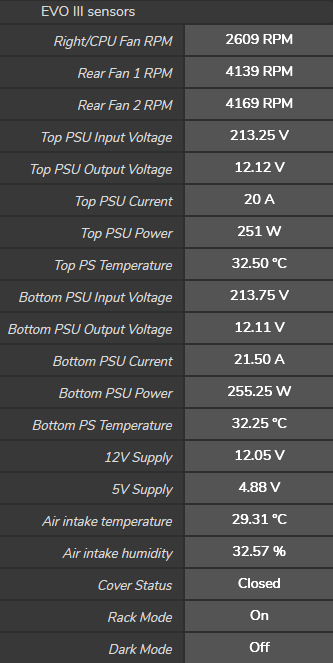
- Improvement The ZD Sensors category is now EVO II Sensors to match the EVO II device metrics.
Nodegraph
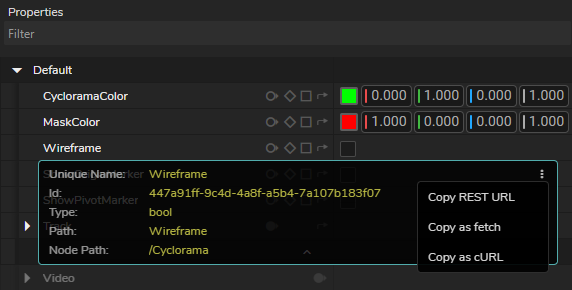
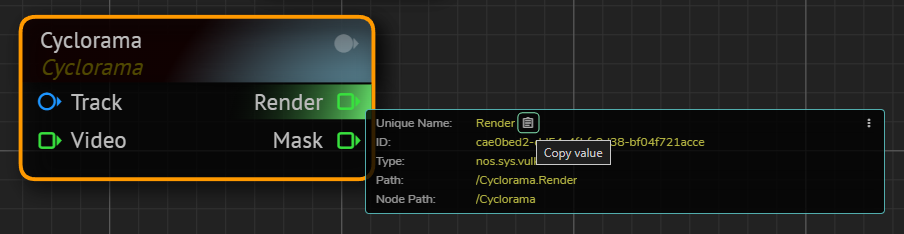
- New REST API call paths are now displayed in the Node Details Info Display, with options to copy each value or copy it as fetch or curl.
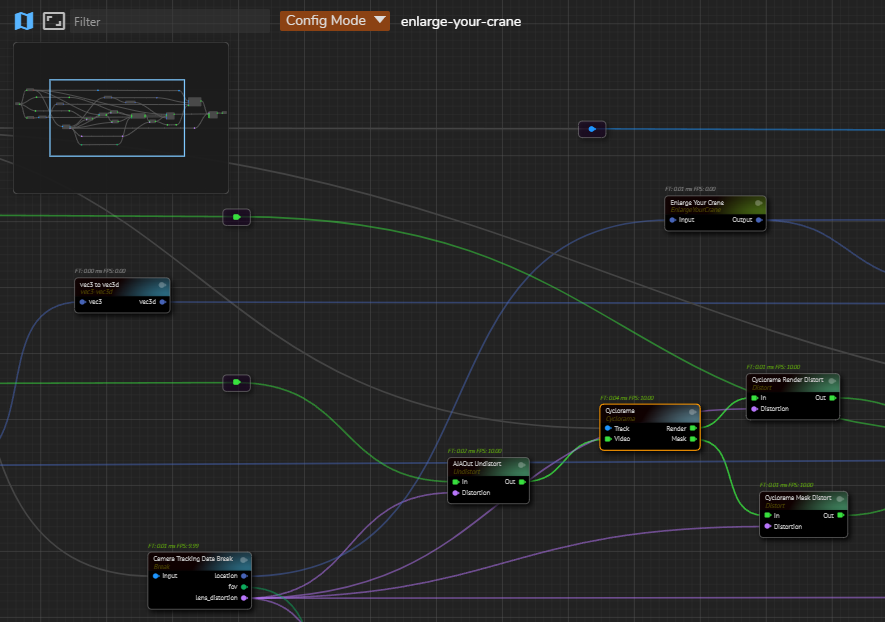
- New Minimap is now available in the Nodegraph for quick navigation.
- New
⌃ CTRL+Anow selects all nodes in the Nodegraph. - New Pressing
Fin the Nodegraph now fits the graph to the screen, matching the existing Fit to Screen action. - New Holding
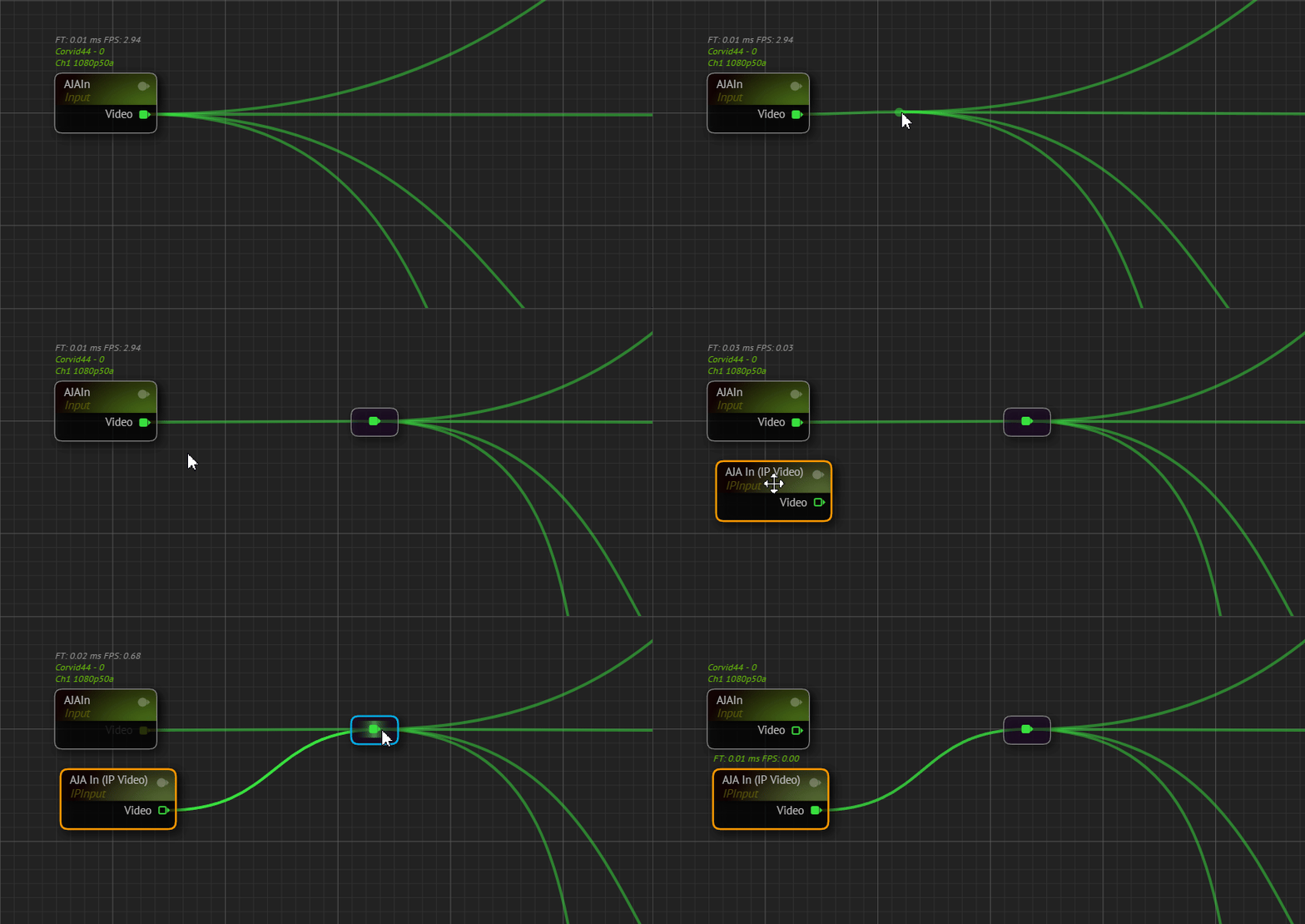
⇧ SHIFTand dragging from an output pin now creates a Reroute node and moves all existing downstream connections to it. This allows you to swap a source node without reconnecting each downstream input.
- Improvement Node Comments can now be copied and pasted.
- Fix The Engine Display Toolbar displays misleading log text from an earlier startup when an engine crashes.
- Fix The FPS and frame-time indicator on NDI Out nodes does not update during live output.
- Fix The Select button in Asset Browser remains inactive after a folder is chosen, so the selection cannot be confirmed.
- Fix Copying a pin from the context menu and pasting it with
⌃ CTRL+Vdoes not create a Portal Node.
Form Builder
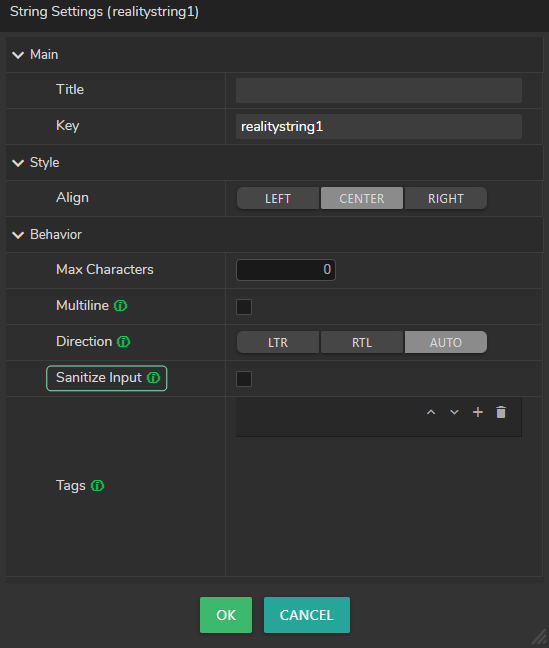
- New String fields now support a Sanitize Input option that removes invisible characters before text is sent to the engine.
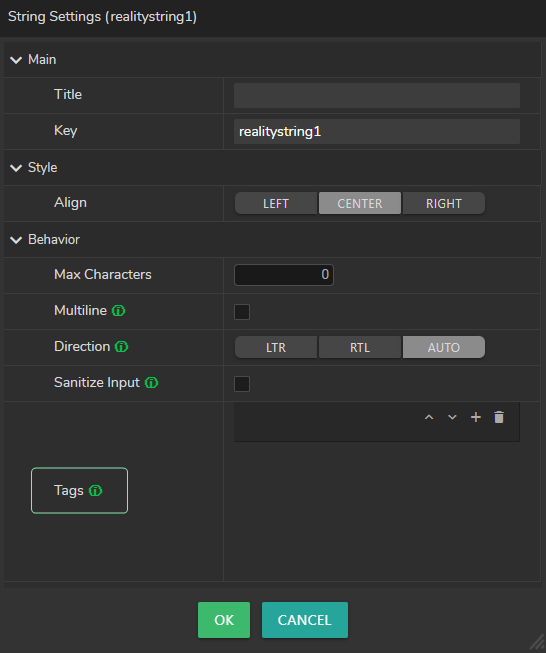
- New String fields now support assigning tags from a configurable pool when building a form.
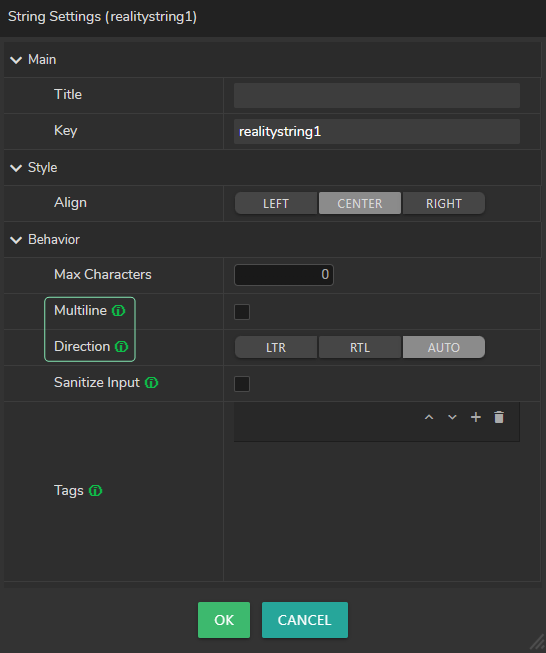
- New String fields now support multiline text with optional word wrap and text direction.

- Improvement The drag-and-drop zone in Form Builder is now larger and easier to target when placing components.
- Fix Images do not fit their fields correctly when Compact View is enabled in the File Input component.
- Fix Form Builder does not show reliable drop placeholders when dragging fields inside nested Action Groups.
- Fix Form Builder loses a field when drag and drop ends without a visible drop placeholder.
- Fix After copying a field by holding
⌃ CTRLwhile dragging, the next drag without⌃ CTRLcreates another copy instead of moving the field.
User Interface
- New
⌃ CTRL+Anow selects all rows in DataGrid lists in Configuration such as Graphs, Actions, Form Templates, and Hosts. - New Click-to-copy is now available for values in the Node Details Info Display.
- New The version and build number are now displayed on the Reality Hub login screen.
- Improvement String fields now select all text when first focused, and a second click places the cursor for partial editing.
- Improvement Deprecated Playout and Newsroom modules have been removed from the Modules menu.
- Improvement Custom module tabs are now displayed with yellow text to distinguish them from built-in modules.

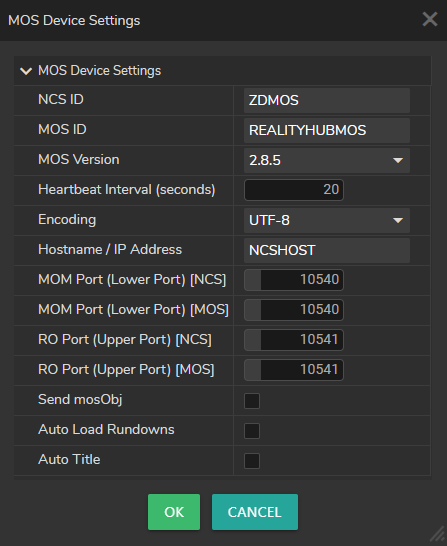
- Improvement MOS device lists and settings now display NCS ID and MOS ID instead of Device ID.
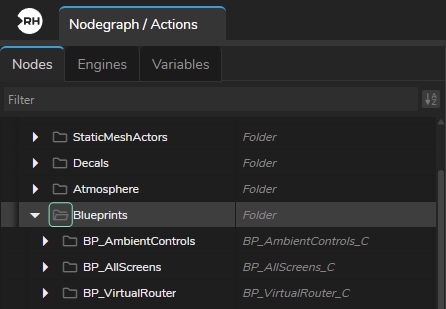
- Improvement The Nodes outliner now uses open and closed folder icons.
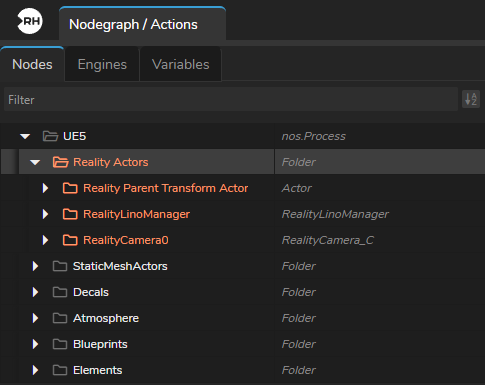
- Improvement The Reality Actors folder is now displayed as a light orange folder in the Nodes outliner.
- Fix Dropdown list items show a horizontal scrollbar for long values, making properties harder to read.
Configuration
- New Ignored Folders is now available. Folders on that list are skipped during the scan and do not add to project size.
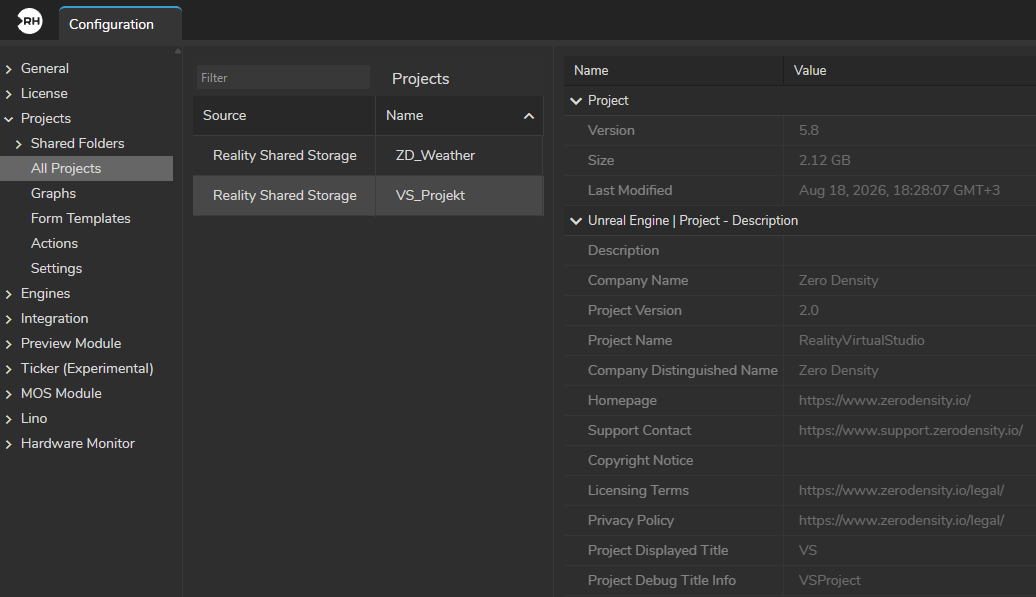
- New Project descriptions are now displayed when selecting a project in Configuration.
- Improvement Multiple forms can now be imported at once from Configuration > Projects > Form Templates.
- Improvement Selecting multiple graphs with
⌃ CTRLor⇧ SHIFTis now reliable. Clicking a graph name no longer starts a rename. - Improvement Exporting multiple graphs now matches Forms and Actions. The download is a ZIP file, without a misleading file-name prompt.
- Improvement Internal ID numbers have been removed from the Graphs, Forms, and Actions list views.
- Improvement Scan time, duration, and project count now appear in the Status column.
- Improvement Cancelled and failed shared-folder scans now show the time in Status with Cancelled or Failed in red.
- Fix Cancelling a scan on a large shared folder takes too long.
- Fix On a fresh installation, enabling SSL and accessing the Hub through a standard HTTPS URL fails.
- Fix Launching a project from a password-protected network shared folder fails with “Failed to log in to the project source” even when Reality Hub has the correct credentials and the folder scan succeeds.
User Management
- New The same user can now stay logged in to the web browser and MOS Plugin at the same time. Session settings control which login types are allowed.
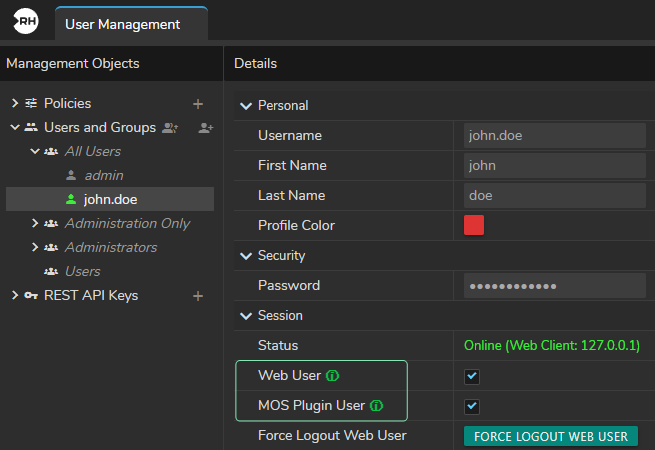
- New Non-admin users can now end their own active session using the Force Logout Web User option.
REST API
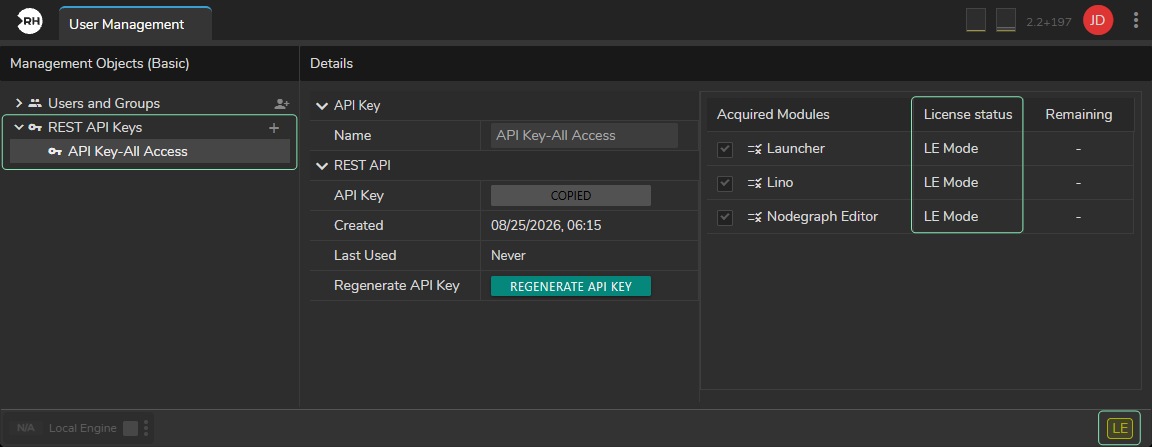
- New REST API key management is now available in Basic User Management.
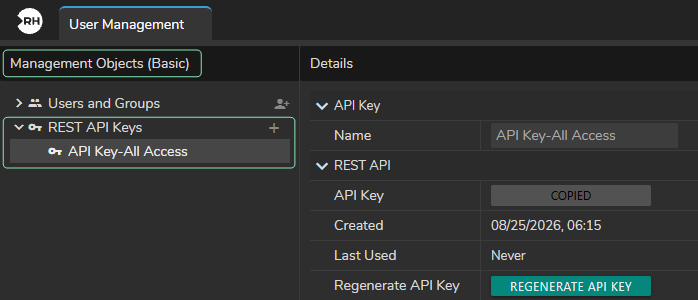
- New REST API access is now available in LE Mode without consuming module licenses.
- New The REST API now supports the Group of Items structure and play behavior in Lino rundowns.
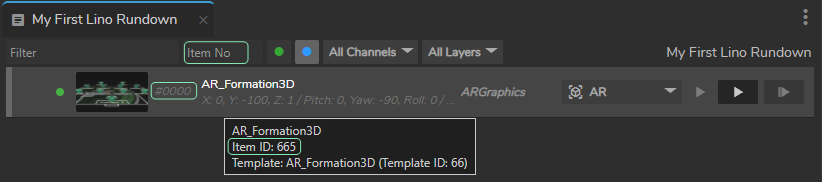
- New REST API routes now support addressing items by visible item number (
itemNo) in Lino Playout, in addition toitemID.
- New The REST launch endpoint now supports Live, Config, and Offline launch modes.
- Fix The first API request to run an engine node function is slow, while later requests are faster.
- Fix Engine Control does not return a clear not-found response when the node, property, or function path is missing or does not match.
Integrations
- New Journalist Preview is now available in the Reality Hub MOS interface to preview and edit templates in the browser before they go to program output. An administrator starts the preview server from Preview Module configuration; when it is Ready, users preview templates in assigned slots.
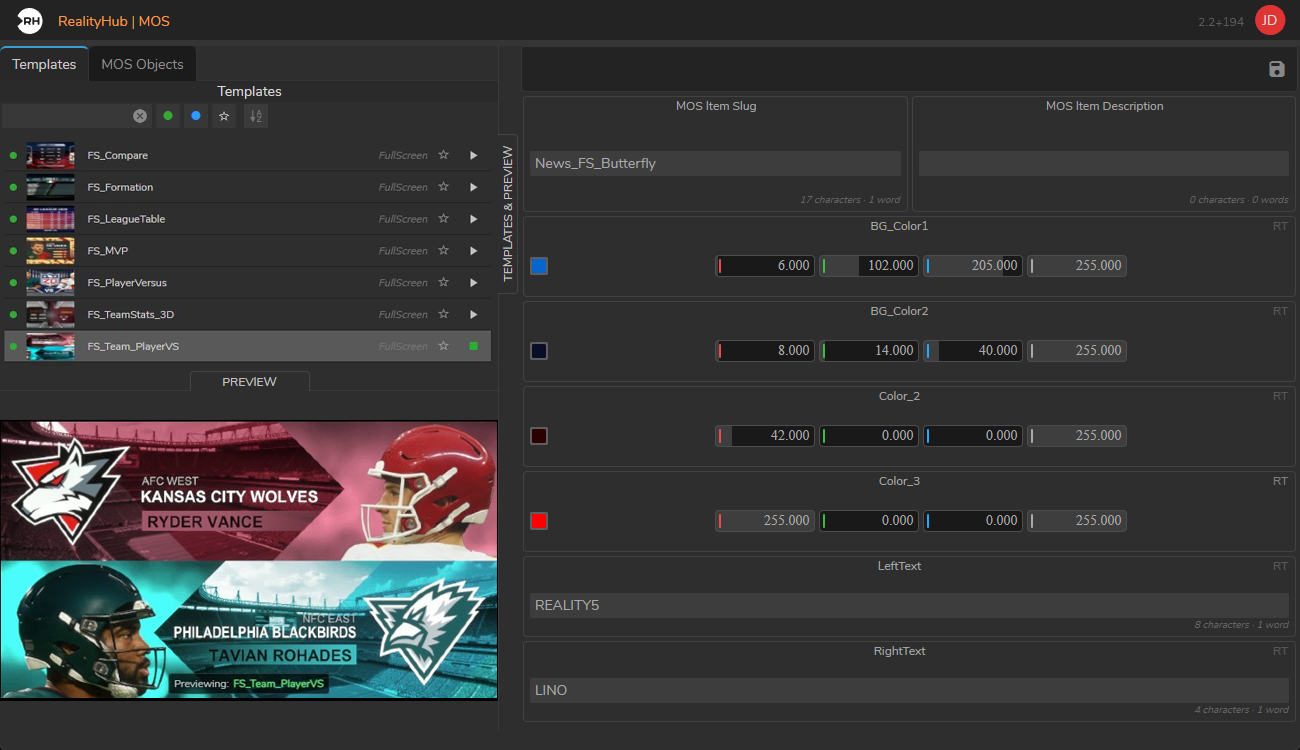
Journalist Preview requires a dedicated preview server with a Reality 5 Core instance running.
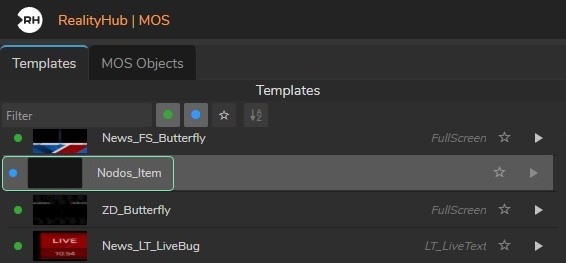
- New MOS Plugin now shows a blue indicator for Nodos templates and supports showing or hiding them in the template list.
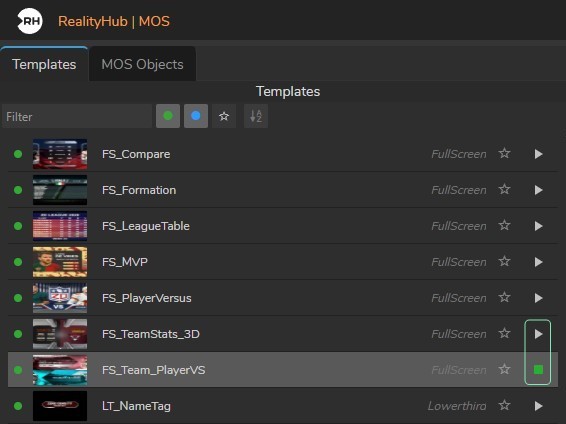
- New MOS Plugin template and item lists now have Play and Stop preview buttons for each row.
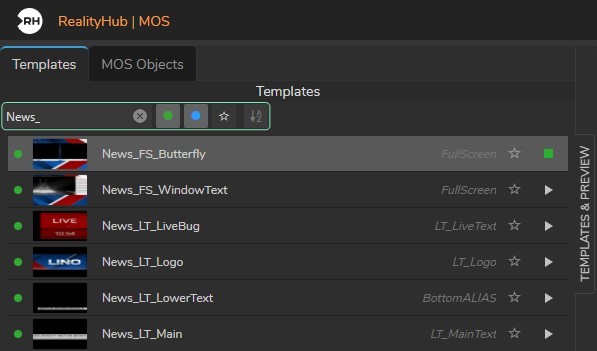
- New MOS Plugin Item tab now supports online status, filtering, favoriting, and sorting.
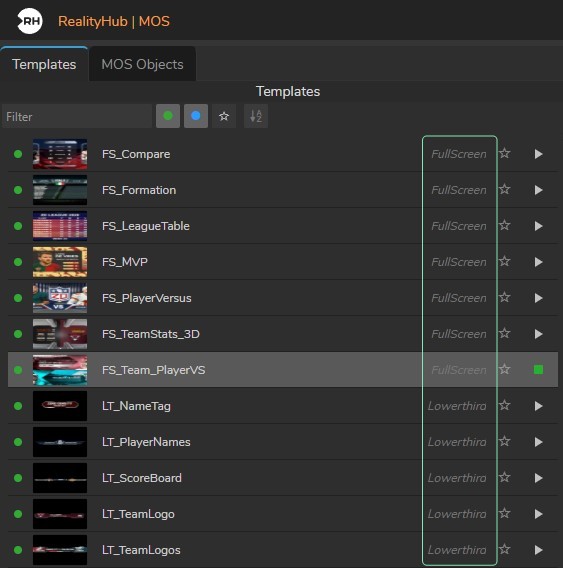
- New Template and item lists in the MOS Plugin now show the transition layer name for each entry.
- Improvement CPU and RAM usage indicators are no longer displayed in the MOS Plugin header.
- Fix Ross Overdrive prepare commands trigger on Program instead of Preview.
- Fix Ross Overdrive rapid play commands lock the program channel. Preview/program routing and channel transitions do not work correctly.
- Fix Restarting the Reality Hub service does not start the CII server automatically.
Ticker Module
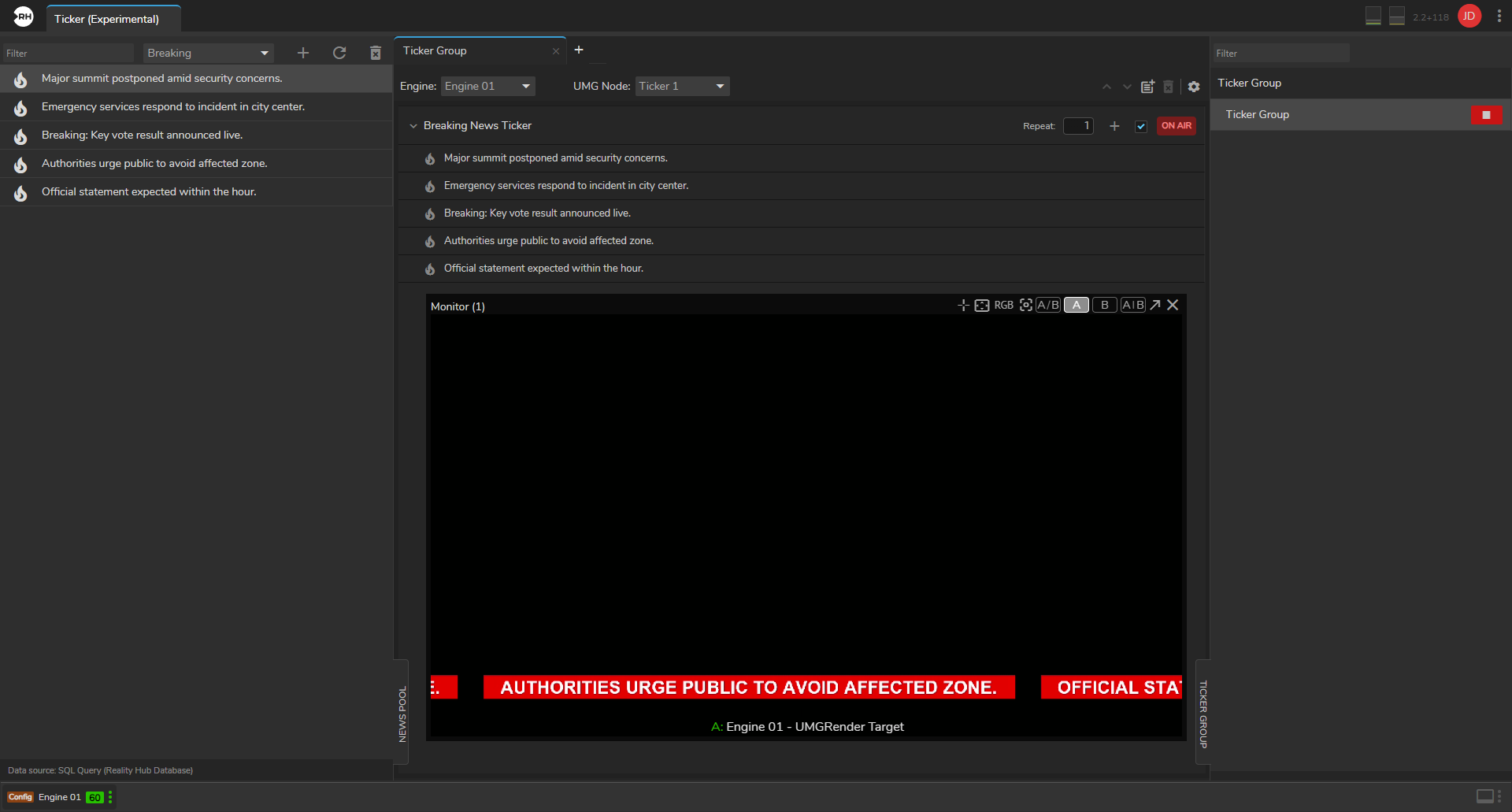
- New Experimental The experimental Ticker module is now available to build, organize, and play news items, ticker groups, and crawls (scrolling ticker text) for on-air graphics. News items can be managed in a central News Pool, arranged into Ticker Groups for Show engines, and played with a single control.
Reality Hub Custom Modules
- New Example Reality Hub Custom Modules are now included in Reality Distro. ZD Weather is the first example, providing on-air weather graphics with live forecasts. You can search for cities, build a playlist, sync it with your Show engines and weather template, and play it on air with a single Start control. See the Reality Hub Custom Modules section for more details.
Operating System
Windows 11
Windows 11 is the reference platform for Reality 5.8 with full testing and benchmarking performed on version 25H2 to ensure maximum performance and reliability. For more details, please read the System Requirements.
Reality 5.8 is known to work on Windows 10. Upgrading to Windows 11 is highly recommended.
AJA
AJA NTV2 driver version has been upgraded to 18.0.0.1063, with firmware dates as follows:
- Corvid88 – 2025/10/22
- Corvid44 – 2025/10/22
- C44_12g_8k – 2025/04/21
Also read AJA Configuration.
BlackMagic
BlackMagic DeckLink 8K Pro driver version has been upgraded to 16.2. Also read DeckLink Configuration.
Nvidia
NVIDIA Driver version has been upgraded to 610.47. Also read NVIDIA Configuration.
EVO II and EVO III users can contact our Support Team to upgrade their OS and firmware.