Ticker Module (Experimental)
The Ticker Module allows you to build, organize, and play scrolling ticker text (crawl) on your on-air graphics. You can manage headlines in a central News Pool, arrange them into Ticker Groups tied to your show engines, and send them to the output with a single Play control.
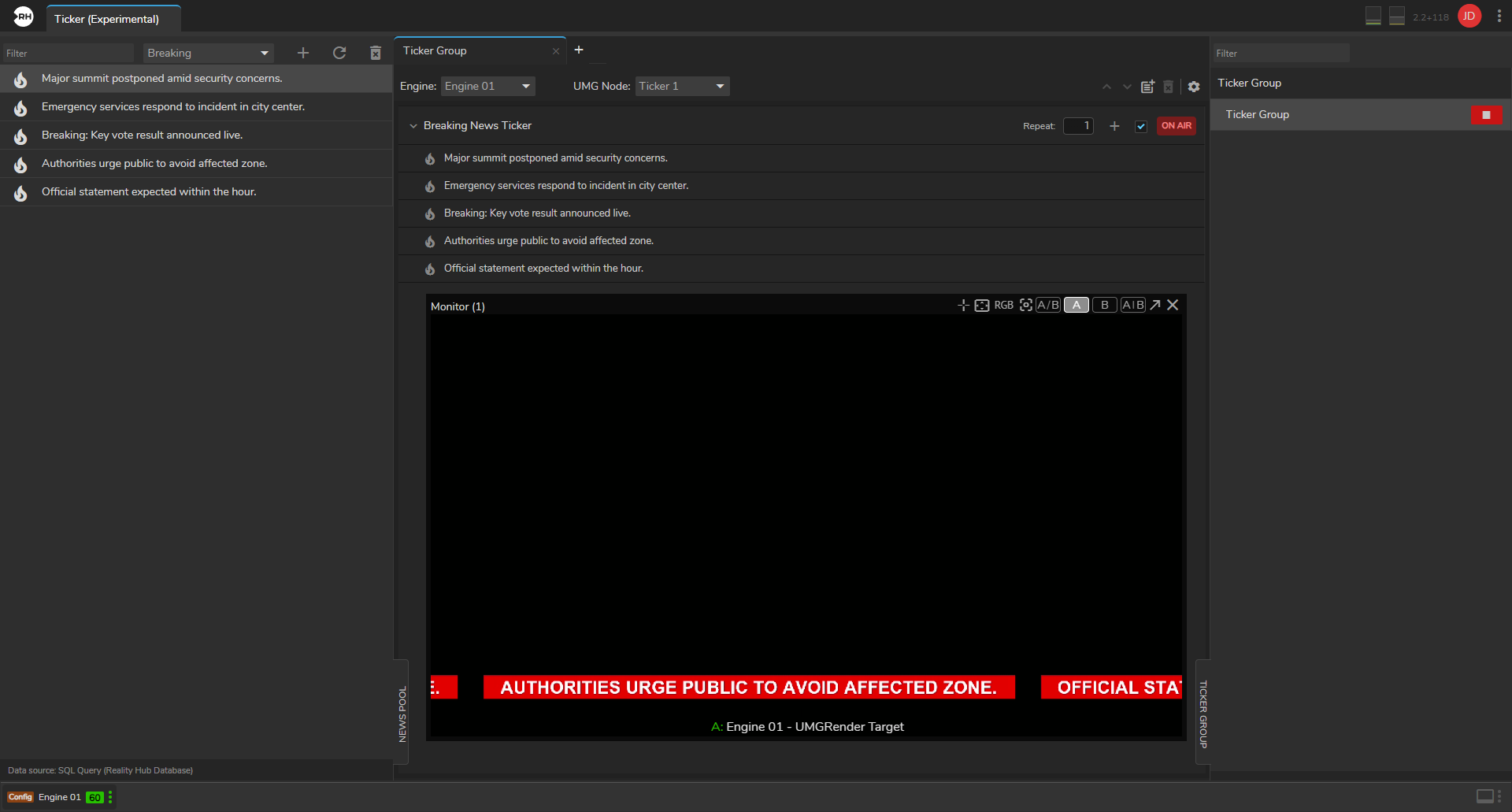
How It Works
Ticker Module:
- Stores ticker headlines in a News Pool (manually or from an external data source).
- Lets you organize headlines into Ticker Groups, each linked to a specific engine and UMG ticker node in your running show.
- Sends enabled ticker content to the engine and starts or stops the scroll on program output.
You can have multiple ticker groups (for example, one per output or region), each with multiple named tickers (lanes) inside it.
The Ticker workspace is available only when at least one show is running.
User Interface
When a show is running, the module is divided into three areas:
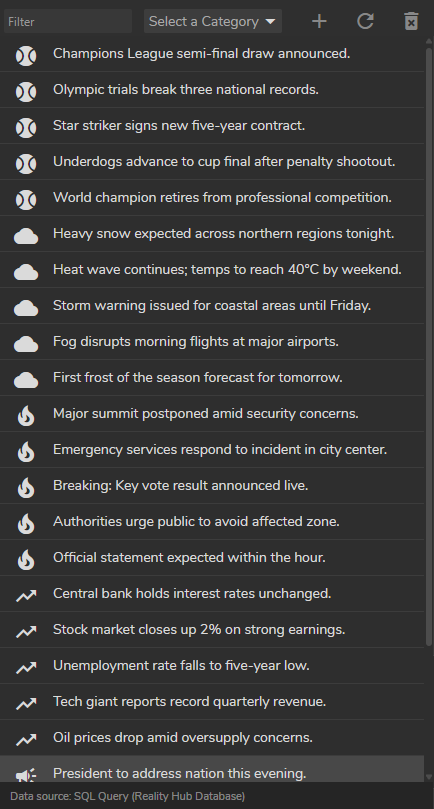
- News Pool: Central list of ticker headlines (text + optional category). Source for drag-and-drop into tickers.
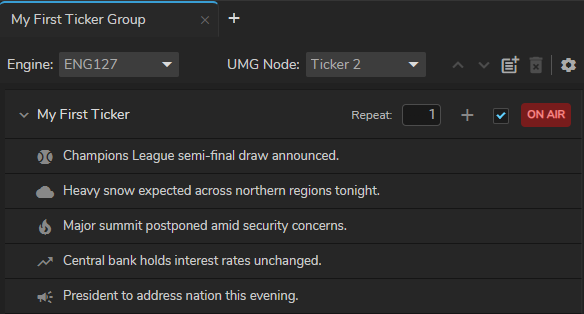
- Ticker Group: Main area to create a ticker rundown. Linked to one engine and one UMG node.
- Ticker Group panel (right): Play or stop each ticker group on air.
Inside a group you work with:
- Ticker: A named lane (for example, Headlines or Sports). You can enable or disable each lane independently.
- Ticker Item: A single line of text inside a ticker.
- Engine: The show engine that renders the ticker graphics.
- UMG Node: The ticker widget in your Reality project (for example,
RealityUMGRenderManager/BPW_Ticker).
Content Flow
News Pool → drag or add → Ticker Items → enabled Tickers → Ticker Group Play → Engine UMG Node → on-air crawl
Only enabled tickers in a group are sent when you press Play. Within each enabled ticker, items play in list order. Each ticker can repeat its items a configurable number of times before the next ticker’s items are included.
Please follow:
Configuration
Open Configuration > Ticker (Experimental) > Settings.
Operating Ticker
After configuration, open the Ticker module with a show running and build your crawl.
Troubleshooting
Show & Playback