Object Transform
Object Transform isn't relevant for PTZ lenses. If the lens profiling is performed via a PTZ camera, skip this section, leave Object Transform as blank, and perform Device Transform after lens profiling is completed.
Object Transform is the transform between the camera and the external track body. PTZ cameras don't have external track bodies; therefore, this step isn't relevant for them, and Object Transform should be left blank.
The Traxis coordinate system is right-handed, up is +Y. When the TrackBody is installed on the camera, this results in the Y component of object position being about -20 cm to -30 cm.
Preparation
- Place a marker very close to the lens surface.
- Place a second marker very far from the camera.
- Go to Render Settings and enable rendering of markers.
- Show the CrossHair in Traxis Hub and observe the video to place both markers at the very center of the image with pixel accuracy.
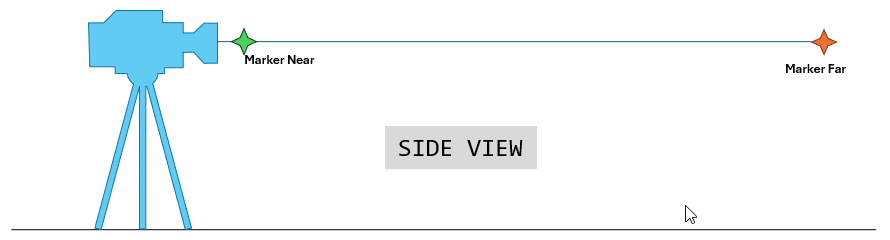

As a result, the image would appear similar to below. The Far and the Near marker would be off, but in different ways. The Object Transform could be so off that the virtual markers are placed offscreen and are not visible.
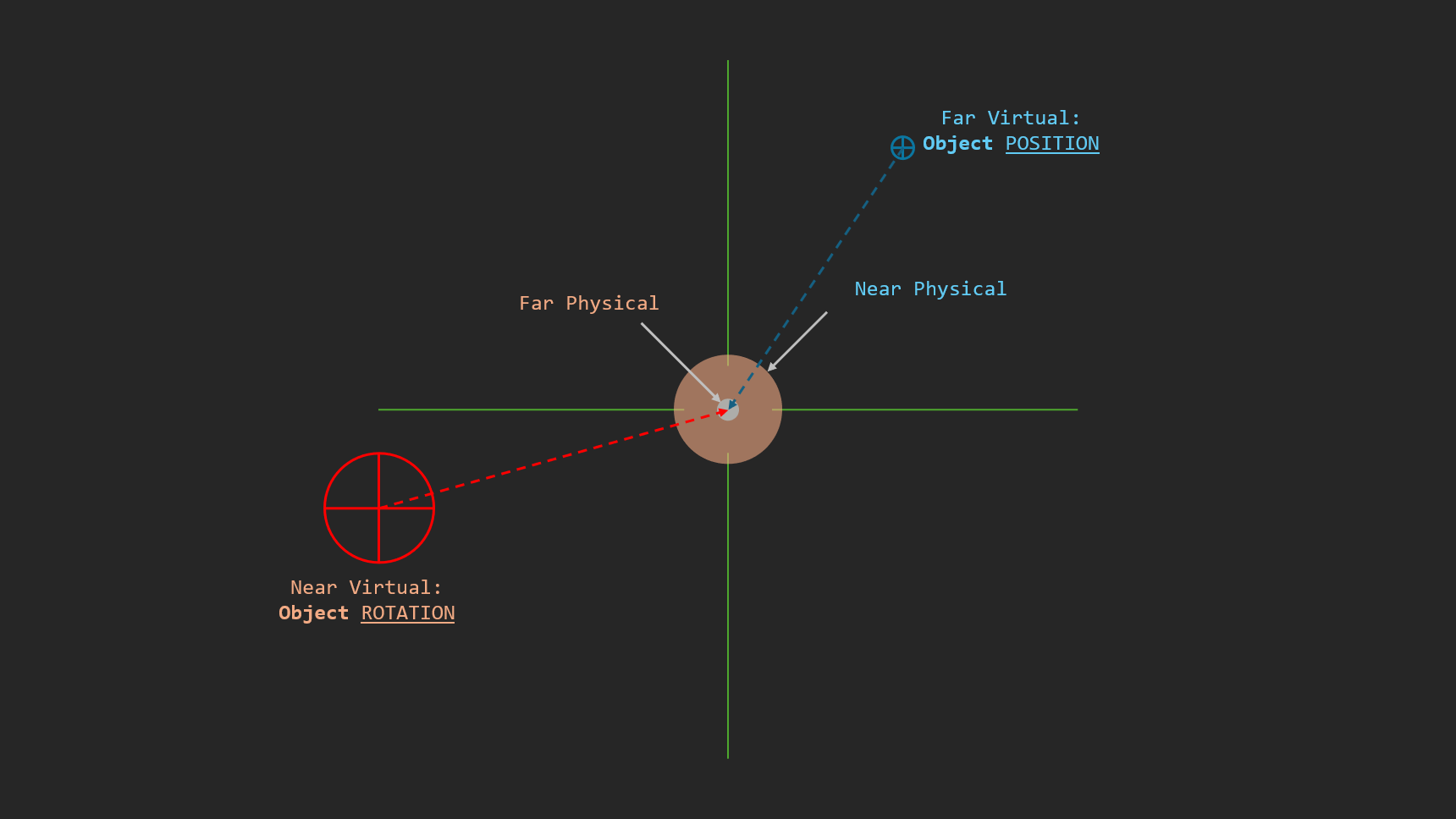
When both markers are at the exact center of the image, we only have positional contributors to virtual markers. Focal Length, Nodal Offset, K1/K2, and even P1/P2 have no contribution. This enables you to focus entirely on positional and rotational offset.
X and Y Components, Pan and Tilt
Modify object position and object rotation so that both the near and the far virtual markers completely overlap with the physical markers, by considering:
- Changing Object Position has a very strong effect on the Near virtual marker, but little effect on the Far virtual marker.
- Changing Object Rotation has a very strong effect on the Far virtual marker, but little effect on the Near virtual marker.

Z Component
The Z component of Object Position is a virtual point and cannot be measured. To provide consistency, measure the rough horizontal distance between the puck and the sensor plane mark, and enter the value to the Z component of Object Position.


Roll Determination
Sometimes when the camera pans left and right, the physical marker moves up on one side and down on the other side of the image, when it should have stayed on the center horizontal line.
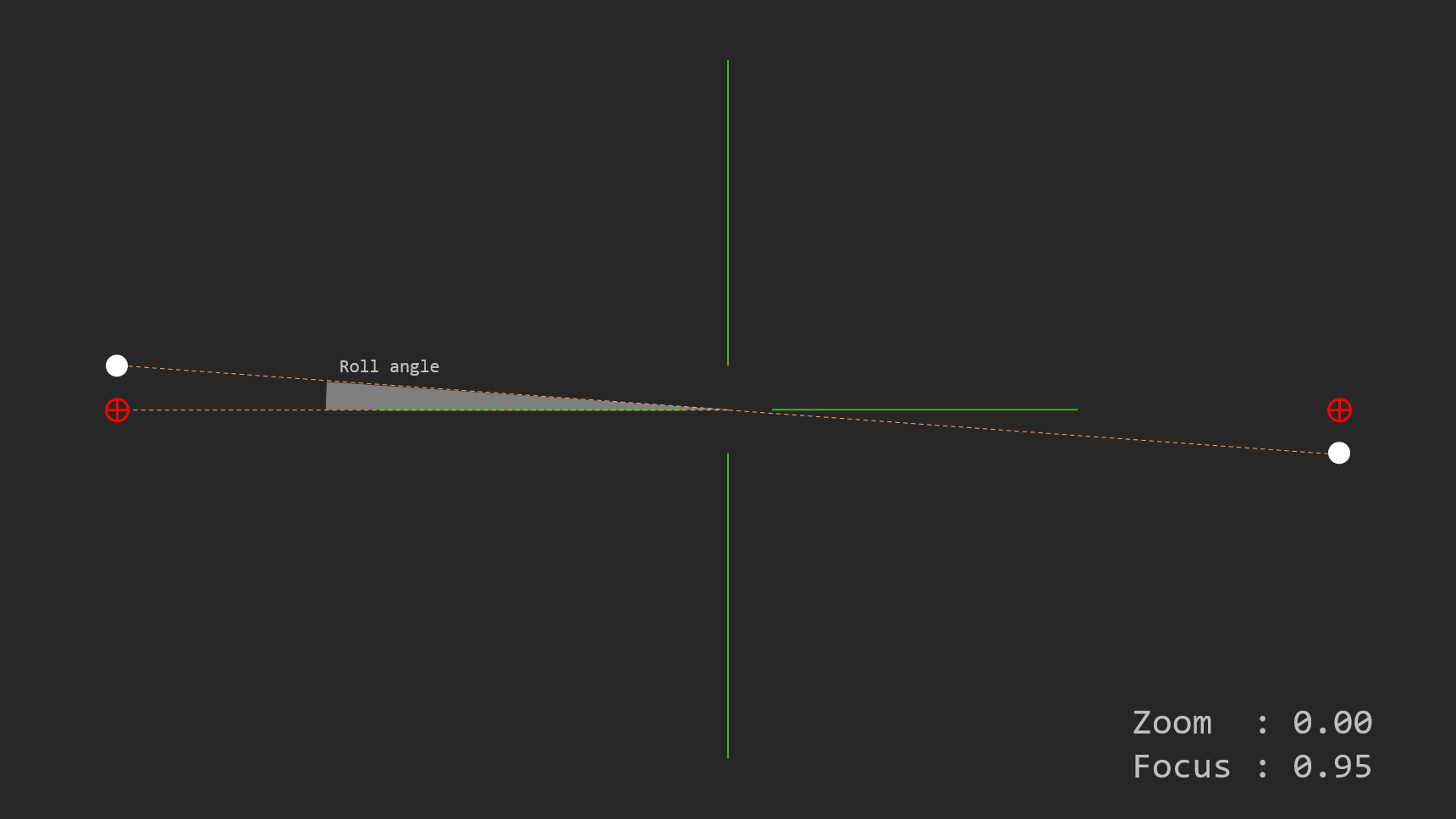
This can be fixed by calibrating the roll angle.
