Journalist Preview
Journalist Preview, lets you watch graphics templates in Reality Hub MOS Interface. You can open a template, adjust its fields, and see the result live inside the browser without affecting your on-air rundown or show engines.
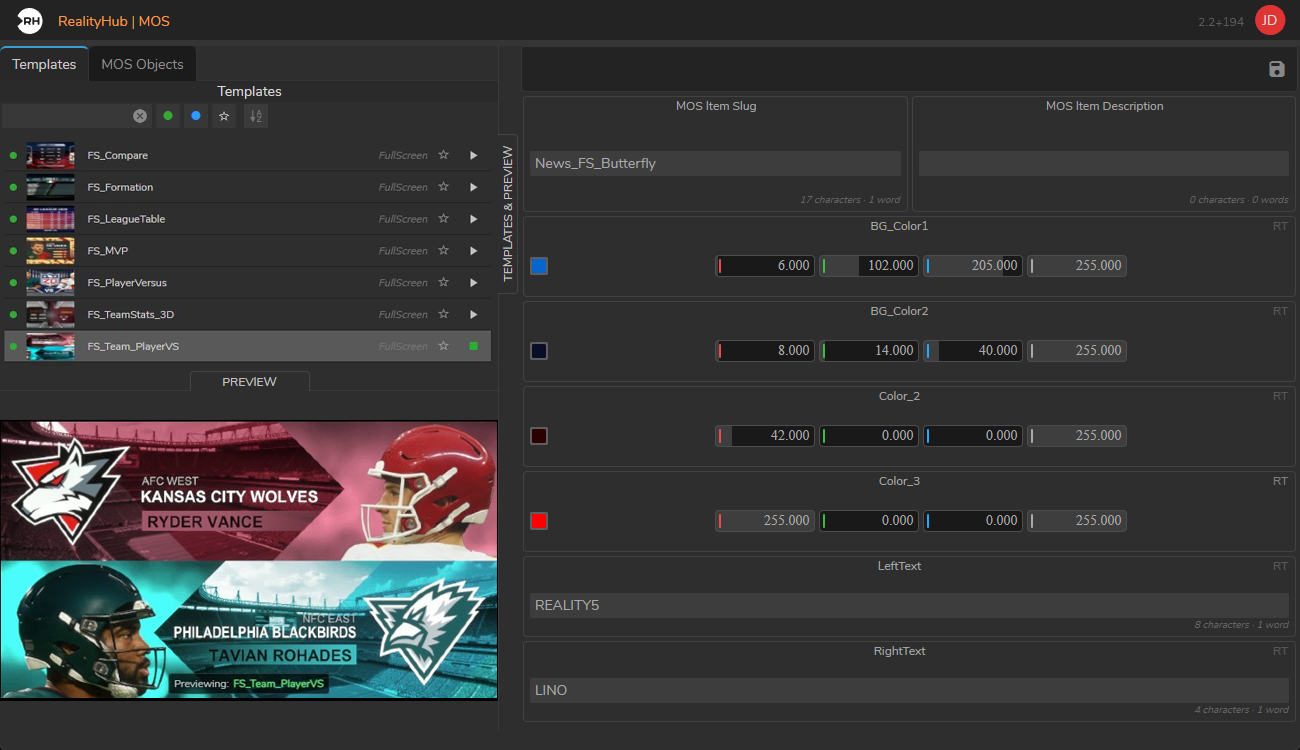
With Journalist Preview you edit template data in the usual form Reality Hub MOS Interface. Changes are sent to the preview engine in real time, so you see updates as you type.
Journalist Preview vs. Lino Preview Output
Reality Hub has two different “preview” concepts:
| Journalist Preview | Lino Preview Output | |
|---|---|---|
| Purpose | Preview templates while editing forms | Preview rundown items on show output channels |
| Where you use it | MOS Gateway (Templates & Preview panel) | Lino rundown |
| Engine | One engine configuration marked as Preview | Your show / program engines |
| Who starts it | Administrator starts Preview Module | Operator uses Preview In/Out buttons in Lino |
If you are preparing or checking graphics in a template form, you want the Preview Module. If you are rehearsing a rundown line, you want Lino Preview Output.
Please follow:
Configuring Journalist Preview
To configure Journalist Preview, you have to define a Preview Engine in the Hosts configuration first. To do that:
Operating Journalist Preview
Once an administrator has started the preview server, anyone with access can preview templates from the Reality Hub MOS Interface.
Behavior You Should Know
Live updates
Troubleshooting Journalist Preview
Warnings