Solve and Quality Control
What the Solver Minimizes
For each sample, Traxis Hub knows the target's 3D position and the target's detected 2D image position. The solver adjusts the permitted camera and lens parameters so the projected 3D target lands as close as possible to the detected image target.
Projection Error
Projection error is an image-space pixel distance. It is not a 3D millimetre distance.
- Minimum: best enabled sample.
- Maximum: worst enabled sample.
- Mean: average enabled-sample difference.
Review Samples
Open Adjust Samples after the first solve.
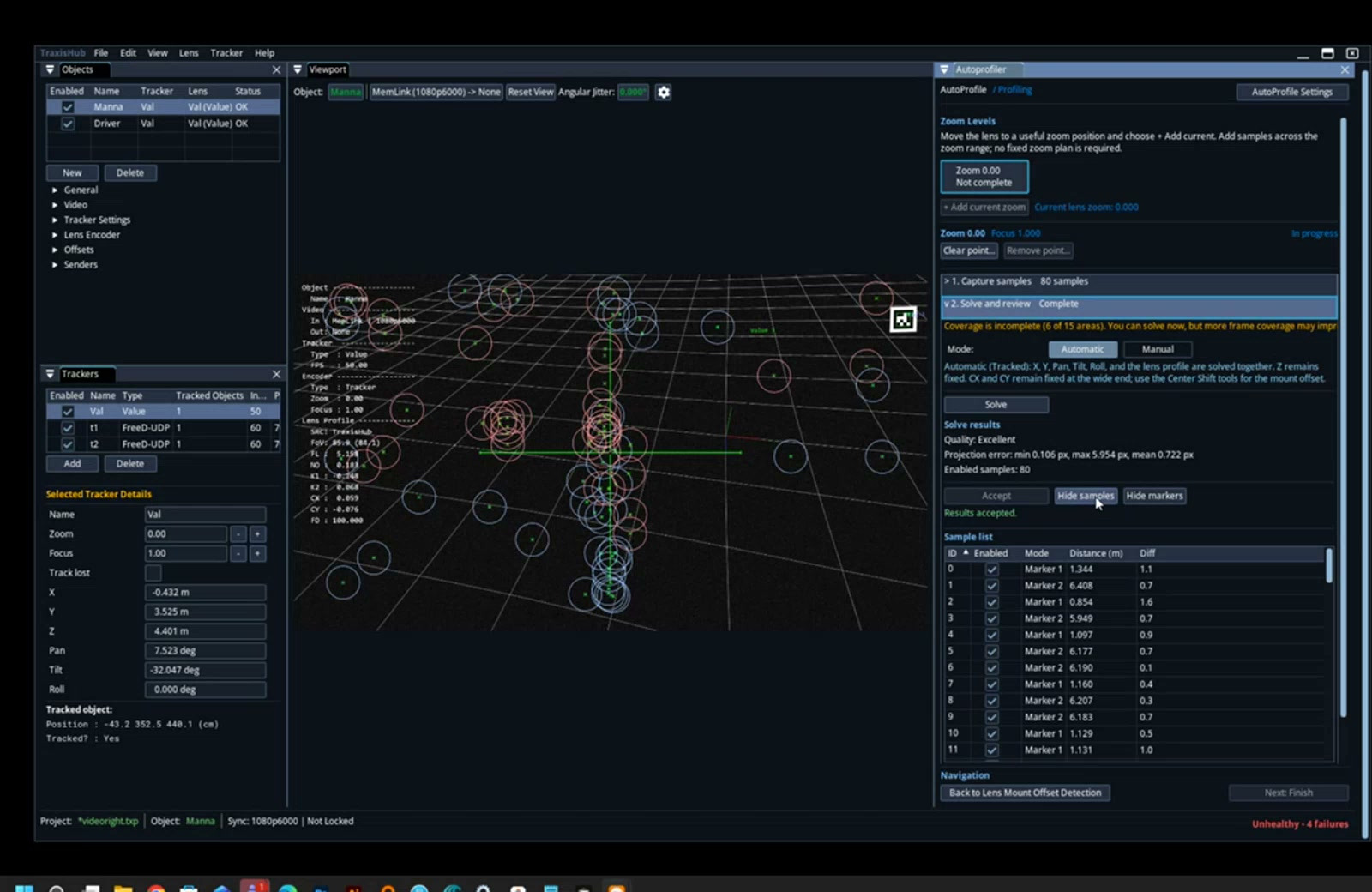
- Sort by the
Diff/error column. - Select the highest-error row.
- Inspect the highlighted target and capture conditions.
- Check target clipping, blur, wrong ID, stale tracking, or camera motion.
- Disable the sample only when there is a specific defect.
- Re-solve and compare all statistics.
Do Not Overfit
Removing every difficult edge sample can produce a low mean error but a poor real lens model. Keep valid samples that represent the operational image area. Improve target placement and coverage before removing valid geometry.
Nodal Offset
Nodal Offset cannot be separated reliably when every observation has almost the same camera-to-target distance. Use near and far targets or move a tracked camera through useful depth. If the UI disables Nodal Offset, add distance variation instead of forcing the parameter manually.
Acceptance Pattern
Accept a zoom point when:
- Enabled samples cover the needed frame area.
- No unexplained high-error outlier remains.
- Projected and detected targets remain visually close at center and edges.
- Error does not grow systematically with target distance.
- The result remains stable after re-solve.
- The Focus Breathing check is complete.