Profiling Overview
The Profiling Overview panel displays a graphical representation of the currently active lens profiling.
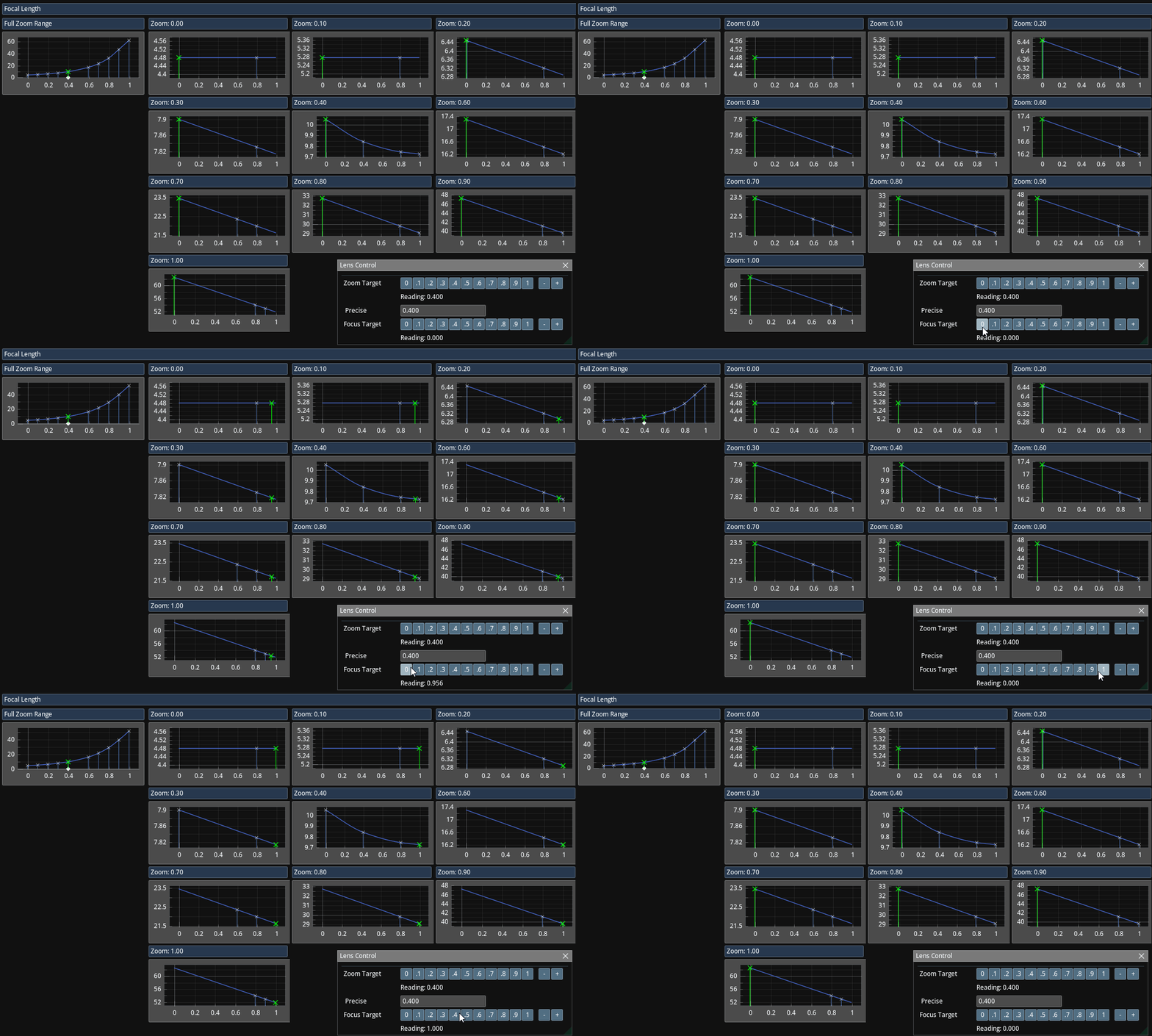
Traxis lens profiling is based on a series of focus breathing curves. Each zoom sample corresponds to one focus breathing curve.
On the left, the panel displays the Focal Length curve across the Full Zoom Range. This curve is dynamically calculated for the current focus value. As focus changes, the curve is recalculated, and its shape updates accordingly.
On the right, the panel shows the individual focus breathing curves for each zoom sample. These curves are stored directly and represent the data entered during profiling.
Profiling Verification
This panel helps you verify the accuracy and consistency of the profiling curves.
- All focus breathing curves should generally have slopes of the same direction (all positive or all negative). Mixed slope directions may indicate incorrect profiling data.
- The Full Zoom Range curve should appear smooth. Sharp discontinuities or jumps may suggest an error in one or more samples.
Example Notes
- Zoom = 0.00: A single sample was recorded. This indicates that no breathing was observed at this zoom level, which is typical for the referenced Canon lens.
- Zoom = 0.20: Two samples were used, forming a straight line that represents a small amount of breathing.
- Zoom = 0.40: Four samples were added to represent nonlinear breathing behavior, resulting in a smooth curve.
- Zoom = 0.40 – 1.00: Breathing was observed to be linear at these zoom levels, so two samples per level were sufficient.