Delays
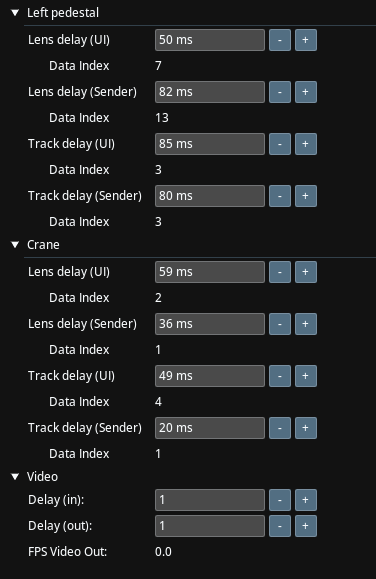
The Delays allows you to introduce lens and tracker delay along with enabling interpolations. By introducing controlled delays in both lens movement and tracker data processing, you can achieve smoother camera tracking performance.
Delays are optional and based on your real-time observations and system behavior.
Lens Delay and Track Delay
Traxis Hub enables you to set Lens delay (the data read from the encoders) and Track delay (the data read from the tracking system) separately.
UI Delay and Sender Delay
Traxis Hub uses two separate delays for what it displays (UI delay) and for what is sent to external tools (Sender delay). The UI delay should be set to a value that allows the Traxis Hub display to show lens, track, and input video in sync.
Data Index
Traxis Hub uses linear interpolation to calculate track with sub-frame smoothness. For this to work well, the Data Index should always be positive. A low delay would cause a negative data index and will disable smooth interpolation.
Video Delay
This panel enables you to set frame delays to video in and video out.