Lens Profiling Panel
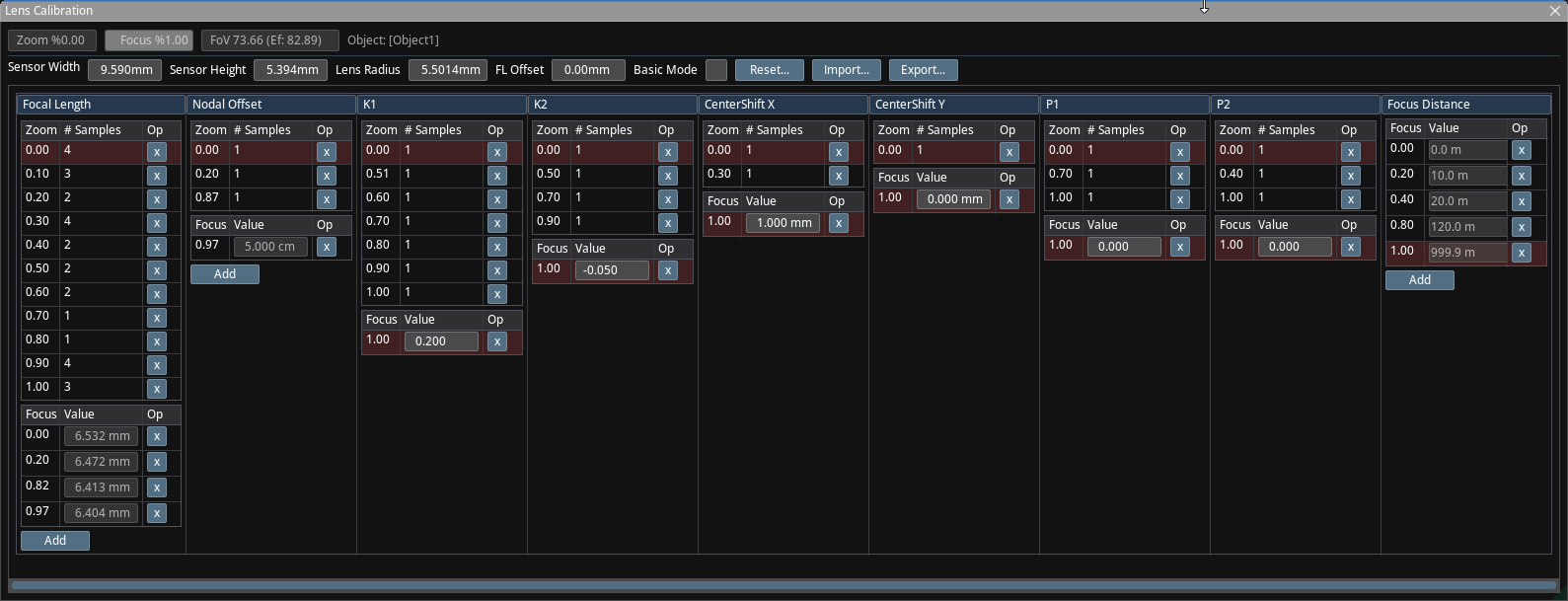
The Lens Profiling panel enables you to configure and maintain lens profiling data.
Header

The header shows non-zoom-dependent and non-focus-dependent lens parameters.
-
Sensor Width / Sensor Height: This is the sensor size of the camera. 9.6mm x 5.4mm is common in broadcast cameras but other sizes exist as well. This is useful when the same lens is connected to cameras with different sensor sizes, or when a camera crops the sensor image when resolution is reduced from UHD to HD.
- If it appears that the video doesn't have square pixels, the aspect ratio can be adjusted by changing the height.
-
Lens Radius: This is the virtual radius of the image produced by the lens on the sensor. K1/K2 take this radius as their radius of effect. This is by default set to 5.5073, which is sqrt(sensor_width * sensor_width + sensor_height * sensor_height). Modifying this value may be necessary if the lens is used with multiple cameras with different sensor sizes or if there is sensor cropping performed in the camera for changing of resolutions. If in doubt, leave as is.
-
FL (Focal Length) Offset: If the lens behaves differently when connected to a different camera, and if everything else appears to be the same, try modifying this to compensate for differences in lens mount thickness.
-
Basic Mode: Uses a simpler distortion model, where LensDistortion is independent from CenterShift and Lens Radius is ignored. This model is compatible with Reality 4 and earlier versions of Reality 5. This should be left as On for all current versions of Reality.
Basic Mode still creates very accurate results unless there is a very high amount of center shift on the lens on zoom level 0 (widest). In cases with significant center shift, it's often better to try to fix the lens or lens mount and reduce center shift to a more reasonable amount. This mode also assumes P1/P2 are 0, and hides their editor panels.
- Reset: Reinitializes the profiling parameters with sane defaults, and sets the Focus levels on the default profiling samples to the current Focus value read from the lens.
Import / Export
The Import and Export buttons enable you to import and export .zdlens files.
ZDLens files are JSON files, and they are currently not documented.
Profiling Parameter Sets

Traxis Hub has 8 profiling sets: Focal Length (FL), Nodal Offset (NO), K1, K2, Center Shift X (CX), Center Shift Y (CY), P1, P2, and Focus Distance (FD).
P1 and P2 are hidden when Basic Mode is on.
All except for FD depend on both Zoom and Focus. FD depends only on Focus.
The changes on the image as we zoom in are well-known. The effect of focus is more subtle. For a small subset of lenses, changing the focus will only affect the sharpness of the image based on distances to the camera. But for most other lenses, adjusting the focus ring will have effects on Focal Length (field of view), lens distortion, or even center shift. The effect of changing the focus on non-focus-related lens parameters is often called Focus Breathing.
Based on these characteristics of zoom and focus dependence, Traxis Hub implements each set as a series of curves. Users add samples at multiple zoom levels. Each zoom sample creates a curve at the zoom/focus combo. If there is no focus breathing observed at that zoom level, a single zoom/focus sample is sufficient, and the curve is a straight, level line. If there is breathing at that zoom level, such as a change of FoV, then one would need at least one more sample. Two samples form a line with a slope, three samples are linearly interpolated, and quadratic interpolation is used for four or more samples.
Editor
All editors are the same, and we will use FL surface for this documentation.
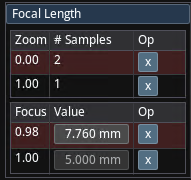
- The top part displays the zoom samples. In the figure, there are two zoom samples (therefore two curves) at zoom level 0.00 and 1.00.
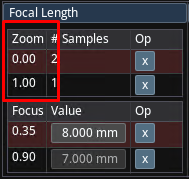
- The curve at zoom level 0.0 has two samples (forming a sloped line). The curve at zoom level 1.0 has only one sample—a straight, horizontally level curve.
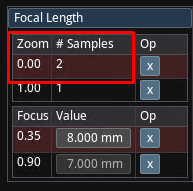
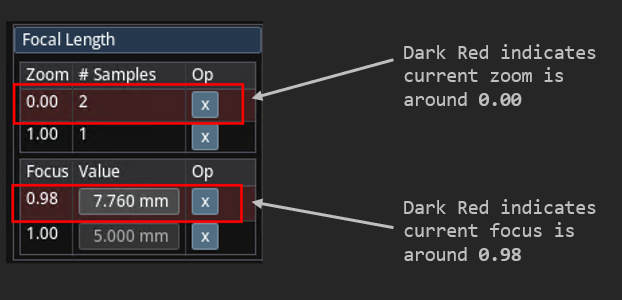
- When the zoom/focus values read from the encoder match the value of a row (with 1% margin), the row will be highlighted with a dark red background.