Lens Encoder
The Lens Encoder settings are used to select the data source (physical lens, simulated, or external tracker) and the timing (free run or genlocked to video frame) for reading the essential zoom and focus values from a camera lens, while also providing tools for monitoring the roundtrip latency and resetting the connection.
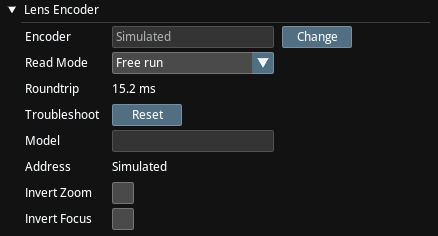
Encoder
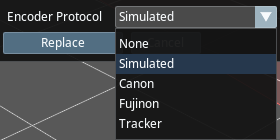
This is the type of encoder.
- None: There are no physical encoders installed.
- Simulated: There are no physical encoders installed, and we are using a simulated encoder which allows the user to set zoom/focus values.
- Tracker: Traxis Hub gets the zoom/focus vales from the tracker. Useful when the tracker is FreeD.
- Canon / Fujinon: These require Traxis TrackBody to be installed.
Read Mode
This is visible only in Canon, Fujinon and Simulated.
- Free Run: A read request is sent to the encoder, and when the response is received, another request is sent.
- Genlocked: A read request is always sent to the encoder on video frame arrival, regardless of the response receive time.
Misc
- Roundtrip: The time it takes to read a single encoder value.
- Reset: Resets the COM port that the lens is connected through.
- Model: Lens model, as read though the proprietary protocol of the lens.