Sending Tracking Data
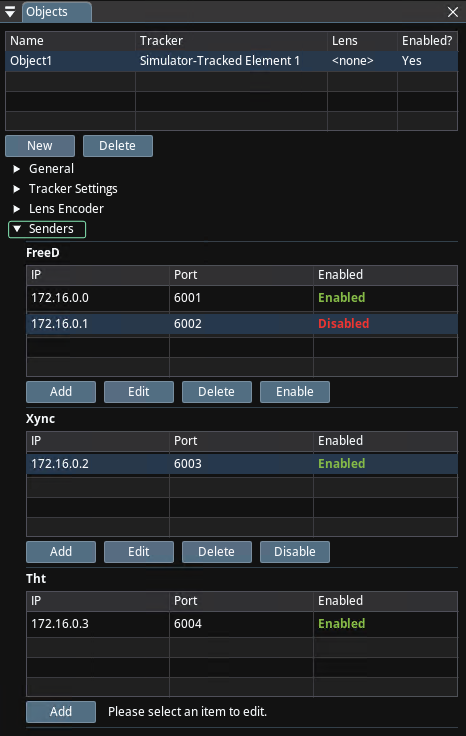
Traxis Hub supports sending data in FreeD, Xync, and THT (Traxis HubTrack) formats. Senders are Located under the Objects, as shown above.
Missing fields in protocol standards
FreeD and Xync protocols don't enable full communication of lens and lens distortion data.
Process
To configure a sender:
- Click on the Add button.
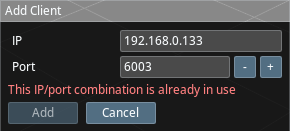
-
Enter the following information:
- IP Address: The IP address of the Targeted Engine or system.
- Port Number: The port number on the destination system that the sender should connect to.

- Click on the OK button to save the sender configuration.
Troubleshooting
If you are experiencing problems sending data using the Traxis Hub Sender Module, the following troubleshooting steps may help:
- Ensure that the destination system is running and listening on the specified port number.
- Verify that the Sender Module is configured with the correct IP address and port number for the destination system.
- Check the corporate firewall to ensure that Traxis Hub is allowed to send data to the destination system.