Viewport
The Traxis Hub Viewport serves two primary purposes:
- Studio View: Provides an overview of the studio, displaying tracked objects, cameras, the origin point, markers, and other relevant elements.
- Object View: Displays the camera’s perspective, showing the video input overlaid with 3D-rendered markers and additional data to assist in lens calibration.
See also:
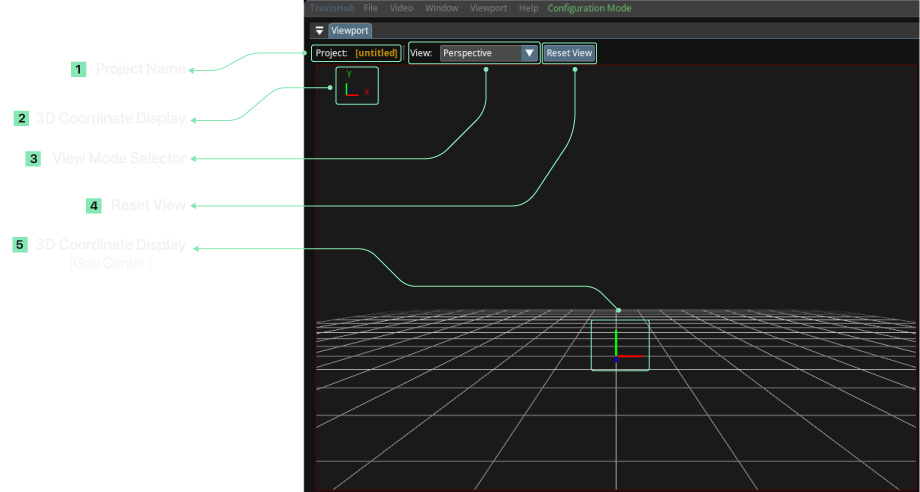
Viewport Modes›The Viewport panel is composed of the following sections:
- 3D Coordinate Display: Visual representation of the X, Y, and Z unit vectors within the 3D space.
- Project Name: Displays the name of the active project.
- View Mode Selector: Dropdown menu for selecting and changing the viewport perspective.
- Reset View: Button to reset the viewport camera to the initial position.
- 3D Coordinate Display on Grid Center: Additional visual helper functions same as 3D Coordinate Display on the grid center.